In Hong Kong, Macau (both speak majorly Cantonese), and Taiwan (mostly speaking their own flavour of Mandarin, Hokkien, and a few other ones too depending on where you are), they use traditional Chinese characters while the mainland PRC (huge pot of all sorts of dialects and other bits, but Mandarin is the standard language) is simplified, and somebody who knows one is not always able to read the other.
scallisto
joined 1 month ago
100K Penguins! Bazzite hits 100,000 weekly active devices, growing 14k devices in the past 3 months.
I think KDE did something recently to make everyone angry but I can’t remember what (AI related maybe?)
Partly true. Somebody talked about the idea of KDE Plasma becoming an "AI-native" desktop at Akademy (the KDE conference), and the discussion (which, as far as I'm aware, was all it was. I'm pretty sure it was just some guy, not the KDE team), and the media overblew it with headlines like "KDE Plasma becoming an AI-native desktop???"
There are good reasons to dislike KDE Plasma, but I don't think this is one of them. If you prefer GNOME because you prefer how it looks, that's cool too! And again, it's made by developers who do it at no cost to us, and the fact that Plasma is so good (as is GNOME, Cinnamon, etc.) is awesome
edit: The people who talked about Plasma as an "AI native" desktop in Akademy used to be KDE developers but are no longer active contributors. It was not the KDE team saying "this is what we will do in the future". There's a good video about it by Nicco (a KDE dev who makes videos regarding Linux and other bits) if you want to learn more: https://tube.kockatoo.org/videos/watch/b97487b5-b544-4652-8548-c0a732f87f45
Oops yeah that is a good point! Amended the comment.
You're confusing OpenOffice (dead project pretty much, hasn't seen updates in ages) with OnlyOffice (the Russian one with the licensing shenanigans and "AI first" stuff, UI is M365-like and very similar to the LibreOffice "Tabbed" UI)
I haven't used any of them in ages, I know Collabora is focused on their online suite. Looking at OnlyOffice's website, they are positioning themselves as an "AI-first" office suite (the LLM tools have been changed to be optional and installed separately since a recent update, but still a bad look)
And WPS Office was always owned by a Chinese company and continues to be closed-source, so no changes there. Again, the same sort of "AI-first" stuff on their homepage, yikes
LibreOffice, not OpenOffice. I believe LibreOffice was forked from OpenOffice, and the latter hasn't had any updates in ages.
I imagine that the UI you selected was the one of the "compact" or "single toolbar" options? It is a little confusing that some of the one functions disappear with those, it would be helpful if it was listed which ones were missing
It's never that MS Office files don't work on LibreOffice (formatting is a little different but almost never broken), it's always files exported from LibreOffice that MS Office misreads (because Microsoft ~~can't be bothered to follow standards~~ are anti-competitive)
Apparently it looks identical to MS Office, so it isn't "better" than MS Office or LibreOffice in a functional sense (arguably less so since it's probably very buggy code)
I wouldn't say it's people (normal people would be using MS Office or LibreOffice most likely) excited that it's LLM generated, though some AI Bros probably are, I imagine some outlets are promoting this to sell whatever the new model is these days. And when there is a lot of news around a topic, it's covered by more and more people (something about all press is good press here)
LibreOffice is an awesome piece of kit! On setup, they let you select the "tabbed" UI if you prefer something closer to MS office.
Collabora Office is another one that seems neat, have not used it before though. OnlyOffice has weird Russian ties and GPL incompatible licensing shenanigans, I would avoid them for the most part. WPS Office has the best compatibility with MS Office files on Linux I think, but it's closed-source so not great either. There's always running a VM / dual booting if you must use MS Office.
Honestly, MS office files have worked fine on LibreOffice, the only big issue I've found is that translucent images are a little broken when going from Impress to PowerPoint (all images share the same opacity for some reason?)
I have used GameNative and it works okay, but I don't have a Snapdragon device so it doesn't have the best results. I know there are lots of videos on Droid Deck on Android handhelds with the Snapdragon 8 Gen 2, and indie titles run fine for the most part. Have not tried it myself though, but it seems neat and will only improve from now!
Nice, a webUSB installer is very cool! The new photo editing app looks nest too...

It was very affordable (sub $20), came in lots of colours (including this lilac colourway that I love!), and is super comfortable too. The vertical mouse I used previously, a Ugreen one, had a narrower grip that was less than ideal.
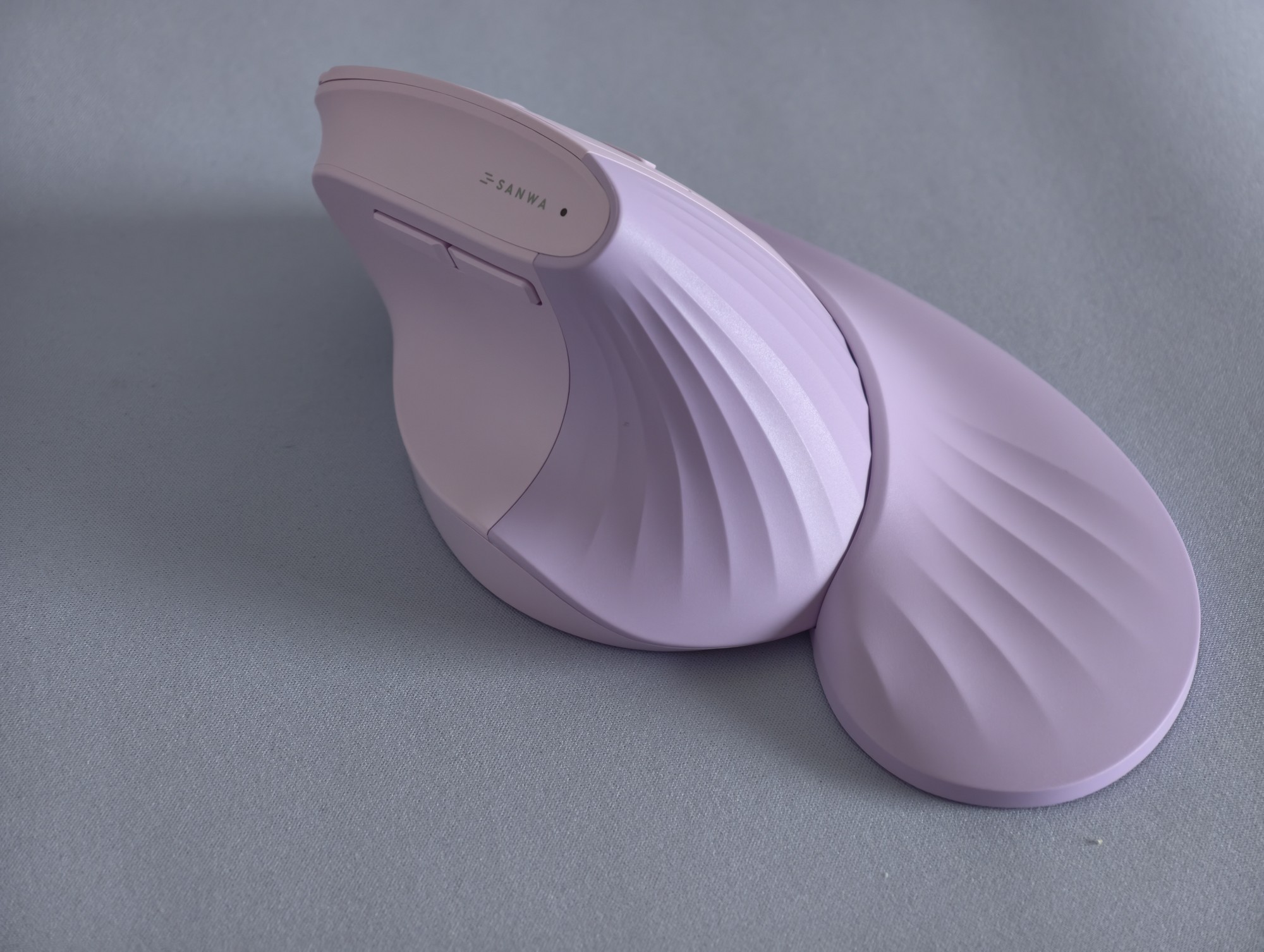
The mouse is by "Sanwa Supply", model number "GMAERGWBT22V" (V for violet I presume, it shows up at just "BT22" when pairing with Bluetooth), though I'm sure there are plenty of identical models from other brands.
The plastic finish is nice and will last a long time, as there isn't rubber like on the ridiculously priced MX Masters. The buttons are silent and have a nice click, the side buttons for forwards/backwards are nicely placed, and you can switch between 3 devices (two Bluetooth, one with the dongle)
The mouse came with a magnetically attached wrist rest too, which is nice, and even without it, it does not suffer from the trailing pinky finger issue of other vertical mice. The magnets are strong enough where it isn't super loose but not too strong where it's hard to detach. It's a nice bonus when I'm at my desk for long hours, and it can be removed if I need to pack it.
BUT one of the main reasons I bought it, aside from the fantastic colours, is that you can use it with a AA battery! No glued in nonsense, it's super easy to swap it out, and the dongle is also stored in the battery compartment too (always a nice bonus). I use it with rechargeable IKEA Ladda batteries, and it's been awesome.

It's no "gaming mouse", but I use it to play Minecraft, and it works well for that.
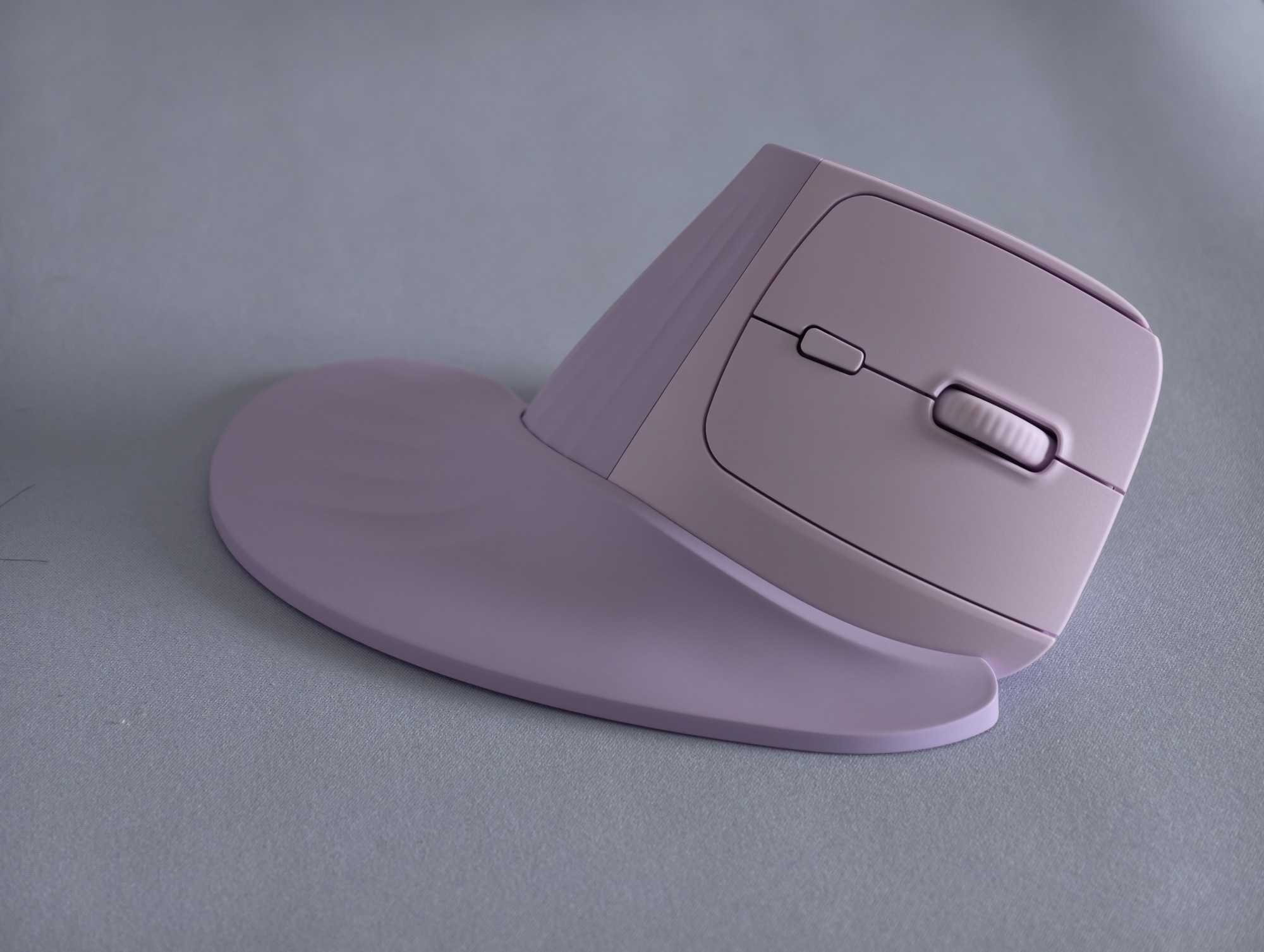
It was very affordable (sub $20), came in lots of colours (including this lilac colour that I love!), and is super comfortable too. The vertical mouse I used previously, a Ugreen one, had a narrower grip that was less than ideal.
The mouse is by "Sanwa Supply", model number "GMAERGWBT22V" (V for violet I presume, it shows up at just "BT22" when pairing with Bluetooth), though I'm sure there are plenty of identical models from other brands.
The plastic finish is nice and will last a long time, as there isn't rubber everywhere like on the ridiculously priced MX Masters. The buttons are silent and have a nice click, the side buttons for forwards/backwards are nicely placed, you can switch between 3 devices (two Bluetooth, one with the dongle), and the scroll wheel is nice (though not a metal one)
The mouse came with a magnetically attached wrist rest too, which is nice, and even without it, it does not suffer from the trailing pinky finger issue of other vertical mice. The magnets are strong enough where it isn't super loose but not too strong where it's hard to detach. It's a nice bonus when I'm at my desk for long hours, and it can be removed if I need to pack it.
BUT one of the main reasons I bought it, aside from the fantastic colours, is that you can use it with a AA battery! No glued in nonsense, it's super easy to swap it out, and the dongle is also stored in the battery compartment too (always a nice bonus). I use it with rechargeable IKEA Ladda batteries, and it's been awesome.
view more: next ›
I mean, if you're insane you could pair this with Microsoft Edge for Linux