Android
32593 readers
3 users here now
DROID DOES
Welcome to the droidymcdroidface-iest, Lemmyest (Lemmiest), test, bestest, phoniest, pluckiest, snarkiest, and spiciest Android community on Lemmy (Do not respond)! Here you can participate in amazing discussions and events relating to all things Android.
The rules for posting and commenting, besides the rules defined here for lemmy.world, are as follows:
Rules
1. All posts must be relevant to Android devices/operating system.
2. Posts cannot be illegal or NSFW material.
3. No spam, self promotion, or upvote farming. Sources engaging in these behavior will be added to the Blacklist.
4. Non-whitelisted bots will be banned.
5. Engage respectfully: Harassment, flamebaiting, bad faith engagement, or agenda posting will result in your posts being removed. Excessive violations will result in temporary or permanent ban, depending on severity.
6. Memes are not allowed to be posts, but are allowed in the comments.
7. Posts from clickbait sources are heavily discouraged. Please de-clickbait titles if it needs to be submitted.
8. Submission statements of any length composed of your own thoughts inside the post text field are mandatory for any microblog posts, and are optional but recommended for article/image/video posts.
Community Resources:
We are Android girls*,
In our Lemmy.world.
The back is plastic,
It's fantastic.
*Well, not just girls: people of all gender identities are welcomed here.
Our Partner Communities:
founded 2 years ago
MODERATORS
1
The Fairphone 4, as nominated by @be_gt@lemmy.world!
As promised, you will be receiving 1 Lemmy Silver, and of course, bragging rights.

But, we also have an honorary Golden Lemmy award, which goes to...
Every Android device that is not the Samsung Galaxy S22+, as nominated by @OpenStars@discuss.online!
You get 1 Lemmy Silver (and bragging rights) too!
That's it for this year's Golden Lemmy, folks!
(Nomination thread is here for future references.)
3
4
5
24
You can talk to anyone in any language? RTranslator & SherpaTTS make a great match [review]
(www.lffl.org)
I've posted on here a long time ago about RTranslator, which is a phenomenal, real-time translation app for conversations. It's a beautifully designed app that allows for on-device transcription and translation.
RTranslator has a few different modes that make it great for bilingual conversations. It can do simple text translations very well, like a handful of other apps. I actually use this one for that purpose because it has system context menus and OCR for image translation.
Where RTranslator really shines is in translating live conversations.
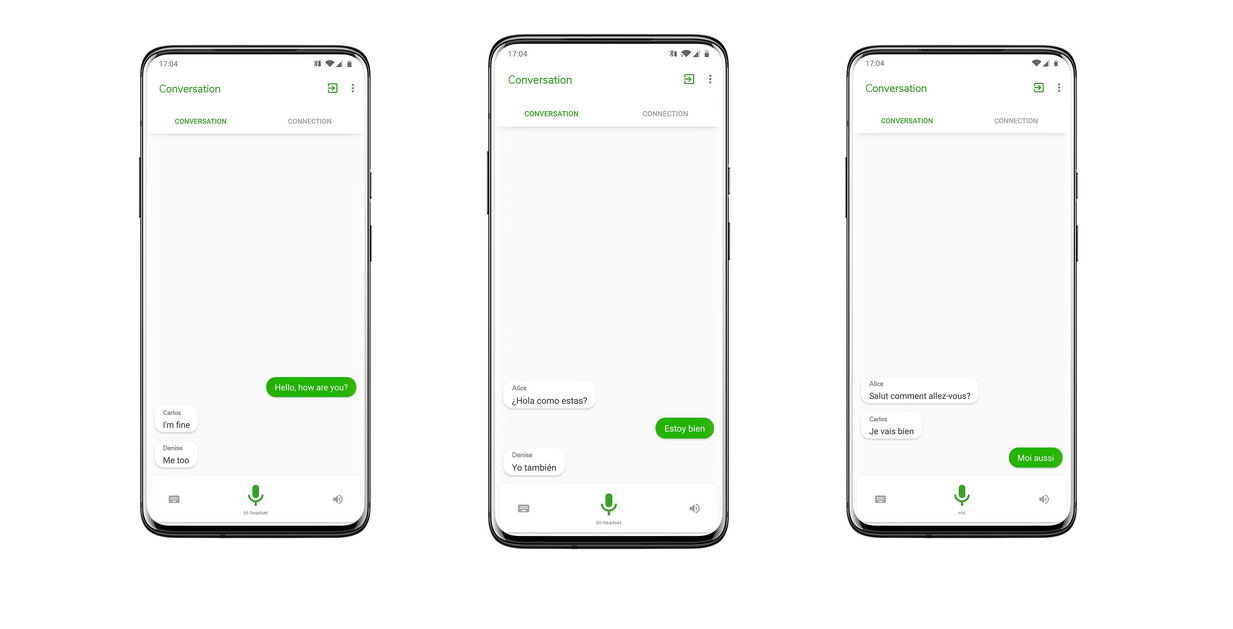
When it first came out a couple years ago, it felt like sci-fi. You can set it up to walkie-talkie mode, and the phone will automatically detect multiple speakers, identify the language they're speaking, and translate to the other language. If you have TTS enabled on your phone, you can even hear the other half of the conversation (more on that in a moment).
The really amazing feature is if you have translator installed on two separate devices, then you can communicate with each other over Bluetooth. Even with your phone in your pocket, you can easily have a complete conversation with another person. Did I mention that it does all of this without any internet?
When you first set up the app, you'll have to access the internet to download language models, but after that, it never goes online. The file size and processing power might be heavy on older or cheaper phones, but runs smoothly and easily on modern phones (I have a Pixel 7, which is hardly bleeding edge).
I like things that happen on-device for privacy purposes, but it's also immediately practical for something like this. If you need on the spot translation, there's a good chance you're traveling and may not have access to reliable (or free) internet.
Most Android devices have built-in text-to-speech (TTS). So after you've installed RTranslator and selected your languages to download, then you're good to go.
If you're using an alternative OS (like graphene, which I use), then you'll have to select one yourself. Note: I think that Google's TTS also works on device without an internet connection, but I'm not 100% sure.
That's where SherpaTTS comes in. Like the translator, Sherpa will need some space on your device and uses some processing power (although, the footprint is much smaller). It takes a little bit of time to set up, but most of that time is choosing your selected voice. There are literally hundreds of models to choose from.
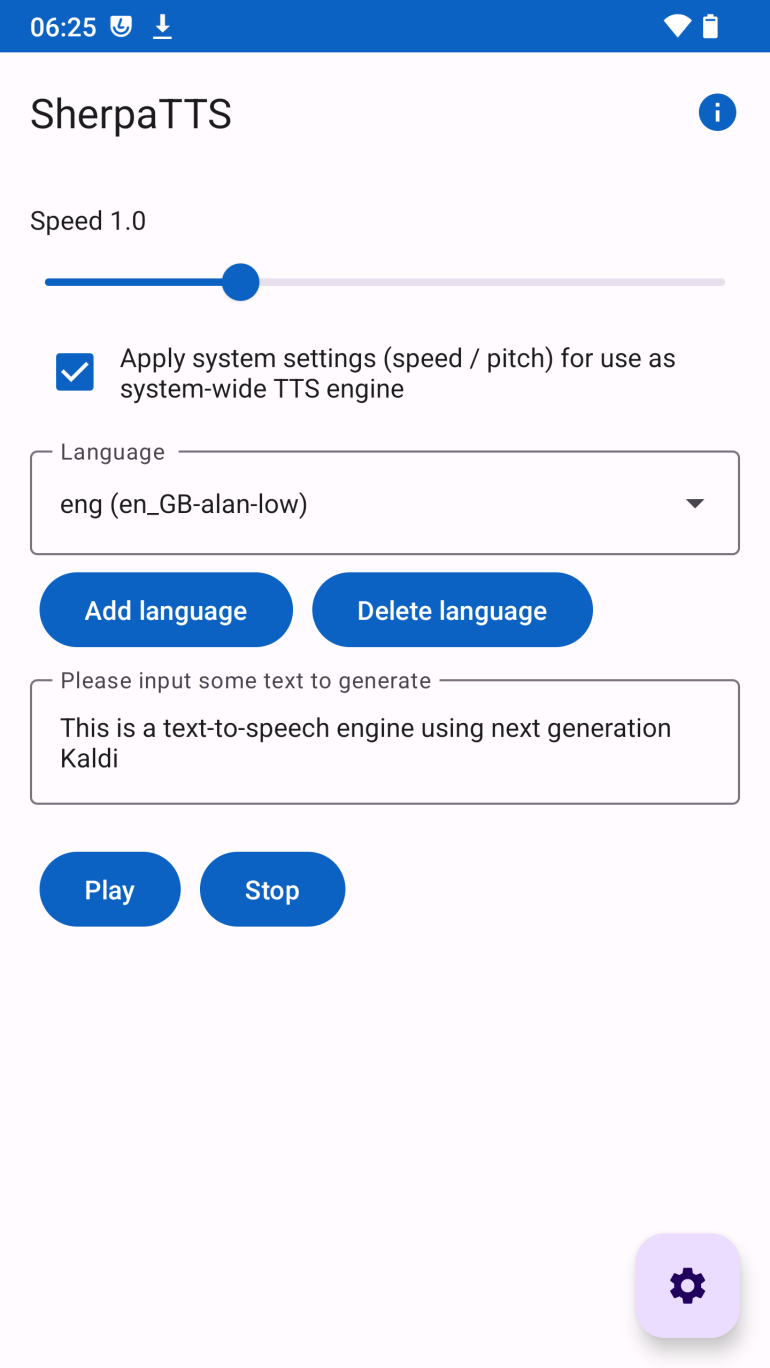
You can set it up as your system default TTS, and then select it through the menu or during setup in RTranslator. Now you have modern, offline, live translation almost instantaneously.
Both apps are easy to set up and walk you through the process pretty quickly.
All software here mentioned is open source. Some of the models used by this software might be derived from proprietary sources, but the models themselves are considered open source. Nobody asked me to do this, but I like sharing great open source software. Projects like these don't have an advertising budget, and rely on word of mouth.
7
8
9
10
11
12
13
30
Google Messages change means your employer may be able to see your messages
(www.androidpolice.com)
14
15
16
17
18
19
20
cross-posted from: https://programming.dev/post/41272884
@everyone GrapheneOS is being heavily targeted by the French state because we provide highly secure devices and won't include backdoors for law enforcement access. They're conflating us with companies selling closed source products using portions of our code. Both French state media and corporate media are publishing many stories attacking the GrapheneOS project based on false and unsubstantiated claims from French law enforcement. They've made a clear threat to seize our servers and arrest our developers if we do not cooperate by adding backdoors. Due to this, we're leaving France and leaving French service providers including OVH. We need substantial help from the community to push back against this across platforms. People malicious towards us are also using it as an opportunity to spread libel/harassment content targeting our team, raid our chat rooms and much more. /e/ and iodéOS are both based in France, and are both actively attacking GrapheneOS. /e/ receives substantial government funding. Both are extremely non-private and secure which is why France is targeting us while those get government funding. We need a lot more help than usual and we're sending our the first ever notification to everyone on the sewer because this is a particularly bad situation. If people help us, it will enable us to focus more on development again including releasing experimental Pixel l0 releases very soon.

21
22
23
24
25
63
Steam integration coming to Android games: Steamworks SDK 1.63 added libs for androidarm64
(store.steampowered.com)
view more: next ›