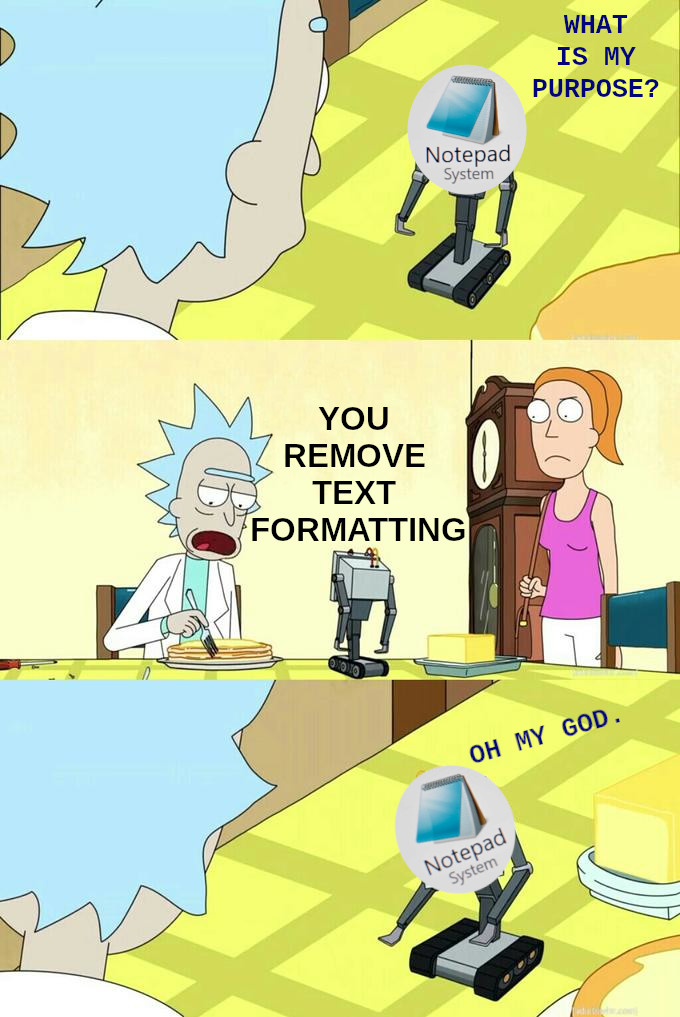
Shift + control + V makes this bot obsolete
1. Be civil
No trolling, bigotry or other insulting / annoying behaviour
2. No politics
This is non-politics community. For political memes please go to !politicalmemes@lemmy.world
3. No recent reposts
Check for reposts when posting a meme, you can only repost after 1 month
4. No bots
No bots without the express approval of the mods or the admins
5. No Spam/Ads/AI Slop
No advertisements or spam. This is an instance rule and the only way to live. We also consider AI slop to be spam in this community and is subject to removal.
A collection of some classic Lemmy memes for your enjoyment
Shift + control + V makes this bot obsolete
It doesn't work in all apps.
For those instances, I paste + cut in my browsers url bar (unless multiline, then notepad)
I hit Win+R and use the run dialogue text bar.
You also get to try running it in case it does something fun on your system.
Glad to hear I'm not the only person abusing that run dialogue box.
Does that maintain paragraph breaks?
You're the only program that loads quickly enough on my pile of junk machine to write down my impulsive ADHD ideas before I forget them so I can forget to read them later
have you considered a notebook next to your keyboard, so you can jot down those ADHD ideas in a pinch?
adhd ideas are fast, too fast for handwriting. sometimes even typing is barely fast enough
one day when we invent thought -> text machine neurotypicals will finally be able to see the speed of an adhd brain that "just had a great idea", and they shall wonder how can our brains be so fast, but seemingly never when they should
Typing hurts my wrist less than physically writing it down
The pain is what sears anything I hand write down into my brain.
Notepad++ for me since opening the files i need to in regular notepad freezes the fucker xd
CTRL + SHIFT + V in Windows pastes without formatting
Depends on the app, it’s not a “windows” thing.
If you install Power Toys, you can set a key sequence to paste in anything like this.
Power Toys FTW!
It works 50% of the time
It depends on how the app you were using was written. If it was written correctly, it'll work, if not, blame the company that made it (especially when it's Microsoft themselves!).
Power Toys has a feature that will force it to work in every app, I highly recommend it! There's all sorts of helpful features in Power Toys.
+1 for PowerToys, lots of good features
I do this all the time in Fedora.
notepad++ is better.
I love it too, but it takes longer to open, and wants to update its self every time I open it. If I just want a plain text editor I still use plain notepad. I save ++ for when I need some special features.
notepad++ doesn't nag me about updates all the time. I open mine very frequently to manage my onetab tabs
SO much better.
CTRL + SHIFT + V
For apps that support it. Not even the whole Microsoft suite does.
Before even typing "notepad" after hitting Win+R, I realised I could just paste my text directly into the run dialog and re-copy it.
Shit not even that anymore, now that M$ wants to monetize it, too.
Notepad++ is the go-to tool I have been using since finding out about it a long ass time ago.
I prefer Sublime Text
Only the ai bullshit costs money, which you can turn off. Other than that notepad is still free. So nothing really changed.
Nah, I use it a lot for editing .ini files for games.
Try Notepad++, its free, open source, and well worth the minimal effort to download and install.
NP++ is great but sometimes you want something even more minimal... I for example hate NP++'s icon toolbar and it's cluttered menu bar and would never use it even though I acknowledge that it's a great tool (just not for me).
Classic notepad.exe with basic syntax highlighting would be amazing...
Heeey Notepad has Copilot included now! I wonder why they ruin the app.
Watch microsoft "update" notepad to ruin this feature..
@cm0002 OMG that is what I use it for on windows at work.
Who the hell decided the formatting should be part of the copy anyhow.
Just use shift+Ctrl+V for that.