this post was submitted on 21 Apr 2024
2 points (66.7% liked)

Android

32621 readers
230 users here now

DROID DOES

Welcome to the Android community on Lemmy. Here you can participate in amazing discussions and events relating to all things Android.

The rules for posting and commenting, besides the rules defined here for lemmy.world, are as follows:

Rules


1. All posts must be relevant to Android devices/operating system.


2. Posts cannot be illegal or NSFW material.


3. No spam, self promotion, or upvote farming. Sources engaging in these behavior will be added to the Blacklist.


4. Non-whitelisted bots will be banned.


5. Engage respectfully: Harassment, flamebaiting, bad faith engagement, or agenda posting will result in your posts being removed. Excessive violations will result in temporary or permanent ban, depending on severity.


6. Memes are not allowed to be posts, but are allowed in the comments.


7. Posts from clickbait sources are heavily discouraged. Please de-clickbait titles if it needs to be submitted.


8. Submission statements of any length composed of your own thoughts inside the post text field are mandatory for any microblog posts, and are optional but recommended for article/image/video posts.


Community Resources:


founded 2 years ago
MODERATORS
 

Hi everyone!

I'm happy to share my app, Octopi Launcher, which I've worked on for quite a while now.

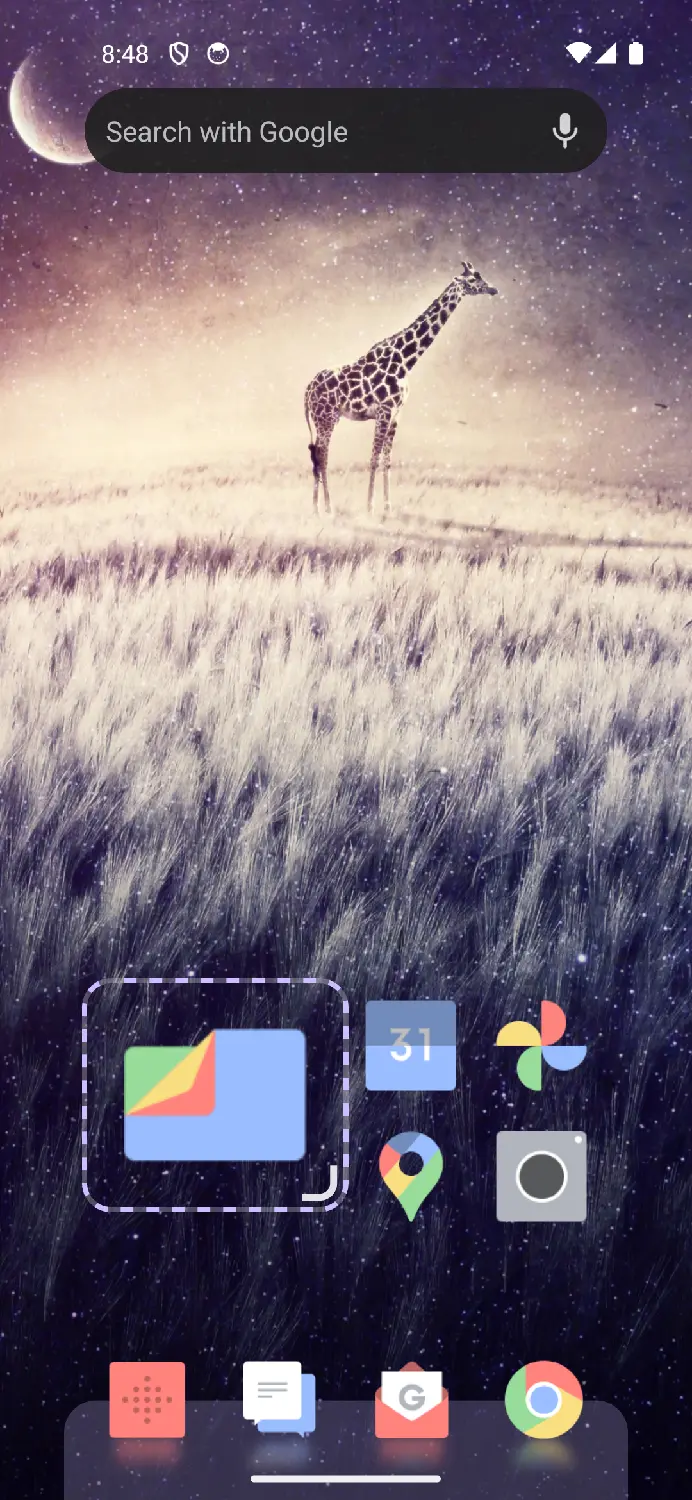
Octopi Launcher is a launcher for Android, built with the latest trends in mind, which includes visual and haptic effects, and support for foldables.

Features:

  • App drawer, dock and homescreen
  • Different homescreen for different screen layout/ orientation/ size/ foldable position
  • Widgets and (autoscrolling) widget stacks
  • Home screen folders
  • Fine/ free positioning of home screen apps and widgets
  • Big home screen icons
  • Swipe actions for icons
  • Display drawer items as icons or tiles (or single list); sort by installed date or updated date
  • App search + instant launch
  • Icon pack support
  • Wallpaper blur when opening app drawer (on supported devices)
  • Work profile support
  • Fun animations, reflections and haptic effects

Screenshot album: https://photos.app.goo.gl/8xiXqSABV7Rhad139

Firstly, join the Google Group to gain access: https://groups.google.com/g/octopi-launcher-alpha-testers

Then, use this link to download the closed beta: https://play.google.com/apps/testing/com.otp.octopilauncher

I'd love to hear your feedback below, and have a nice day!
top 13 comments
sorted by: hot top controversial new old
[–] jak2k@discuss.tchncs.de 2 points 2 years ago (1 children)
[–] ock88@lemmy.world 0 points 2 years ago (1 children)

Not at the moment, it's something I have been thinking ever since I started, so I haven't ruled that out in future

[–] gnomadic@lemmy.world 2 points 1 year ago
[–] n4but@lemmy.world 2 points 7 months ago* (last edited 7 months ago) (1 children)

I have a pixel 9 pro fold and wondered if the option to copy from the front screen to the inner screen will be available soon? I spen 20 minutes building the perfect set of folders haha and cant use them in open book mode.

[–] ock88@lemmy.world 2 points 6 months ago

It's a bit more complicated as it involves managing screens of different resolution and sizes. Currently I'm focusing on core features that everyone will be able to use, such as dock folder and more gestures. Coming back to foldables improvements after that

[–] Diabolo96@lemmy.dbzer0.com 0 points 2 years ago

A few pictures would be great. Will it be free/ donationware or paid? Open source or closed source ?

I've been on an old version of nova launcher for several years now due to simple feature that is somehow unavailable anywhere else. When you open the search widget, it also shows a small 3 tab drawer that shows you the last 12 recently installed/updated, recently opened, and frequently opened apps. This made handling apps far easier.

[–] JackGreenEarth@lemm.ee 0 points 2 years ago (1 children)

What does it do that other, FOSS launchers on F-Droid don't do?

[–] ock88@lemmy.world 1 points 2 years ago

it's still under lots of development, but here's a few:

  • Better support for foldables (separate layouts for each screen)
  • (Auto-scrolling) widget stacks
  • Fine/ free positioning of home screen apps and widgets
  • Resizable home screen icons
  • Display drawer items as tiles (or single list)
[–] Blaze@lemmy.blahaj.zone 0 points 2 years ago (1 children)

Interesting, you can cross post to !android@lemdro.id too

[–] ock88@lemmy.world -1 points 2 years ago (1 children)
[–] mgwilkerson@lemmy.world 0 points 1 year ago

Hello, I recently joined this post and was wondering when your launcher will come out? I would love to be a beta user if possible

[–] Mod80@lemmy.world 0 points 7 months ago (1 children)

Hey is there a way add the search bar into the dock below the icons as an option?

Also any way of getting the Google now slide left?

Really good app tho and enjoying using it

[–] ock88@lemmy.world 1 points 6 months ago

You can actually float/ pin a widget to make it behave like a dock.

As for the actual dock, that can be achieved too by creating a folder, changing it to grid mode, and resizing it to the size you want. You can then float/pin it too.

Google Now slide left won't be planned soon as it requires Google not to change and break things in future, which is something I can't control. As a work-around, you can assign the Google app to the gesture when you swipe right