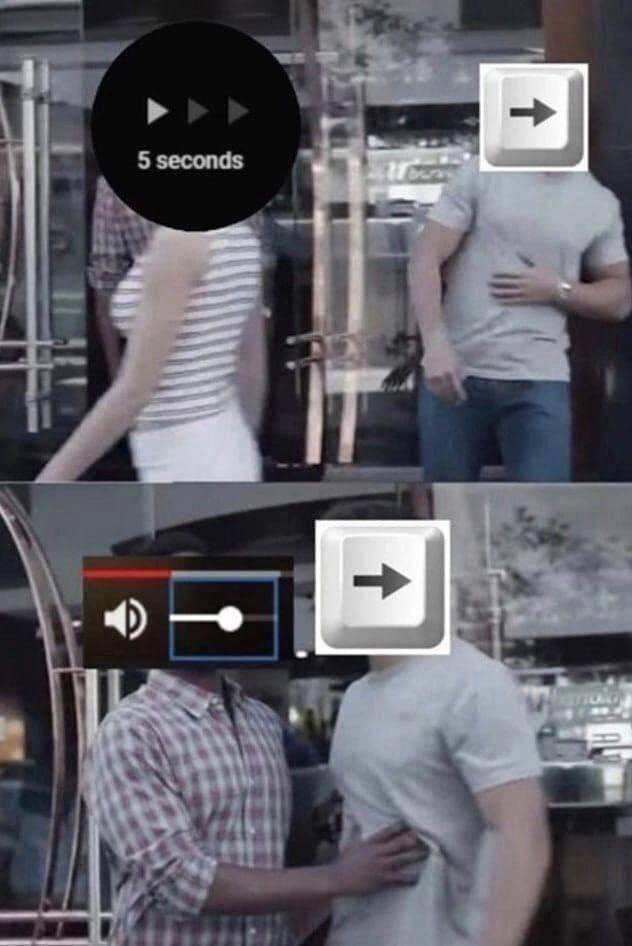
Click the full screen button to enjoy a movie. Watch for a bit. Hit space to pause to do something. Unfullscreen.
1. Be civil
No trolling, bigotry or other insulting / annoying behaviour
2. No politics
This is non-politics community. For political memes please go to !politicalmemes@lemmy.world
3. No recent reposts
Check for reposts when posting a meme, you can only repost after 1 month
4. No bots
No bots without the express approval of the mods or the admins
5. No Spam/Ads/AI Slop
No advertisements or spam. This is an instance rule and the only way to live. We also consider AI slop to be spam in this community and is subject to removal.
A collection of some classic Lemmy memes for your enjoyment
Click the full screen button to enjoy a movie. Watch for a bit. Hit space to pause to do something. Unfullscreen.
I hate that, space bar should just always be pause and resume not whatever you hit last. Now I have to go full screen then pause and resume so that of I hit spacebar later it will pause
k does what you want
Just use F for fullscreen, that way the fullscreen button never gets selected
Thanks ill try it out. This is mostly on a different site I use but maybe they use YouTube as a backend or with similar shortcuts
J for 10s jump back
K for pause
L for 10s jump forwards
Also , and . (or < and >, depending on how you look at it) move a paused video frame by frame.
I hate vi shortcuts because they never take non-qwerty keyboard distributions into account and it is unpredictable whether they'll follow position or letter and shortcuts of webpages aren't remappable.
And I hate arrow key shortcuts because they don’t take Raphael into account.
Not for me!
J for increase audio delay
K for decrease audio delay
L for loop (or ctrl+l for view playlist)
Arrow R/L for RR/FF
Up/down for vol up/down.
Vlc rules.
I think E was next frame
E is indeed next frame, and it's awesome!
Disappointed there's no last frame button though.
Same tbh.
How do you play YT on VLC?
That's the problem, pasting the https link into VLC never worked for me.
Um...ok?
also works in most video editors! that's where it comes from too
No, the legacy of HJKL in modern tools comes from vi, which itself uses them because the original ADM-3A terminal that Bill Joy used when developing it used HJKL in lieu of arrow keys.
vi was hugely influential and its legacy can be found in many tools beloved by software engineers and other tech-minded folks (and vi's successor, vim, is still widely used to this day).
ahh alright! thanks for the additional info, I mostly know JKL<> from avid media composer which judging by the UI looked ancient to me when my lecturers insisted it's the "industry standard" and "no you can't use Premier Pro you need to learn avid or you won't find a job"
I want a button that skips back 10s, turns on subtitles, and then turns off subtitles when we're back to where we started.
The Apple TV 4 launched with a feature where you could hold the Siri Remote and ask “what did they say?” And it would do exactly that.
I’m pretty sure it only worked in their apps
I’m pretty sure it only worked in their apps
Of course :(
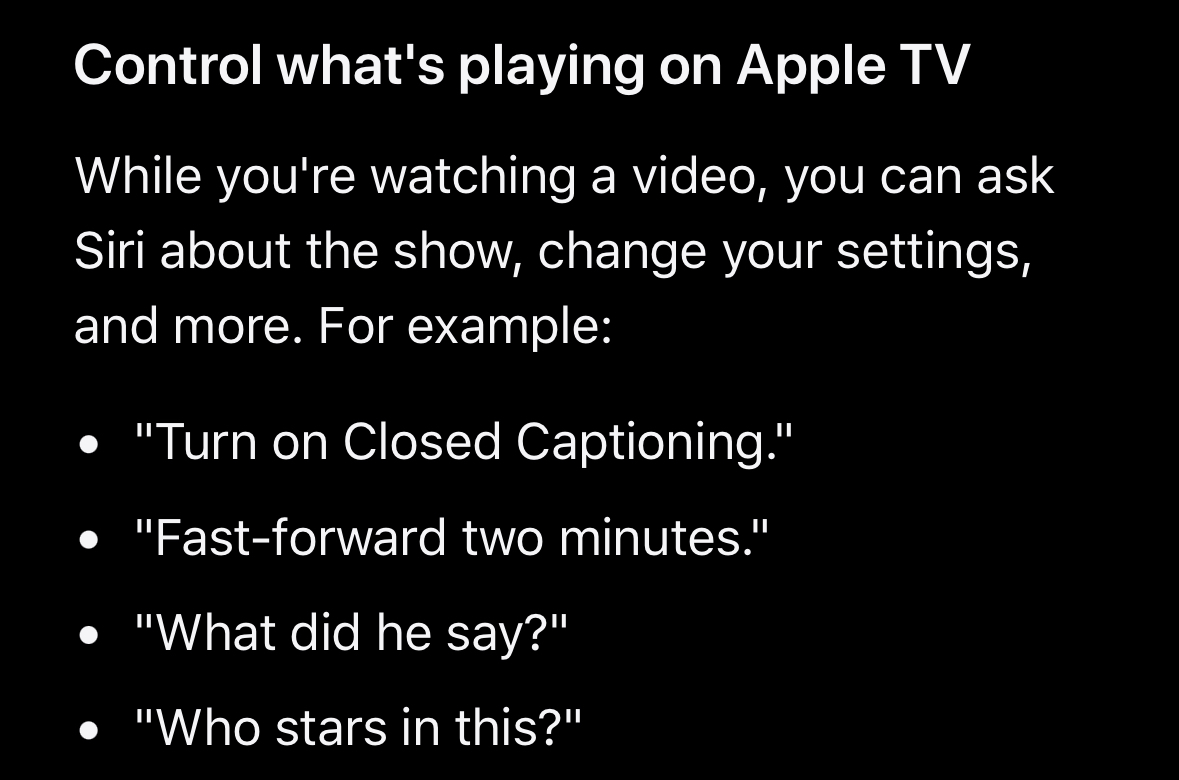
They’ve supported it since 2015 and provide this extensive documentation:
My feedback:
“Control what's playing on Apple TV” includes "What did he say?" with no explanation of the rewind/temp CC feature. Also excludes shorter “what was that?” command. I want a massive table of all command permutations and their results.
As much as I dislike roku that's one of the nice features it has.
is it enabled by default on the stick?
Not sure on the stick but on the roku TV you just press the options button when you're watching something and it's right there in the CC settings.
Further explanation: options key is the asterisk *, and the option you want is “subtitles” “on replay”
could make an autohotkey script to press the left arrow twice then c then wait 10 seconds then press c again
Adjust audio by 5% with up/down arrow keys, so your focus will never be on the audio slider.
You can also adjust it by 10% by hovering over it and scrolling up/down with the mouse wheel.
J K and L are shortcuts that work no matter what element within the player that your keyboard focus is on.
Yes, but then you jump twice as far.
And skip 10 secs
YouTube Control Fix - Chrome extension fixes it on Chrome
https://chromewebstore.google.com/detail/youtube-control-fix/pkemfahanpgdcdmgcehgblhagnhacpjo
Is there one that disables 1-9 keys for jumping around in the video? I’ve accidentally pressed those so many times and lost my spot in a long video. Extremely frustrating!
Yes there is. I use it. But I'm on mobile so can't check rn. If I remember, I'll edit this comment.
EDIT: it's Disable Youtube Seek by Number on firefox, probably there's also in chrome.
input.conf