this post was submitted on 13 Feb 2025
123 points (98.4% liked)

Selfhosted

53861 readers
527 users here now

A place to share alternatives to popular online services that can be self-hosted without giving up privacy or locking you into a service you don't control.

Rules:

  1. Be civil: we're here to support and learn from one another. Insults won't be tolerated. Flame wars are frowned upon.

  2. No spam posting.

  3. Posts have to be centered around self-hosting. There are other communities for discussing hardware or home computing. If it's not obvious why your post topic revolves around selfhosting, please include details to make it clear.

  4. Don't duplicate the full text of your blog or github here. Just post the link for folks to click.

  5. Submission headline should match the article title (don’t cherry-pick information from the title to fit your agenda).

  6. No trolling.

  7. No low-effort posts. This is subjective and will largely be determined by the community member reports.

Resources:

Any issues on the community? Report it using the report flag.

Questions? DM the mods!

founded 2 years ago
MODERATORS
 

Over the years I accumulated very many services which I host myself and each of them has it's own URL:

  • 6 websites, mine and my sisters
  • 3 instances of home assistant
  • Uptime Kuma
  • Synology with photos on it
  • Matrix server
  • Firefox sync
  • TinyTinyRSS
  • Mastodon
  • PeerTube
  • PieFed
  • Immich
  • Open WebUI (for local large language models)
  • UniFi (CCTV)
  • Baïkal (Cal- and CardDav)

I'm probably forgetting some of them now and I'm planning to host more in the future.

The problem is how to remember all of those URLs or domains. I have a system how I call them, but my extended family can't really remember them.

I think it's time for a landing page. Do you guys have any suggestions?

top 50 comments
sorted by: hot top controversial new old
[–] Darkassassin07@lemmy.ca 49 points 10 months ago* (last edited 10 months ago) (2 children)

Homepage

Gives you a nice dashboard that you can configure however you like. It includes integration with a ton of existing services, as well as docker.

My setup:

Clicking on each service will open it's respective url.
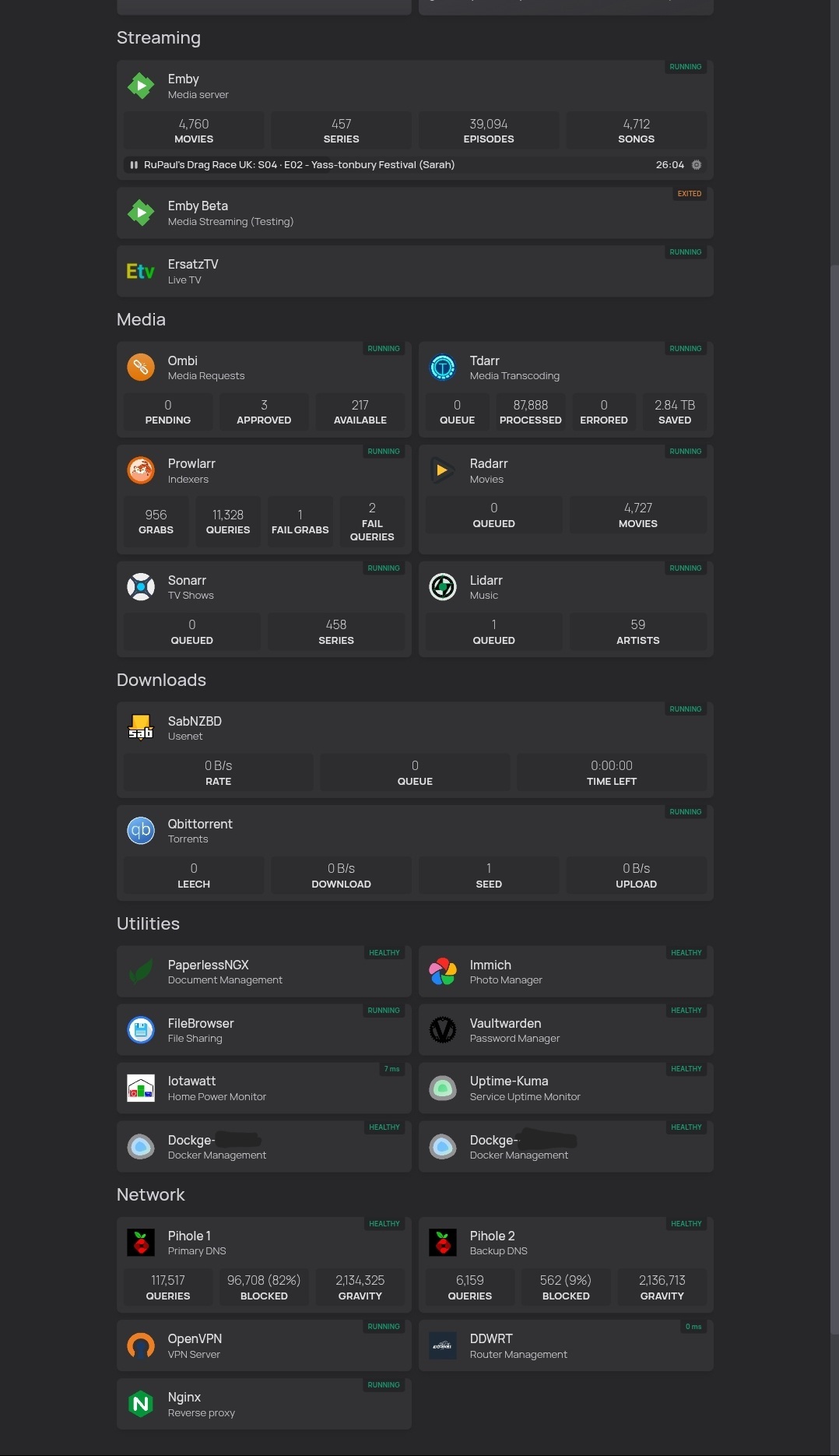
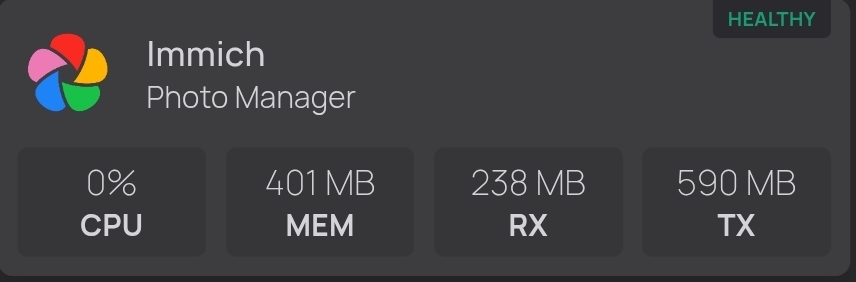
The 'healthy' indicator at the top right of each service is it's container health. Clicking on that will expand to show cpu, ram and network usage. Some of these services/docker hosts are on separate machines; it all integrates together nicely.
[–] denshirenji@lemmy.world 5 points 10 months ago* (last edited 10 months ago) (1 children)

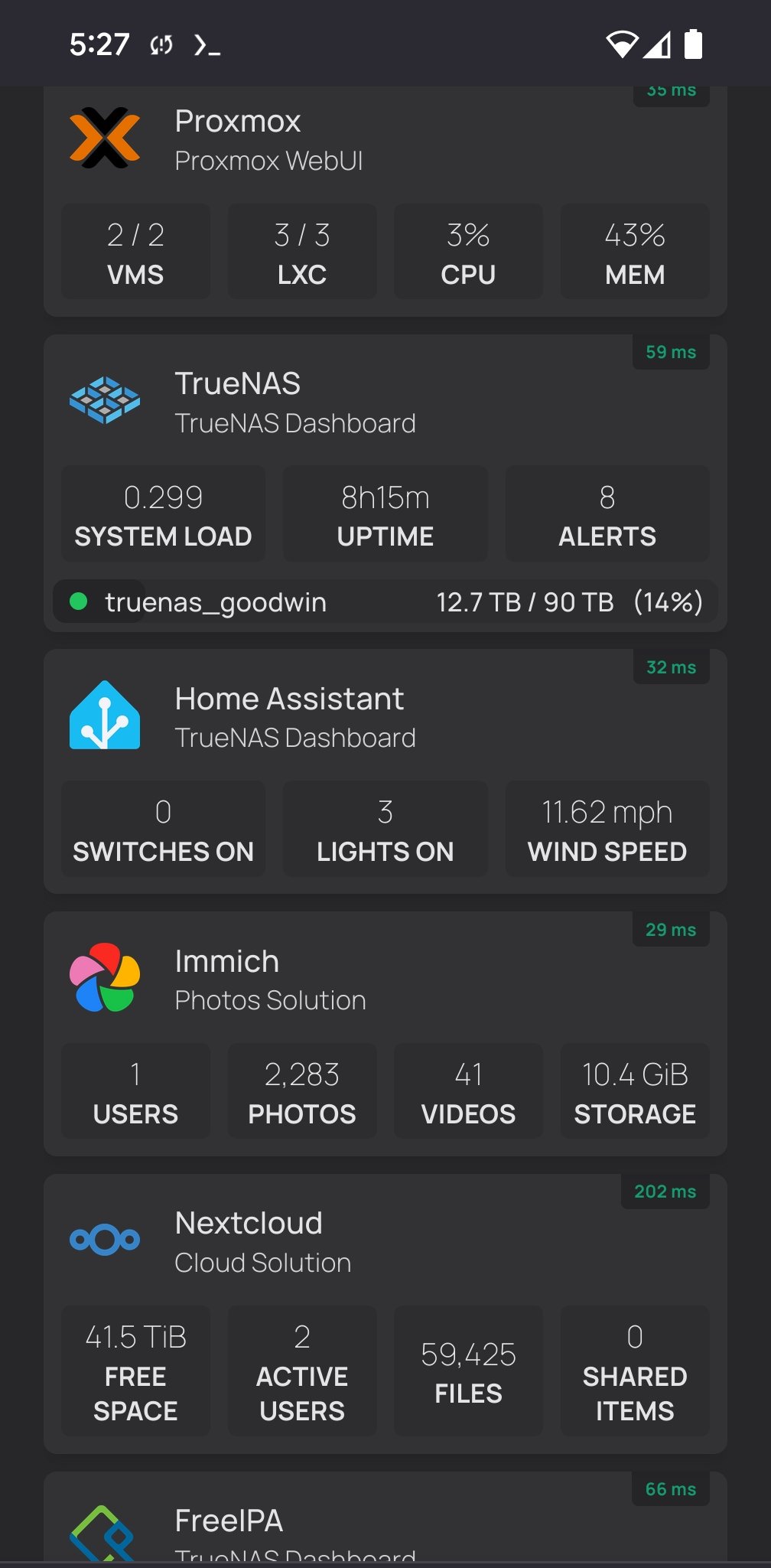
This is what I use. I tried other ones, but this one is simple to set up and edit. It's very clean and has a ton of widgets for services. I would like it to have a login option, but that isn't a deal breaker.

1000003017

load more comments (1 replies)
[–] sugar_in_your_tea@sh.itjust.works 2 points 10 months ago

There are a bunch of other static site generators as well. They're mostly targeted at blogs and whatnot, but maybe that's a good thing if you want to leave some instructions/documentation about each one.

[–] mike_wooskey@lemmy.thewooskeys.com 21 points 10 months ago (1 children)

I love homepage for this purpose. Gorgeous, good UX, easy to configure, and lots of widgets/integrations.

[–] eodur@lemmy.world 10 points 10 months ago

Homepage is great, especially if the services are deployed on docker or Kubernetes. You can just add some metadata to each service and Homepage will automatically pick them up. No need to remember to update it directly for a new service.

[–] perishthethought@lemm.ee 20 points 10 months ago (1 children)

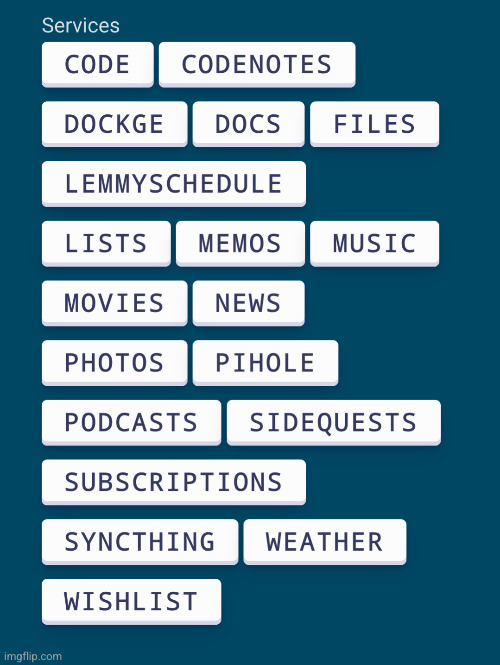
I just hacked a simple HTML page for this, with big mobile friendly buttons.

That page is served by nginx in my server and is my default home page on my phone and desktop.

[–] jeena@piefed.jeena.net 6 points 10 months ago (2 children)

Hm interesting, no icons and no status indicator. At the same time over time you probably got it into your muscle memory where to press quickly. It's intriguing.

[–] perishthethought@lemm.ee 9 points 10 months ago

My requirement with this page is it has to load really fast, because I return to it often while working / browsing. So yeah, it's really lightweight and easy to maintain, as things come and go. The source is stored in Forgejo! (the "Code" button there).

[–] merthyr1831@lemmy.ml 2 points 10 months ago

If you needed some visual cues you could use colour and emojis to add context whilst keeping load times down

[–] ZebraGoose@sh.itjust.works 17 points 10 months ago* (last edited 10 months ago) (2 children)

Im using homarr it works really good and is easy to configure

[–] ikidd@lemmy.world 12 points 10 months ago (1 children)
[–] DesolateMood@lemm.ee 2 points 10 months ago (1 children)

Honestly thank you. Been using homarr for a while and had no idea that had a completely new version

[–] ikidd@lemmy.world 2 points 10 months ago

Glad to help.

[–] Fedegenerate@lemmynsfw.com 2 points 10 months ago (1 children)

+1 for Homarr. I didn't need to learn how to write any configs. Everything can be setup in realtime, in the GUI, and is immediately testable. Homarr brought a homepage down to my skill level.

My only wish is to lock homepages behind user permissions but it's fine, my family friends don't intend to explore, just to get to where they're going.

[–] Dirk@lemmy.ml 12 points 10 months ago (1 children)

Do you guys have any suggestions?

Because I don't like software getting in my way I just cobbled together some HTML and CSS and call it a day.

[–] czardestructo@lemmy.world 2 points 10 months ago (2 children)

Similar, but more fancy, I have a bash script that runs every 15 minutes and ingests a config file. The config file has a super simple CSV format of every service I have. It checks that all the services are operational and generates an HTML file from it. If any services are down the HTML will show its down, otherwise its just a helpful link.

load more comments (2 replies)
[–] herrfrutti@lemmy.world 9 points 10 months ago (2 children)
load more comments (2 replies)
[–] stroz@infosec.pub 9 points 10 months ago

I use Flame as a dashboard for users at home

[–] Vetinari@reddthat.com 8 points 10 months ago (2 children)

I use organizr. It can use iframes to load the pages which makes for a very integrated experience. It can be a little more complex to get going and get your apps playing nice with the iframes. Also the development on it has slowed down a lot. I'm hoping it gets more love soon, but that alone has me looking for alternatives. There are several others I have seen. I'm looking at Homepage currently.

So far nothing seems better than organizr for my uses.

[–] TheButtonJustSpins@infosec.pub 2 points 10 months ago

I use Jump for guests, Homepage for me, and Organizr for both.

[–] gdog05@lemmy.world 2 points 10 months ago

That's what I use. It goes under the radar a lot and I don't know why. I love that it shows me my sabnzb downloads and what streams are happening on Jellyfin at a glance.

[–] Shimitar@downonthestreet.eu 7 points 10 months ago* (last edited 10 months ago) (1 children)

I wrote my minimal HTML+CSS dashboard with a touch of JavaScript and use it with pride.

Its blazing fast and quite customizable and no bells and whistles.

Here: https://github.com/gardiol/dashboard

You configure it with a touch of json.

[–] ocean@lemmy.selfhostcat.com 21 points 10 months ago (2 children)

No pictures on repo is always frustrating

[–] MP3Martin@programming.dev 8 points 10 months ago* (last edited 10 months ago)

And it also attracts more people to try/use it. (when they can see what it looks like when set up)

[–] Shimitar@downonthestreet.eu 5 points 10 months ago (1 children)

Ah, maybe will upload some.

[–] ocean@lemmy.selfhostcat.com 4 points 10 months ago

Let me know if you do

[–] boydster@sh.itjust.works 6 points 10 months ago* (last edited 10 months ago) (3 children)

I'm super basic when it comes to dashboard. Spinning up a Heimdall docker container is so insanely easy and it lets me make nice looking links to all my services. Of all the things I've spent energy to try and learn to be better at, my dashboard has never been one and maybe it's time to revisit... But man, it's just a really quick compose file and one command and it's there.

https://docs.linuxserver.io/images/docker-heimdall/#usage

[–] golli@lemm.ee 3 points 10 months ago

That's pretty much me aswell, besides that I didn't even spend energy to try and learn others. Simple docker compose, simple ui and easy way to add services.

I am sure there are alternatives that allow for more elaborate setups and fancier things. But for the low effort I put into it, I got a page with some nice buttons with appropriate icons that scales to whatever screen size it's displayed on. Only additional thing I did was enabled to show some basic info to see if e.g. SABnzbd is downloading something, which was also super easy.

load more comments (2 replies)
[–] just_another_person@lemmy.world 6 points 10 months ago (1 children)
[–] jeena@piefed.jeena.net 6 points 10 months ago (6 children)

I have everything in bookmarks but the discoverability of them in my browser is not very good for the rest of the extended family.

load more comments (6 replies)
[–] LovableSidekick@lemmy.world 6 points 10 months ago* (last edited 10 months ago) (1 children)

I think you pretty much just now wrote a landing page, you just need to turn those into links and host that page somewhere.

Sure, you could create a database or JSON file with attributes of each thing and use React or Node.js to generate the UI, but that doesn't seem necessary for a need on this scale - when things change just edit the landing page. I've been keeping links to my soft copies of D&D books and stuff with a simple HTML page for years, and I'm a web dev. No need to do work the requirements don't demand.

load more comments (1 replies)
[–] bluGill@fedia.io 6 points 10 months ago (1 children)

Static, hand coded html. You can be as pretty as you want to be. A good learning exercise and since it is all static it will be fast and won't have more security issues.

load more comments (1 replies)
[–] vfsh@lemmy.blahaj.zone 3 points 10 months ago (1 children)

I've been using a modified and simplified version of Prismatic Night it's somewhat basic but I'm pretty happy with it. I've got startpages for my personal stuff, one for my wife and her personal stuff, and a couple for work.

[–] jeena@piefed.jeena.net 2 points 10 months ago

Ah personalized ones, also a good idea

[–] ocean@lemmy.selfhostcat.com 3 points 10 months ago

I use flame. It’s super simple and minimalistic. Best part is nothing random moves like homer/ar or whichever.

[–] merthyr1831@lemmy.ml 3 points 10 months ago

I use Homerr which is really simple, but you could also use Heimdall or some other options here

[–] cantankerous_cashew@lemmy.world 3 points 10 months ago

I use wiki.js in the linuxserver.io flavor. I have 3 URLs for every service I run: public, LAN, and tailscale url. My "homepage" is a big markdown table with links to all the services. It's not pretty by any means, but it's very functional

[–] Xanza@lemm.ee 3 points 10 months ago

Heimdall seems to be the popular choice: https://github.com/linuxserver/Heimdall

[–] vegetaaaaaaa@lemmy.world 2 points 10 months ago

I wrote my own, using plain HTML/CSS. Actually the final .html file gets templated by ansible depending on what's installed on the server, but you can easily pick just the parts you need from the j2 template

[–] possiblylinux127@lemmy.zip 2 points 10 months ago* (last edited 10 months ago) (1 children)
load more comments (1 replies)
[–] czardestructo@lemmy.world 2 points 10 months ago (2 children)

I just made a landing page in HASS, if you're already running three instances could you make a page in one?

load more comments (2 replies)
[–] OpticalMoose@discuss.tchncs.de 2 points 10 months ago

https://tchncs.de/en/ has a pretty good landing page.

load more comments
view more: next ›