WereCat

joined 2 years ago
[–] WereCat@lemmy.world 9 points 1 week ago

You’re no true audiophile until you have audio graded solid state drive in your PC!

[–] WereCat@lemmy.world 19 points 1 week ago

I don’t want any of those games but you’re cool and I wish you a Merry Christmas!

[–] WereCat@lemmy.world 12 points 2 weeks ago

sorry, i’ll use italic next time

[–] WereCat@lemmy.world 102 points 2 weeks ago (5 children)

amazing, I approve of this. People should get locked out of playing if they have old systems that no longer receive BIOS updates. And also if they don’t even know what BIOS is. Once this kind of inconvenience gets more broad and companies will start losing players then maybe this BS with intrusive anti-cheats will stop… I hope

[–] WereCat@lemmy.world 0 points 3 weeks ago (1 children)

mutual, I’ve already explained my point of view

[–] WereCat@lemmy.world -1 points 3 weeks ago (3 children)

Yes. Everything you quoted was taken out of context

[–] WereCat@lemmy.world -1 points 3 weeks ago (5 children)

are you a bot?

[–] WereCat@lemmy.world 1 points 3 weeks ago (7 children)

So they should do just another distro for the sake of making another distro instead of focusing on something that will put them above rest for gaming?

The way they do things now benefit all of Linux. The optimisations they do now are focused on very specific HW and with the amount of employees they have now I doubt they can focus on broad support while providing these kinds of specific optimisations. There is basically no need to install Steam OS on your machine… just get Bazzite.

Also what brand recognition? If you game on PC, you install Steam anyways.

[–] WereCat@lemmy.world 3 points 3 weeks ago (13 children)

I’m trying to say… why should they bother to offer what other distributions already offer?

[–] WereCat@lemmy.world 14 points 3 weeks ago (15 children)

I don’t blame them. Optimising for a very specific HW is already enough work, providing “general” optimisations for a big variety of HW would result in basically what any other distribution can offer right now.

[–] WereCat@lemmy.world 5 points 3 weeks ago

eastern spain

[–] WereCat@lemmy.world 11 points 1 month ago

Grammar was hurt in making of this joke


I was trying out FSR4 on my RX 6800 XT, Fedora 42. Works really well and it easily beats FSR3 in visuals even on Performance. It does have a significant performance hit vs FSR3 though but it still works out to be a bit faster than a native rendering on Quality.


This happened for the 3rd time and at this point I don't know if I should sue or leave it be. It's not like I can afford moving out from the basement.


Hello, I've spent maybe 5h+ trying to troubleshoot Remote Play from my Linux (Fedora 42 GNOME) PC host to my Steam Deck OLED client and I keep finding outdated or contradicting information regarding HEVC.

1.) Main crux of my issues with remote play seems to be fixed after solving some WiFi congestion issues and I'm able to get perfectly smooth 60FPS 50Mbps stream without HW-encoding&decoding with the h.264 codec.

2.) The HEVC codec is a major visual improvement for the Remote Play however the frametimes are all over the place when streaming HEVC and I'm at a loss on how to solve this.

It does not matter if I have HW encoding&decoding enabled/disabled, the HEVC streaming experience is just bad. Is it just a limitation within the Steam Deck or is that some SW issue? Any way to try to fix this?

Note: issue is not related to bandwidth for streaming and even for x264 stutters starts to happen the moment I enable HW-decoding

My main PC runs 5800X3D with RX 6800 XT 16GB and 64GB RAM

Note2: For client - If I use HW decoding or if I use just HEVC without HW-decoding I can use the Steam Deck HW overlay just fine but if I just use h.264 with no HW-decoding then I can't access the Steam menu or the "..." menu until I quit the game... what's up with that?

 
30
submitted 8 months ago* (last edited 8 months ago) by WereCat@lemmy.world to c/linux@lemmy.ml
 

EDIT: This has worked, thanks for help: LD_PRELOAD="" VK_LOADER_LAYERS_ENABLE=VK_LAYER_MANGOHUD_overlay_x86_64 %command% --skip-launcher --vulkan

Hi, so I've been using Fedora 41 GNOME since release with no issues at all and I've decided to do a new fresh install of Fedora 42 yesterday.

Everything seemed to run well but I've encountered this issue in games that after around 30min I get this weird stutter. Until then everything runs smoothly.

As you can see in the video the stutter only occurs during mouse movement or during camera movement with keyboard. Once the camera moves on it's own and just tracks the character the frametimes are perfectly flat so it does not seem like the fault is on the game but somethings off with the system compositor?

This happens with or without VSync, I've tried with and without VRR, I've tried chaning game settings and also different Proton versions... only thing that helps is to restart the game but then I'll have to do it once again in about 30min.

My suspicion is on the new triple buffering in new GNOME 48 but I have no idea how to turn it off to test.

Any suggestions?


Hello,

I'm adjusting pp_table settings to get most out of my GPU (RX 6800 XT) and it works but every time I restart PC the changes revert back to default. Any idea how I could make them persist?

For me pp_table is located in /sys/class/drm/card1/device/pp_table

I have to use chmod to be able to make changes:

sudo chmod o+w /sys/class/drm/card1/device/pp_table

Then I'm able to write in changes with upp:

upp -p /sys/class/drm/card1/device/pp_table set --write smc_pptable/SocketPowerLimitAc/0=312 smc_pptable/SocketPowerLimitDc/0=293 smc_pptable/TdcLimit/0=300 smc_pptable/FreqTableSocclk/1=1350 smc_pptable/FreqTableFclk/1=2000 smc_pptable/FclkBoostFreq=2000

And just in case you're wondering if the effort even makes sene, yes it does:

Max OC with LACT with max default limits (left) vs max OC with edited pp_table (right) in the picture.


For context:

I'm copying the same files to the same USB drive for comparison from Windows and from my Fedora 41 Workstation.

Around 10k photos.

Windows PC: Dual Core AMD Athlon from 2009, 4GB RAM, old HDD, takes around 40min to copy the files to USB

Linux PC: 5800X3D, 64GB RAM, NVMe SSD, takes around 3h to copy the same files to the same USB stick

I've tried chagning from NTFS to exFAT but the same result. What can I do to improve this? It's really annoying.


EDIT - UPDATE: Booting live Windows11 USB has worked and BIOS has been updated (but holy cow, Linux live USB feels like it's running on SSD while Windows live USB feels like it's running from floppy disk)
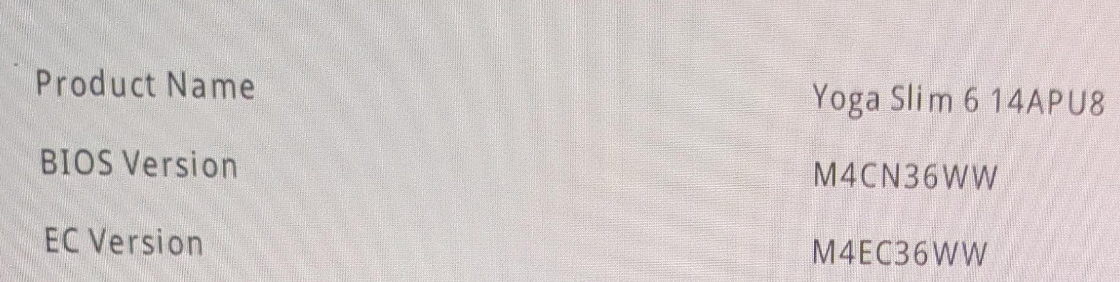
Hi, I have a Yoga Slim 6 14APU8 - Type 82X3 laptop with Fedora Workstation 41 and I've tried to go and update my BIOS but unfortunately they only offer the .exe file to do it from within Windows. I don't want to install Windows just to update my BIOS. I honestly though it will be a matter of few minutes by me just copying the BIOS file on a USB drive and then installing it directly from within BIOS as usual on other devices...

I've tried the sudo fwupdmgr update command but it just says that there is nothing that can be updated.

My current BIOS version is M4CN30WW and the new one is M4CN36WW.

I've tried searching for how to do this and I've found multiple guides using geteltorito but they all say to download the .iso and not the .exe version of the BIOS file but I can't find the .iso version anywhere on their website, or am I just blind or is there some other way to do this?


Hi, I'm trying the desktop Grayjay app and it seems to work fine.

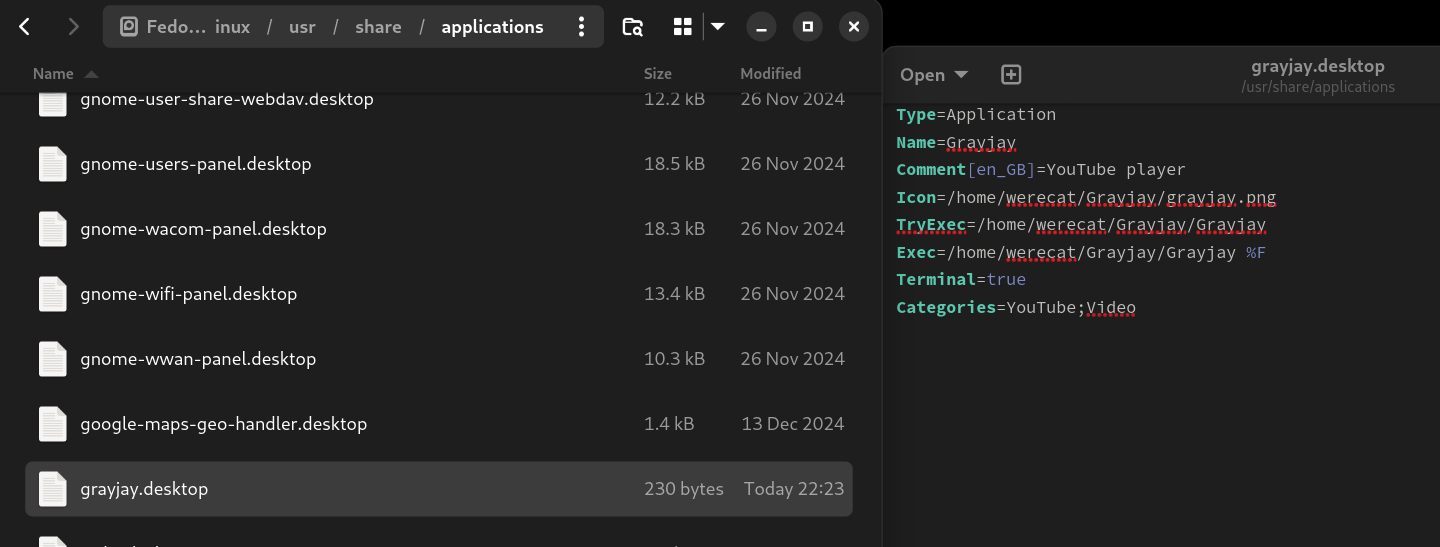
I just have to keep locating the app in folder whenever I want to launch it so I found out how to make it appear in the GNOME Apps and launch it there.

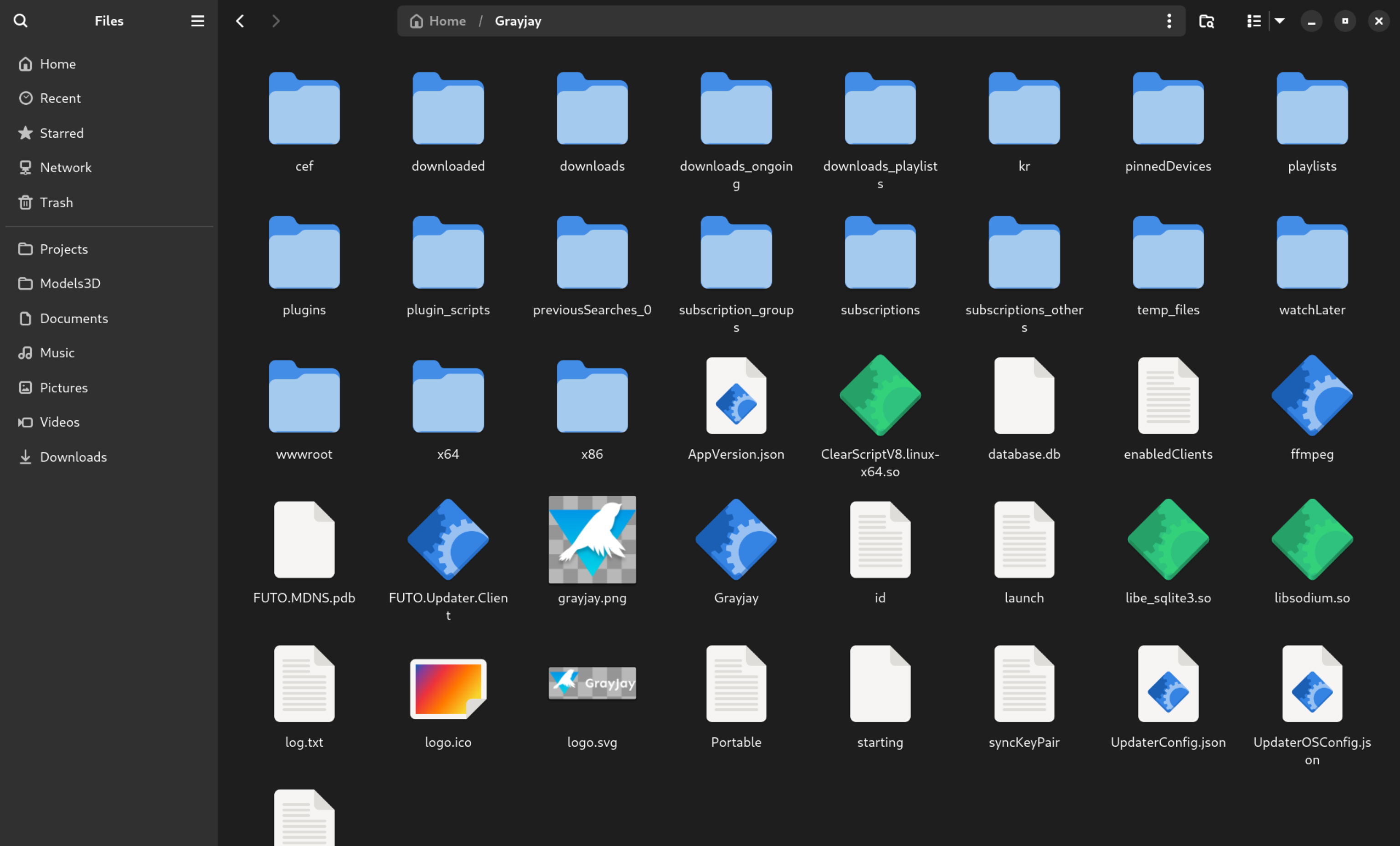
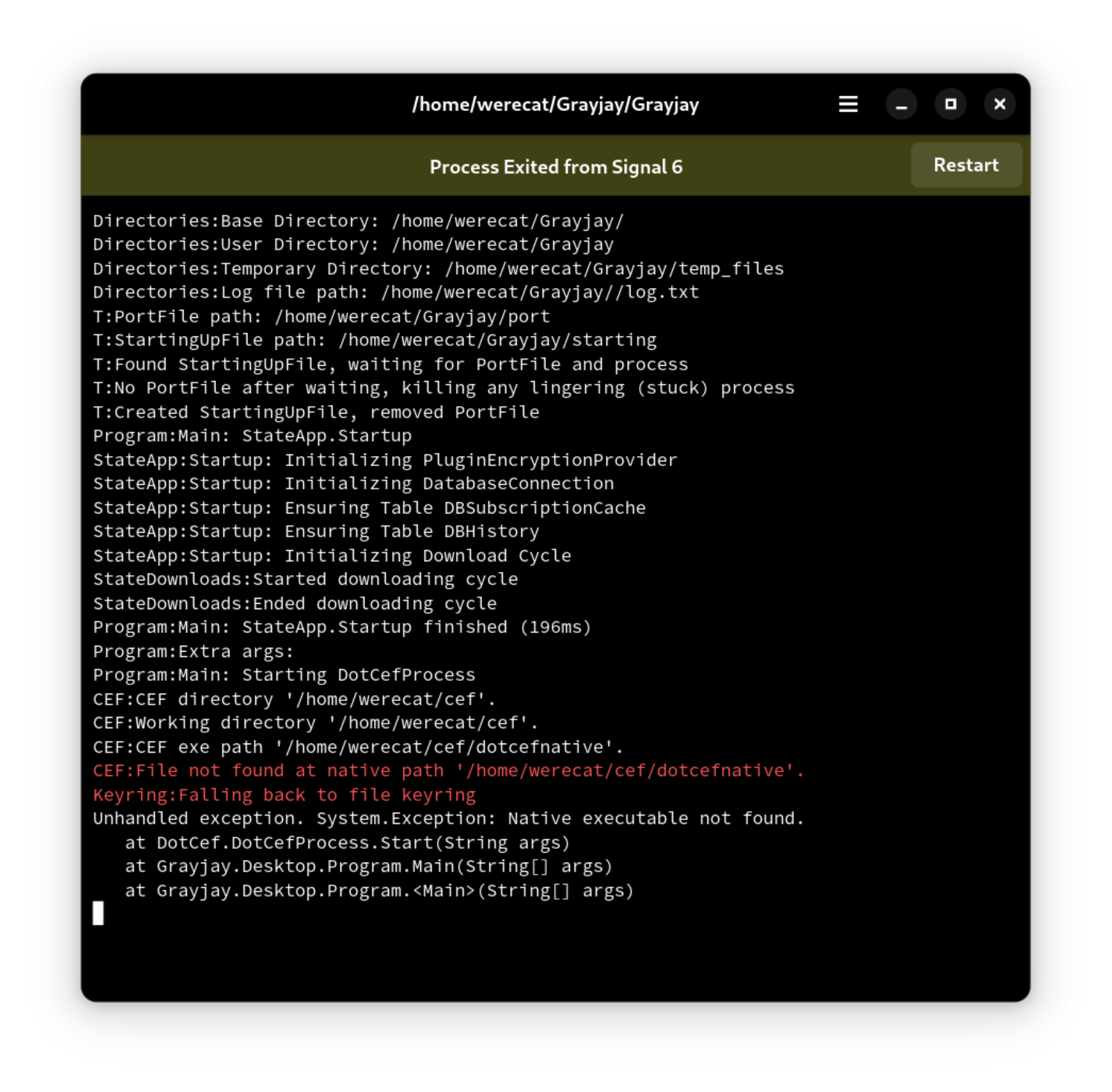
However it requires me to copy 2 folders (cef,wwwroot) from the app folder into my "/home/werecat" folder and I don't understand why when it can launch just fine from the executable without me having to do that.

Any idea on what I'm missing or doing wrong? The main goal is to add the app to my Dash to Dock.
view more: next ›