Uh...what? I'm typing this on my orange pi 5 max and it took me like a single "sudo apt install" to download everything I needed. Where the finishing touch was a single bash script that I've got. Then, everything "just werked". Judging from your experience however, seems like you haven't properly enabled hardware acceleration on it -- therefore the (un)necessary hassle you've been having.
GustavoM
joined 3 years ago
The game has a github link: https://github.com/nicolasbize/roadkill Or you can play it on your browser instead: https://gadgaming.itch.io/roadkill
It is. I managed to compile it and run natively on a orange pi 5 max. And the 64x64 canvas is extended so it fits the entire screen.
I managed to do some cloud gaming on a 1Gb ram device, so I'd say go with whatever suits you best. Unless you really, REALLY need to browse lemmy on a 4k res. Then 16Gb ram is the bare minimum.
- Cancer and diabetes likes this.
Oh boy, it's happening.
Feel free to put me in a cross and burn me alive for posting this, but I don't see a single problem with AI/LLM's being used in small things like bug testing a code and/or finding out ways to improve a code.
I literally had to do solder repairs on this board to make it work.
...I'm pretty sure you -don't- need to go that far -- just made a quick search about it where the linux version was made available in 2018, and absolutely no one is mentioning the need to do solder repairs.
"Respectfully", you are doing something wrong.
That happens because you are expecting it to work out of the box -- the orange pi boards are meant for tinkerers. You've got to get your hands dirty to get it to work/game properly. Which can be as easy as a single bash script, however.
t. I use a bash script to automatically install all the necessary packages, commands, etc.
That's armbian "bleeding edge", minimal install with sway. Thankfully nowadays it "just werks" and does not require further/weird tweaks like masking the systemd-logind service, and so on, so forth.
Also... oh snaps
130
Playing Mina the Hollower on a Orange pi 5 MAX, full speed, no stuttering -- feels comfy af
(lemmy.world)
Pretty sure most of you will drop a "Well, duh -- that's pretty much a NES game"... which is true, yes. A NES game with plenty of layers (FEX > x86_64 to arm > wine > Directx 12, if my memory serves me right) and the fact that vulkan support is "meh", but still very limited (What you are seeing is pure opengl) makes this a very significant accomplishment. This is not the only game that can run on it -- even Metro 2033 (linux native version) can run quite in an acceptable framerate (10'ish FPS, worst case scenario), and the fact that this is run on a device that barely sips the 10 watts mark... makes this feel very "I'm in the future"-kind of thing.
Oh, and the ingame res is odd like that due to the wacky panfrost support (its gpu "drivers") but its 100% fine when I remove all these terminal windows.

The code can be found by clicking here. Save it as mini95.c, then compile this with "gcc mini95.c -lX11 -o mini95".

Gives you a bollywood experience right into your terminal, with more than 1000 ips simulated! An INFINITE amount of simulated names! Over 100 different types of glitches! An overly dramatic hack, just like seen in the movies! And more (If you -REALLY- have a lot of time to spend staring at this command.)
Click here to grab the C code, followed by instructions on how to compile it.

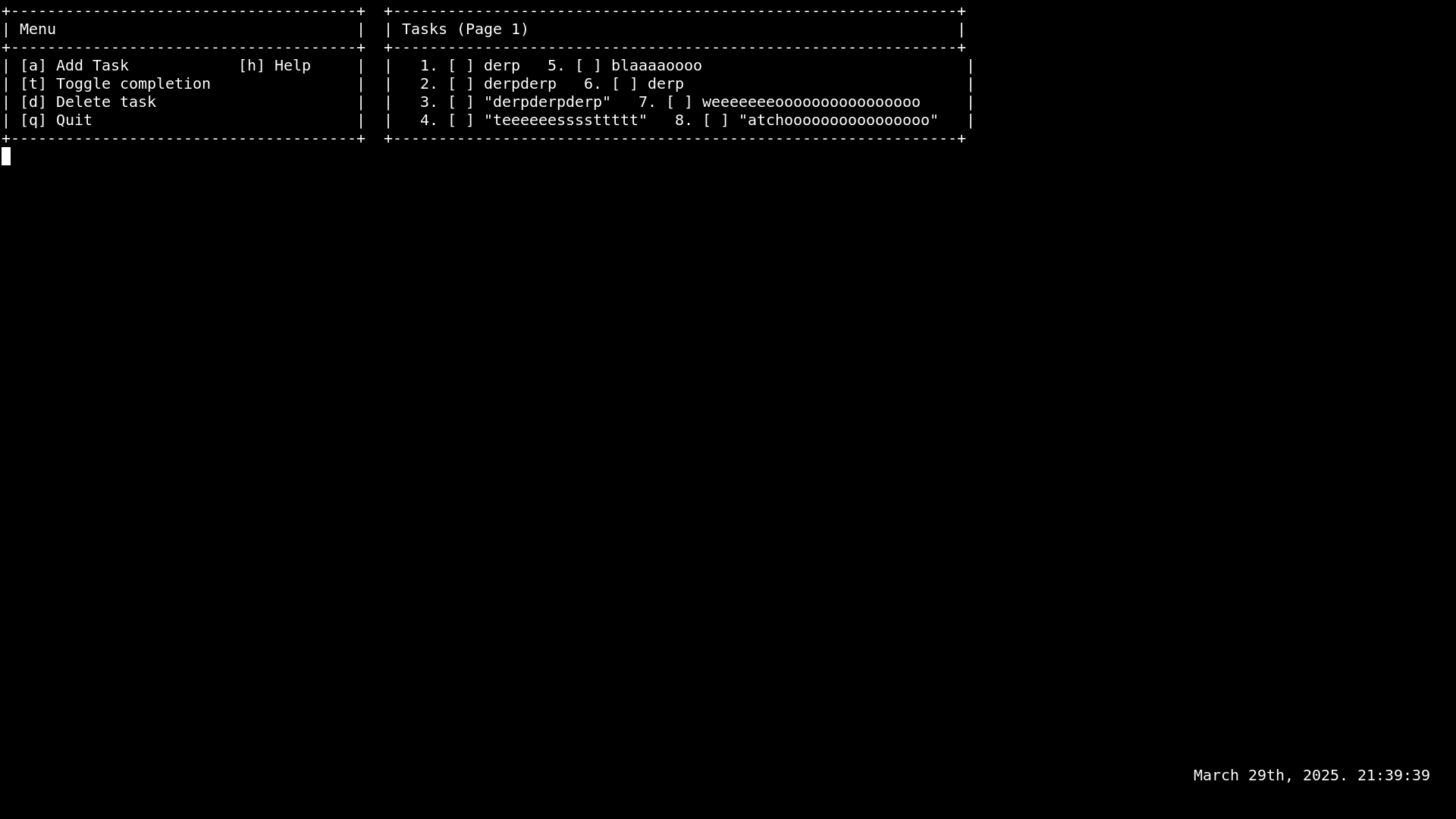
(The date + clock and the menu can be hidden via a toggle for extra flexibility and space. They are in the screenshot just to show em off.)
Manage your to-do tasks in a compact, slick and straightforward manner.
Includes a built-in clock for an extra flex.
Click here to grab the code and compile it with "gcc tm.c -o tm -static -O2". And then type "sudo mv tm /usr/local/bin/." to send the binary into the user binary directory. To run it, simply type "tm".
This code, alongside all my codes are under the "Do Whatever You Want" license. Modify this, sell it using a different name, whatever you want -- I don't care.
20
"YTS" -- search youtube inside the CLI -and- watch videos in mpv! 100% portable and minimal.
(lemmy.world)
Imagine a world where you could browse -and- watch youtube without using a graphical software or a web browser.
Guess what? Now you can.
With this nifty, minimal and 100% portable piece of software, you can now watch the best youtube has to offer without compromising your potato or waiting several minutes (!) for a video to appear on your screen.
The only caveat is that you need to install mpv.
And nothing else.
The code, alongside instructions on how to compile it can be found by clicking here.

Dynamically prioritizes CPU or memory access out of a given command.
Can be run as a non-root user.
Instructions on how to compile and usage are provided inside the code right here.
-EDIT- Just improved the code with improved nice sorting, detection and configuration.

Makes you pretend you are working for NASA or for the FBI.
Instructions on how to compile the code and everything else can be found inside the code right here.

-18
The (Catholic/latin) Holy Bible -- straight from the vatican and to your CLI. [CLI command]
(lemmy.world)
A simple, straightforward, zero bloat command that brings you the Gods Word -- from the Vatican and straight into your CLI.
Click here to check the code out and compile it with "gcc theholybible.c -o theholybible -static -O2".
Enjoy.

view more: next ›
As a fellow "nazi" (read: Right-winger)... this is possibly the worst distro intro I ever seen in my entire life. Makes it look like it has been coded by 12 year olds.