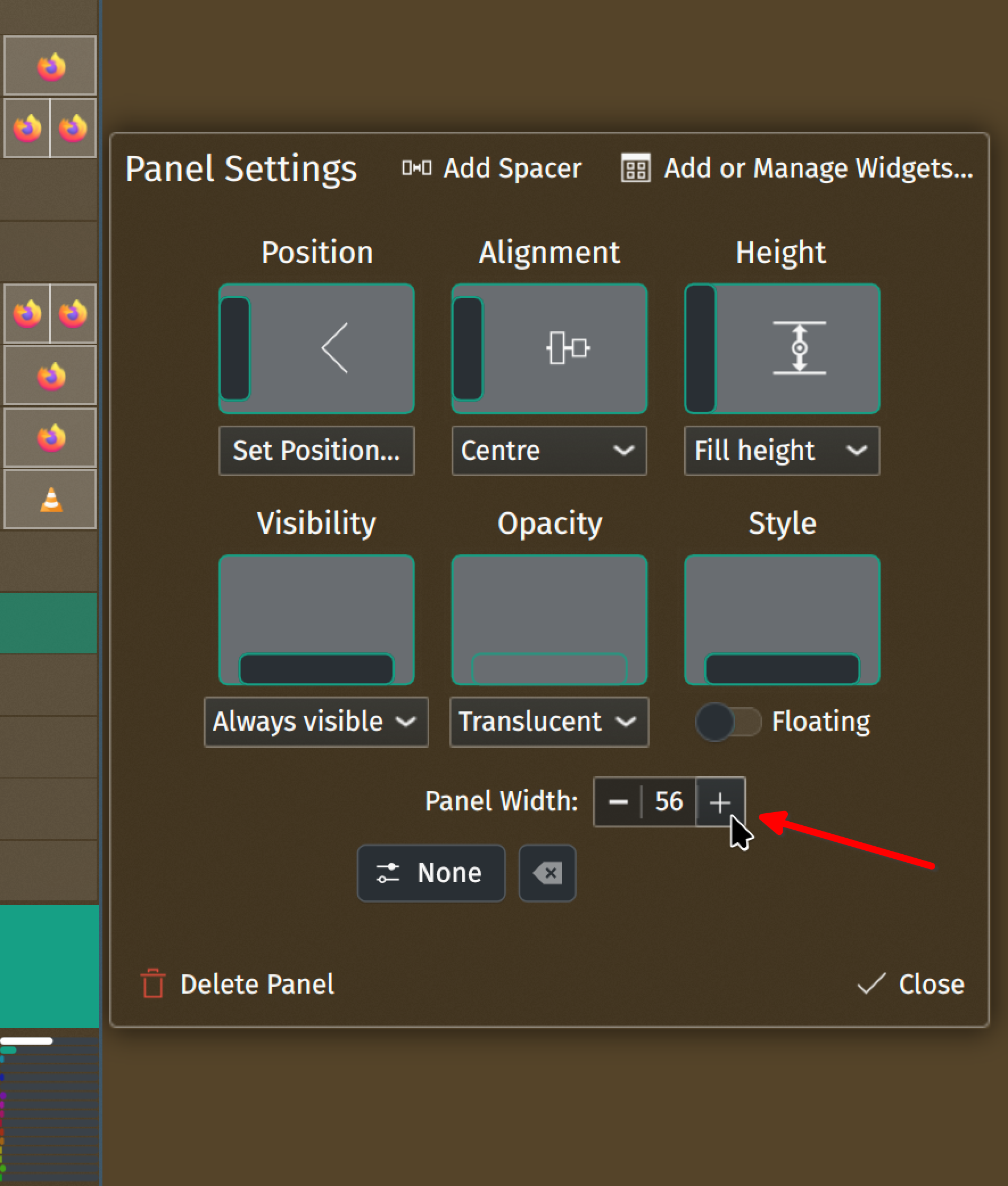
Right-click on panel/taskbar → Show Panel Configuration:

this post was submitted on 30 Dec 2024
-66 points (12.5% liked)
Linuxsucks
363 readers
1 users here now
Rules:
- FOSS advocates and Linux evangelists aren't welcome. -We ask that you block us.
- Moderation is heavy handed. Try to stay on topic (that is LINUXSUCKS!).
- No Complaining Mute the sub if users, content, or rules bother you *it's ok to report rule violations
founded 2 years ago
MODERATORS
Wow that's super complicated, no normie could ever figure out such complications, guess its back to windows for me.
For Linux, it will very much depend on what OS you are using. On Mint you just right-click the bar, click "Panel Settings", and adjust the slider called panel setting.
Hell, depending on which version of Windows you are running, you might not be able to change the taskbar to the edge of the screen you would like, or change the size, without going into the Registry. That is something that normal people care about, and those same people should not be in the Registry.