this post was submitted on 11 Sep 2023
84 points (100.0% liked)
Microblog Memes
12081 readers
2478 users here now
A place to share screenshots of Microblog posts, whether from Mastodon, tumblr, ~~Twitter~~ X, KBin, Threads or elsewhere.
Created as an evolution of White People Twitter and other tweet-capture subreddits.
RULES:
- Your post must be a screen capture of a microblog-type post that includes the UI of the site it came from, preferably also including the avatar and username of the original poster. Including relevant comments made to the original post is encouraged.
- Your post, included comments, or your title/comment should include some kind of commentary or remark on the subject of the screen capture. Your title must include at least one word relevant to your post.
- You are encouraged to provide a link back to the source of your screen capture in the body of your post.
- Current politics and news are allowed, but discouraged. There MUST be some kind of human commentary/reaction included (either by the original poster or you). Just news articles or headlines will be deleted.
- Doctored posts/images and AI are allowed, but discouraged. You MUST indicate this in your post (even if you didn't originally know). If an image is found to be fabricated or edited in any way and it is not properly labeled, it will be deleted.
- Absolutely no NSFL content.
- Be nice. Don't take anything personally. Take political debates to the appropriate communities. Take personal disagreements & arguments to private messages.
- No advertising, brand promotion, or guerrilla marketing.
RELATED COMMUNITIES:
founded 3 years ago
MODERATORS
you are viewing a single comment's thread
view the rest of the comments
view the rest of the comments
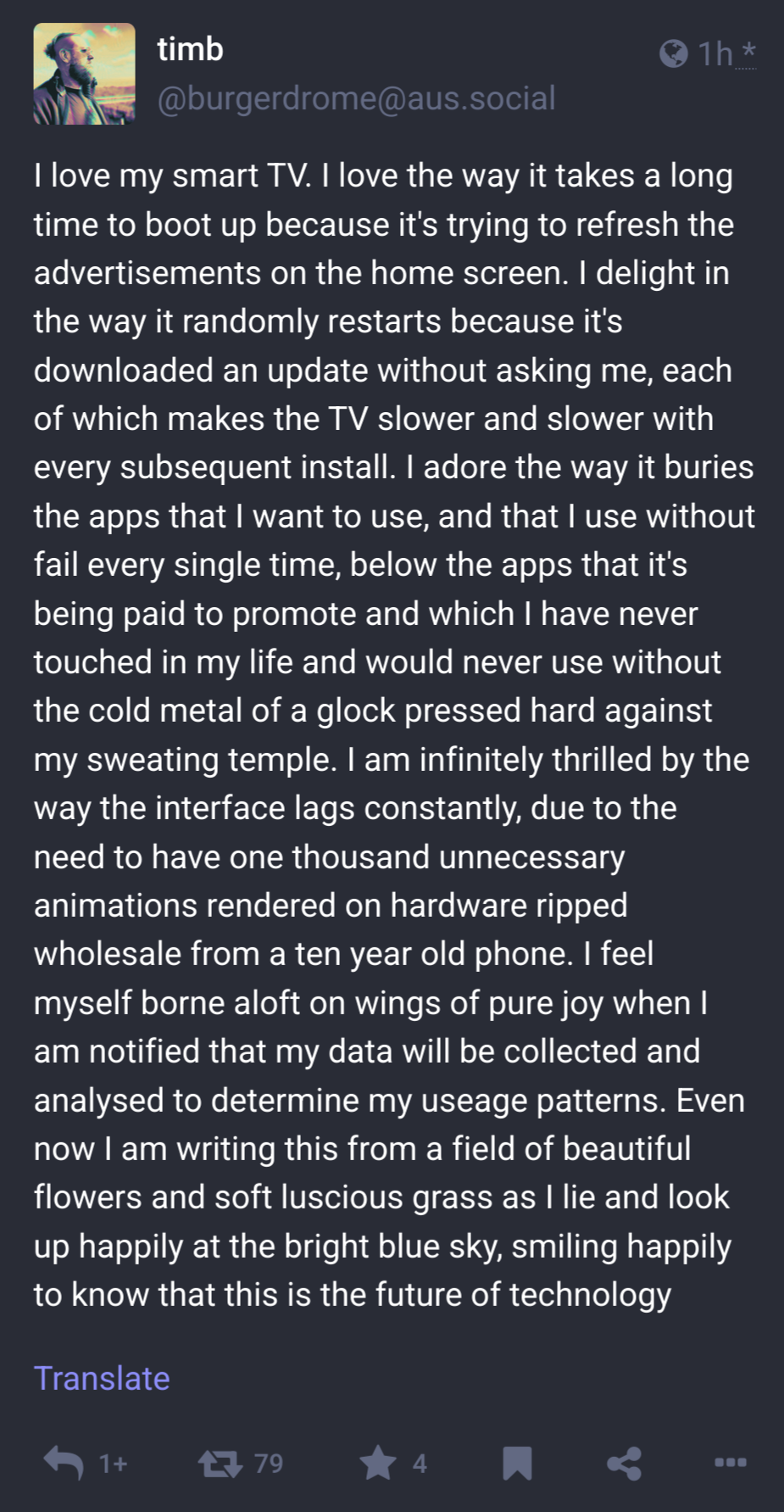
Have a regular PC hooked up to the TV. That's my smart machine. I control every aspect of it. Fuck Smart TVs.
Raspberry pi with Kodi hooked up to a projector and a NAS serving files works well for me.
This is the way, although the pi is to slow for me at this point and I replaced it with shields.
Also why the are people connecting tvs to their networks...fuck that noise.
I mean that's nice but can you run Netflix/Hulu/AppleTV/HBO through that thing? Or can you only play media that you illegally downloaded?
Without any regard as to veracity:
https://koditips.com/install-hulu-kodi-addon/ https://howtomediacenter.com/en/install-netflix-kodi-addon/ https://koditips.com/install-the-amazon-prime-video-kodi-addon/
What about the rest of them?
Do your own googling, I got bored after 3 :p
I haven't tried. Through a Web browser, maybe. There's a Kodi netflix addon, I know that. It's just a Debian box, so any solution that'd work on a Linux machine would probably be okay.
I don't think there is a Linux solution. That's the problem.
What do you mean? I gave you a couple of Kodi plugins that cover most of what you mentioned, plus, you could probably just use a Web browser.
That's not really a "solution" so much as a "workaround". It's unofficial community-maintained software with complicated installation, limited features, and that the service providers can break at any time. And even if that weren't the case, that's only 2 providers.
If I need to use a web browser, why wouldn't I just skip Kodi altogether and just plug in my laptop?
There's a reason Google TV is an entirely different operating system from Chrome OS.
When I completely replaced my PC, I intended to use my old PC as a media box. But in reality, I've basically used my Chromecast for everything. One of these days I'll probably want to watch something that isn't on one of my streaming sites, but I've been surprisingly resistant to that so far.
Chromecast is the ideal smart device so far, for me. No ads or anything. I use my phone as a remote and basically every video app supports it easily. Open app, press cast, select what I want to play. Exactly what a smart TV should have been like.
What type of Chromecast do you use? I recently bought a Chromecast Ultra for a new TV after being happy with a secondhand one for years (3rd gen, I think). The difference in UI was such a disappointing step down. I don't want a home screen with apps and ads, I just want something I can stream to from my phone! And I can't say for certain, but it also feels like I get more ads on YouTube compared to using the older Chromecast.
No you bought a Chromecast with Google TV. A Chromecast ultra is just a 4k version of the original. I used my CCwGTV for 8 months then sold it and got a CC ultra instead. I hate the promoted content from networks and apps I would never use.
Careful though, some smart TVs actually list in the ToS where they'll take screen captures of what you're watching for "informational purposes", make sure you have all data collection turned off anyway even if you don't use it as such.
The ethernet cable goes to the computer, not the TV.