this post was submitted on 27 Oct 2024
866 points (98.5% liked)
Microblog Memes
11741 readers
1348 users here now
A place to share screenshots of Microblog posts, whether from Mastodon, tumblr, ~~Twitter~~ X, KBin, Threads or elsewhere.
Created as an evolution of White People Twitter and other tweet-capture subreddits.
RULES:
- Your post must be a screen capture of a microblog-type post that includes the UI of the site it came from, preferably also including the avatar and username of the original poster. Including relevant comments made to the original post is encouraged.
- Your post, included comments, or your title/comment should include some kind of commentary or remark on the subject of the screen capture. Your title must include at least one word relevant to your post.
- You are encouraged to provide a link back to the source of your screen capture in the body of your post.
- Current politics and news are allowed, but discouraged. There MUST be some kind of human commentary/reaction included (either by the original poster or you). Just news articles or headlines will be deleted.
- Doctored posts/images and AI are allowed, but discouraged. You MUST indicate this in your post (even if you didn't originally know). If an image is found to be fabricated or edited in any way and it is not properly labeled, it will be deleted.
- Absolutely no NSFL content.
- Be nice. Don't take anything personally. Take political debates to the appropriate communities. Take personal disagreements & arguments to private messages.
- No advertising, brand promotion, or guerrilla marketing.
RELATED COMMUNITIES:
founded 3 years ago
MODERATORS
you are viewing a single comment's thread
view the rest of the comments
view the rest of the comments
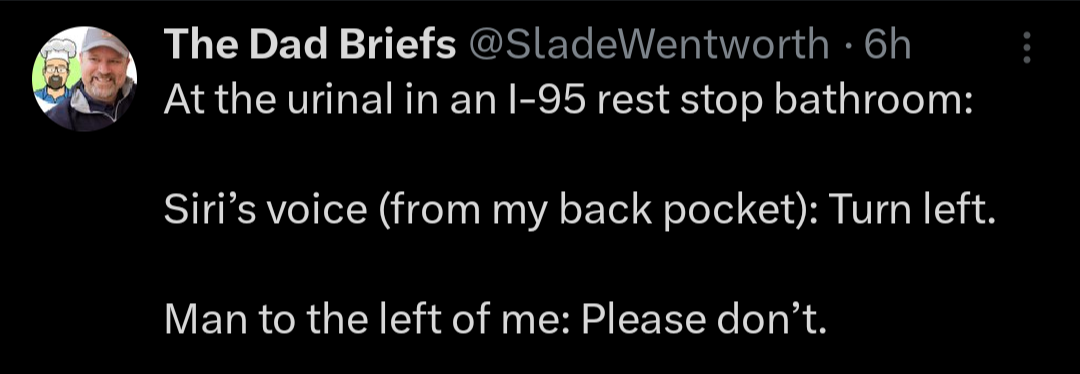
Can we please get a "pause" button in navigation apps?
I don't need to be yelled at to make a u-turn every 5 seconds just because I got off the freeway to get gas.
Or the constant "duh dun" noise as it's recalculating the route while you're driving around the station trying to find an open pump
I REALLY wish you could make it the meme Nuh Uh sound effect
There is but you have to actually go manually press it, which is generally more interaction with a phone than you should do while driving.
Not for most of them. All the ones I've used will let you turn off/stop the navigation, but not pause it. The closest you can get is turning the volume off.
Well the app I use (recent versions of Apple Maps) does have pause as an option.
On Google maps:
Press the little x to stop navigation. Press the play button again to resume from your current position
No, the X stops that navigation session entirely, and that's not what I'm looking for. Depending on where you are going, how many stops you have loaded, etc, you may not be able to easily start a new session. Breaking up the session also messes up any details about the overall trip, if anyone is trying to gather that.
Google Maps does have this function for Android Auto, so I'm not sure why the mobile Maps doesn't.
Yeah folks just don't know how to use what they have
I've mapped a quick access button on my steering wheel to "toggle navigation mute/unmute". Best experience so far. Thanks to the engineer that decided to put that button there instead of a blank (when ordered without heated steering wheel).
Mine has a mute
There is on most apps