Lemmy Plugins and Userscripts

3061 readers
1 users here now

A general repository for user scripts and plugins used to enhance the Lemmy browsing experience.

Post (or cross-post) your favorite Lemmy enhancements here!

General posting suggestions:

Thanks!

founded 2 years ago
MODERATORS
1


Browser Extensions:

Mullem (Firefox):

lemmy-keyboard-navigation (Chrome):

Instance Assistant:

Lemmy Link:

Lemmy Go:

Lemmy Modern UI (Firefox Addon):

Lemmy Home Instance Helper:

Userscripts:

LemmyTools:

Lemmy Image Expand:

Lemmy Universal Link Switcher:

Compact Lemmy to old.Reddit Re-format:

Lemmy/KBin Redir:

GM Lemmy NewTab:

Lemmy Style Cleanup:

lemmy-keyboard-navigation:

Lemmy Federation Awareness:

Lemmy Subscription Helper:

Block lemmy instances:

Lemmy Local Community Redirect:

Lemmy Custom Navbar Links:

beehaw lemmy add home-instance name to username:

beehaw lemmy separate spacing of delete and edit buttons:

Lemmy post filter - Filter posts by title:

Lemmy Post Keyword Filter:

Filter lemmy.ml communities:

2


Table of Contents

  1. Introduction
  2. What is a UserScript?
  3. Installing a UserScript Manager
    • Installing Tampermonkey on Chrome
    • Installing Violentmonkey on Chrome
    • Installing Tampermonkey on Firefox
    • Installing Greasemonkey on Firefox
    • Installing Violentmonkey on Firefox
  4. Adding a UserScript
  5. Conclusion

Introduction

UserScripts are an incredible way to enhance and customize your browsing experience. They allow you to alter the functionality and layout of web pages, like Lemmy UI, by executing JavaScript codes on the client side. In this guide, we'll walk you through the process of installing UserScripts in your Chrome or Firefox browser.

What is a UserScript?

UserScripts are bits of code written in JavaScript that run in your web browser. They can modify the content, layout, and behavior of web pages. The true power of UserScripts lies in their ability to tailor your browsing experience to your needs.

Installing a UserScript Manager

To run UserScripts, you'll need to install a UserScript manager extension. Two popular ones are Tampermonkey and Greasemonkey.

Installing Tampermonkey on Chrome

  1. Open the Chrome web browser.
  2. Go to the Tampermonkey page on the Chrome Web Store.
  3. Click the "Add to Chrome" button.
  4. Confirm by clicking "Add extension" in the pop-up window.

Installing Violentmonkey on Chrome

  1. Open the Chrome web browser.
  2. Go to the Violentmonkey page on the Chrome Web Store.
  3. Click the "Add to Chrome" button.
  4. Confirm by clicking "Add extension" in the pop-up window.

Installing Tampermonkey on Firefox

  1. Open the Firefox web browser.
  2. Go to the Tampermonkey page on the Firefox Add-ons site.
  3. Click the "Add to Firefox" button.
  4. Confirm by clicking "Add" in the pop-up window.

Installing Greasemonkey on Firefox

  1. Open the Firefox web browser.
  2. Go to the Greasemonkey page on the Firefox Add-ons site.
  3. Click the "Add to Firefox" button.
  4. Confirm by clicking "Add" in the pop-up window.

Installing Violentmonkey on Firefox

  1. Open the Firefox web browser.
  2. Go to the Violentmonkey page on the Firefox Add-ons site.
  3. Click the "Add to Firefox" button.
  4. Confirm by clicking "Add" in the pop-up window.

Adding a UserScript

Now that you have a UserScript manager installed, you can add your own scripts. Here's how:

  1. Click on the Tampermonkey or Greasemonkey icon in your browser toolbar.
  2. Choose "Create a new script..." from the dropdown menu.
  3. You'll be taken to a new tab with a script template. Delete this template.
  4. Copy your UserScript and paste it into the empty field.
  5. Click "File" and then "Save" in the editor menu.

That's it! Your UserScript is now installed and will run on the sites specified in its metadata.

Conclusion

UserScripts offer an incredible way to customize your web browsing experience. Whether you're using Chrome or Firefox, Tampermonkey, Greasemonkey or Violentmonkey, you can create a browsing environment that's uniquely suited to your needs. Happy scripting!

Remember, while UserScripts are powerful tools, they should be used responsibly. Don't install scripts from sources you don't trust, as they can pose security risks. Always review the code of a UserScript before installing it to ensure it doesn't contain anything malicious.

3
4
submitted 1 month ago* (last edited 2 weeks ago) by 0485919158191@lemmy.world to c/plugins@sh.itjust.works


I decided to re-write my script from the ground up.

I noticed some not so good parts about it and now it should be more clear and easy for users to edit themselves when they want to add/remove custom links.

Enjoy!

Edit: I have added a scroll to top button. It will appear when you start scrolling.

4


Similar to my last submission but not specific to YouTube, this is a very basic bookmarklet that does nothing but create a submission to Lemmy of the currently open website. It does not fill out the thumbnail and hopes that Lemmy will generate a proper one on its own.

You may need to replace "lemmy.world" in the script with the domain of the Lemmy instance that you use.

Source: https://pastefy.app/kKChBKoK

How you add a bookmarklet is by creating a new web browser bookmark and pasting the JavaScript code where the URL would go. Something like this:

The way Lemmy works, you may be prompted to login again. Lemmy can do weird things like ignore your session when referrer isn't sent. Still easier than filling out the video title yourself.

There is also the "hidden" feature that you may enter a community ID as a URL parameter (currently empty). I think the ID for a specific community varies depending on your home instance. On Lemmy.World this community here is 7133, for example. You can find out the ID when you're on the Create Post page and have a look at the address bar:

This may be useful, should you want to submit to a specific communtiy directly.

Code is public domain.

5


Apparently YouTube blocked the IPs of the several Lemmy servers such as Lemmy.World, so you cannot just conveniently post a video and get title and thumbnail filled out. Basically, these tasks need to be done locally instead of the Lemmy server. If you use a Lemmy client such as Thunder and use the share sheet from YouTube with it, the title is already filled out.

Here are two bookmarklets you can use. The way bookmarklets work is that you create a new web browser bookmark and paste the JavaScript code where the URL would go. Something like this:

The first bookmarklet is a generic one and should work for everyone regardless of browser choice. When in the YouTube browser tab, you just click on it and a new tab opens to create a new post. Title and thumbnail are filled out.

You need to replace "lemmy.world" with the domain name of your Lemmy instance.

I cannot post the code directly in code markup because stupid Cloudflare thinks I'm doing an SQL Injection. 🙄

Code: https://pastefy.app/SgP7s3Cp

The second bookmarklet is for when you use Firefox Multi-Account Containers, for example when you're logged into YouTube using a dedicated account and you don't want it to affect tabs with Google services you might use with a different account. If you don't have that requirement, just use the first script.

Code: https://pastefy.app/TKEbB7Jx

The way Lemmy works, you may be prompted to login again. Lemmy can do weird things like ignore your session when referrer isn't sent. Still easier than filling out the video title yourself, IMO.

Code is public domain.

6


cross-posted from: https://lemmybefree.net/post/837246

Source code & userscript here: https://git.disroot.org/Electricd/LemmyDiscloseModIdentities

This userscript reveals mod and admin names in Lemmy instances' modlogs

Only works on some compatible instances which did not enable the "Hide mod names from modlog" setting

At the time of writing, some known compatible instances are:

  • lemmy.world
  • lemmynsfw.com
  • lemmy.ca
  • lemmy.blahaj.zone
  • beehaw.org
  • lemmybefree.net
  • maybe a lot more, I didn't test many
7


Feel free to give it a spin and add any feature requests on github!

8


I mean, I wanted to start work on it, but if someone's already released/working on one then I'd just happily use those instead.

Also, the absence of a thing usually means it's not possible to have. In my mind I think it's easy to have userscript code make API posts on behalf of the user, but maybe somehow in the intricate layers of tech it's made impossible or tedious. If so, I'd like to know before I learn it the hard way.

9
3
submitted 2 years ago* (last edited 2 years ago) by ShittyKopper@lemmy.blahaj.zone to c/plugins@sh.itjust.works


There are likely various edge cases I've missed, and I am not too sure on performance compared to a purpose-built userscript, but these seem to work well enough for my use cases.

Throw these to My filters in uBO settings. May also work with AdGuard, but I can't support you there as I don't use it. Other ad blockers probably won't work, but then why are you using an ad blocker that isn't uBO anyway?

Remove the exclamation mark preceding the rules and adjust the placeholders accordingly. If you need multiple filters copy paste the appropriate lines.

You may need to replace the lemmy.* part if your home instance is on a different (sub)domain. I'm not using .lemmy-site and a global selector for performance reasons.

! Post filters use :has instead of :upward to take advantage of native CSS support on browsers that implement it.
! If :has is not implemented, uBO will emulate it via JS. :upward might be more efficient on those cases.

! Lemmy: Filter post by link domain
! lemmy.*##.post-listing:has(.fst-italic[href*="example.com"])

! Lemmy: Filter post by keyword in title
! lemmy.*##.post-listing:has(.post-title:has-text(/\bkeyword\b/i))

! Lemmy: Filter post by author instance
! lemmy.*##.post-listing:has(.person-listing[title$="@example.com"])

! Lemmy: Filter post by community instance
! lemmy.*##.post-listing:has(.community-link[title$="@example.com"])

! Lemmy: Filter post by instance (author or community)
! lemmy.*##.post-listing:has([title$="@example.com"]:is(.person-listing, .community-link))

! Lemmy: Filter post by community name (any remote instance)
! lemmy.*##.post-listing:has(.community-link[title^="!politics@"])

! Lemmy: Filter post by community name (home instance, though in this case you can just use lemmy's own blocking)
! lemmy.*##.post-listing:has(.community-link[title="!politics"])

! Lemmy: Filter comment by keyword 
! lemmy.*##.md-div:has-text(/\bkeyword\b/i):upward(.comment)

! Lemmy: Filter comment by author instance
! lemmy.*##.person-listing[title$="@example.com"]:upward(.comment)

! Lemmy: Filter both by author instance
! lemmy.*##.person-listing[title$="@example.com"]:upward(:is(.post-listing, .comment))
10


Next up is to actually rewrite post links, which is probably the most interesting feature.

11
0
submitted 2 years ago* (last edited 2 years ago) by Limeey@lemmy.world to c/plugins@sh.itjust.works


I put this together based on another very similar script (attributed, of course) I found on beehaw that forces external links to open in a new tab. Should work on every Lemmy instance by checking the header. While it uses http*://*/* as the match, it only executes any logic if the isLemmy check returns true.

Honestly, this has improved my desktop experience significantly, it was killing me before.

Hope it helps, feedback/suggestions/contributions welcome!

git link: https://github.com/Djones4822/GM-Lemmy-newTab

12


If you try to access a community on your local instance and it gives you a 404, this automatically takes you to your local instance's search instead and puts the community in for you.

Recommended to use with https://sh.itjust.works/post/33762](local instance redirect script) by @soy@lemmy.world

I started using Tampermonkey today, so dunno if this works with GreaseMonkey, but I assume it does.

// ==UserScript==
// @name         Lemmings Redirect
// @version      1.0
// @description  Redirect to your local Lemmy instance
// @author       @reddthat.com/u/Fanghole
// @match        https://*/c/*@*
// @icon         https://join-lemmy.org/static/assets/icons/favicon.svg
// ==/UserScript==

var unknownLemmy =
  document.body.textContent === "404: couldnt_find_community";

if (unknownLemmy) {
    // Get URL info
    var splitUrl = location.href.split("/");
    var split2 = splitUrl[4].split("@");
    var instanceUrl = split2[1];
    var community = split2[0];
    var searchUrl =
        "https://" + splitUrl[2] + "/search/q/!" + community + "%40" + instanceUrl + "/type/All/sort/TopAll/listing_type/All/community_id/0/creator_id/0/page/1";

    window.location.replace(searchUrl);
}
13


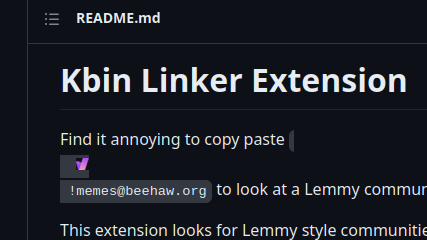
This extension helps users subscribed to Lemmy communities by adding an icon before mentions or URLs related to other communities. These mentions can be in the format “ !communityname@instance.domain !communityname@instance.domain” or through URLs like “https://lemmy.ml/c/memes%E2%80%9D.

By clicking the icon, users are directed to the kbin URL of that community. However, there’s currently a bug preventing it from working on /kbin (ironically), and I’ve already reported the issue on Git.

I’m in the process of publishing the extension on Firefox and Chrome extension stores, along with making the source code available.

I would appreciate your input on whether you find this extension useful.

github link: https://github.com/driccio98/kbin-link

Works on lemmy instances. You specify your lemmy host in the preferences and it automatically adds a small icon before all addresses, both on communities and in threads/posts

Already a firefox extension https://addons.mozilla.org/en-US/firefox/addon/kbin-link/

it even added the icon to an address on github
14


Edit: @redyoshi49q@furry.engineer has designed a better solution using only CSS, and this should be used instead of the old script! If you're reading this page for the first time, ignore this message.

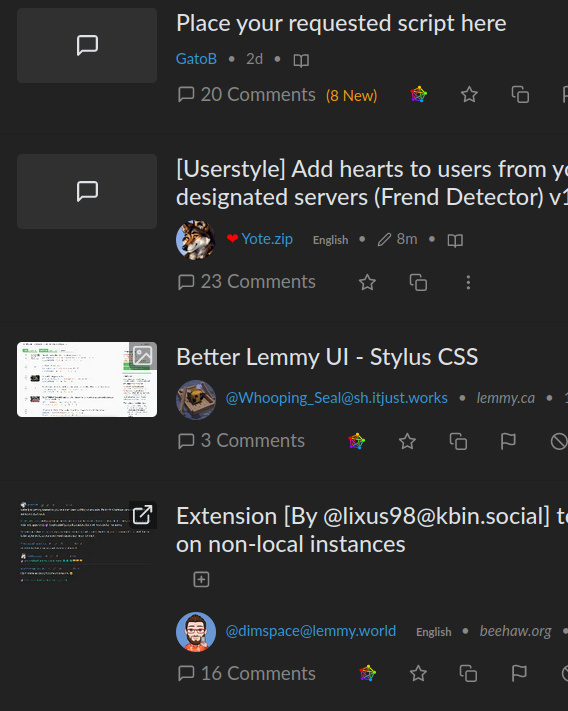
This userstyle adds a red heart next to people that are from your home server, and any other servers that you manually define. Spot your server buddies out in the wild!
Instructions:

  1. Install Stylus extension for firefox/chrome

  2. "Write new style" in the addon settings

  3. Copy paste the CSS code below in

  4. Modify the code around line ~11 in order to reflect your homeserver and any additional frendservers that you want to highlight

  5. Modify the code around line ~19 to reflect your homeserver

  6. (Optional) If you’d like your homeserver buddies to have a different marker, uncomment the various sections around line ~27 through ~50 by removing the /* and */ bits

  7. (Optional) Play around with different markers and colors!

CSS/Userstyle: https://gist.github.com/redyoshi49q/f1b2d1da0a8f7536aba1f8c3110d2dd8

15


The developers will try to make it posible

16
0
submitted 2 years ago* (last edited 2 years ago) by god@sh.itjust.works to c/plugins@sh.itjust.works


Credits: source

Change Source Author
Original CSS comment#610 ___
Original userscript comment#902 yay
Userscript URL fix comment#2219 god
Final / Affects player size comment#21062 FreePussy4All

original css: by https://lemmynsfw.com/u/___

original userscript: https://lemmynsfw.com/comment/610 by my tiny fix: me

script:

// ==UserScript==
// @name lemmynsfw no blur and embed size tweak
// @version 1.2
// @description unblur
// @match https://lemmynsfw.com/*
// @match https://*/c/*@lemmynsfw.com
// @grant GM_addStyle
// @run-at document-start
// ==/UserScript==

GM_addStyle(`
  .img-blur {
    filter: none !important;
    -webkit-filter: none !important;
    -moz-filter: none !important;
    -o-filter: none !important;
    -ms-filter: none !important;
  }
  div.post-listing > iframe {
    width: 100%;
    height: 26rem;
  }
`);