tun

joined 2 years ago
MODERATOR OF
 

Alacritty will be disabled on 2026-09-01 according to homebrew page. It is due to failed macOS Gatekeeper check. The check needs the software is signed by the App Store or signed by a registered developer and notarised by Apple.

Users can still install via other ways such as official dmg and building source file.


mterm: Burmese Script Terminal Emulator

The terminal that finally speaks Burmese.

mterm is a modern terminal emulator built for people who need to type and read Myanmar script natively in the terminal without broken glyphs, duplicated characters, or messy shaping.

It is designed for developers, sysadmins, and Burmese-speaking technical users who want a terminal that feels professional while actually handling Myanmar text correctly.


Myanmar Character Focus Terminal

A desktop terminal that renders Myanmar (Burmese) text correctly — something stock terminals and stock xterm.js get wrong because they split a Burmese grapheme cluster (base + medials + asat + vowel signs) across separate cells, so the font can never shape it.

Myanso is a normal PTY terminal — tabs, split panes, multiple windows, search, clickable links — built on Electron + xterm.js 6. Its one special trick is getting Myanmar shaping and column alignment right across the shell, full ‑screen TUIs (vim), and AI CLIs (Claude Code, Codex CLI, agy).

Goal: correct Myanmar text over perfect monospace alignment. Where the two conflict, Myanso favors readable text.


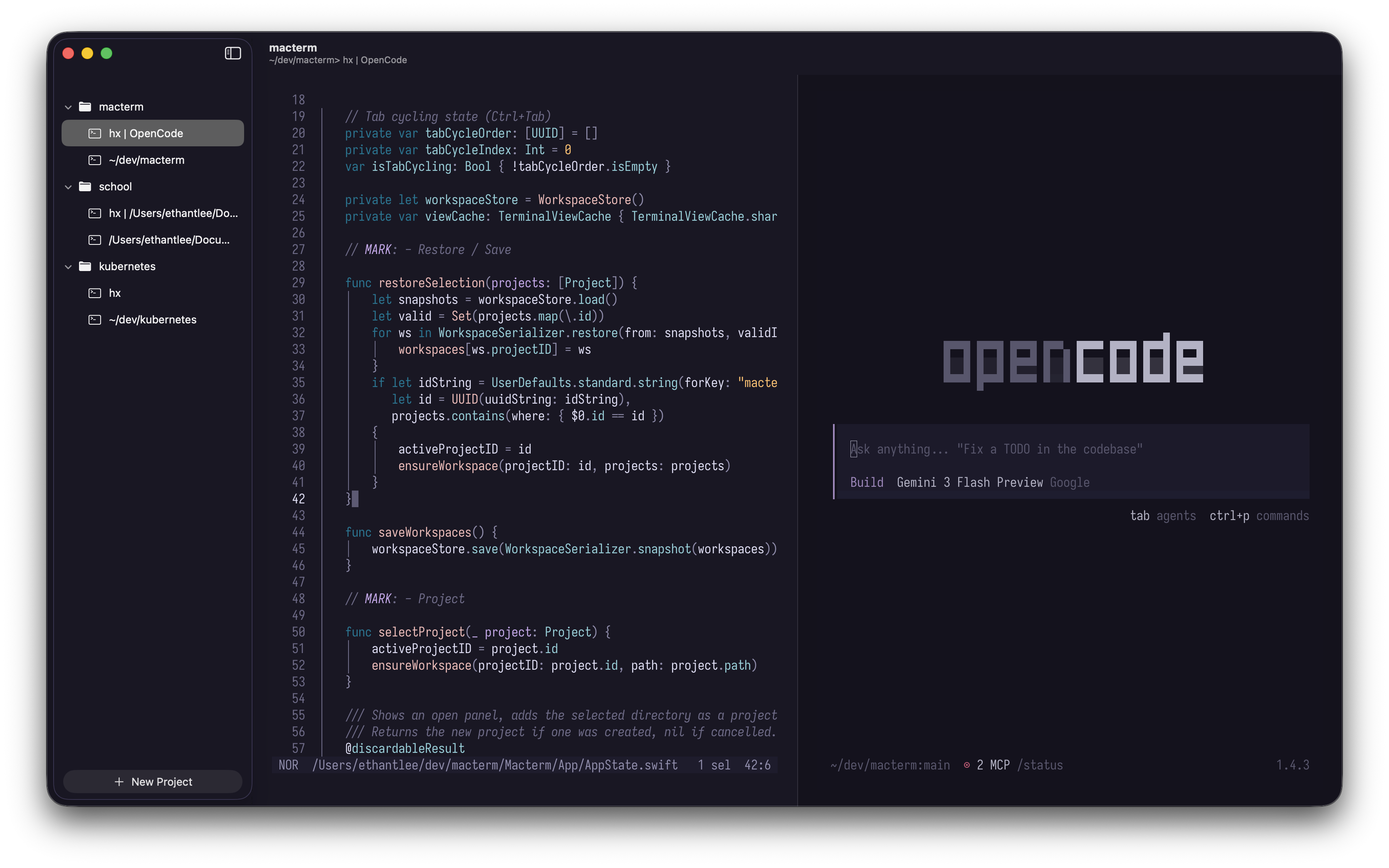
A native macOS terminal with vertical tabs and persistent multiplexing, built on libghostty

Features

  • Vertical Project Sidebar: Native macOS sidebar for organizing projects and tabs vertically.
  • Persistent Multiplexing: Projects, tabs, and panes are saved and restored automatically on relaunch.
  • Declarative Layouts: Define a .macterm/layout.yaml describing each project's tabs, splits, and the process every pane runs; apply or save it from the command palette.
  • Ghostty Config Compatibility: Macterm reads your existing Ghostty config. Theme, font, notification, keybinds — all of it just works.
  • Command Palette: Versatile command palette to interact with multiplexing and manage projects
  • Quick Terminal: Global terminal accessible from anywhere with a hotkey.
  • Smart Tab Naming: Tabs name themselves after the program running in the pane, making them easily identifiable in the sidebar.
  • Keyboard-driven Control: Customizable keybinds for many actions including navigating projects, tabs, and panes.
 

First patch version is released without changelog (I couldn't find).

There are 227 commits in 78 changed files since first major version released on 26th Dec, 2024.