Why the old ass screenshot lol
KaKi87
joined 2 years ago
Yep.
J'ai 26 ans et j'habite à Limoges depuis que j'ai dû déménager de la campagne pour les études. Avant cela je faisais des déplacements utilitaires en vélo, et bien au-delà de 2 kilomètres, mais depuis, j'ai arrêté net : le vélo dans cette ville qui n'a pas de pistes cyclables, c'est véritablement trop dangereux, et les personnes qui s'y forcent vont sur le trottoir, devenant elles-mêmes un danger pour les piétons.
In this very community, I've seen plenty of Unraid posts, as much as I do on Reddit.
I did, after asking on Mattermost, although I got into an issue with it crashing apps when copying things into the clipboard.
Here's the install command : flatpak install cosmic io.github.cosmic_utils.cosmic-ext-applet-clipboard-manager -y
They've been working on this for a year and a half.
I would love to be wrong indeed. Would you have some links ? When I asked on the Ghost subreddit, multiple people said Ghost v6 doesn't do Fediverse commenting.
Why does commenting on a blog post need any kind of account?
Reply notifications, commenting history.
capcha
I don't know about you, but I hate those, and wouldn't want people to have to go through that, as I wouldn't want to have to go through that.
manual approval
That's a lot more work, and it delays the conversation when replying to another visitor.
Yeah, I created this project in order to me more straightforward, low-code, just embedding an iframe, and the rest is taken care of.
Hi,
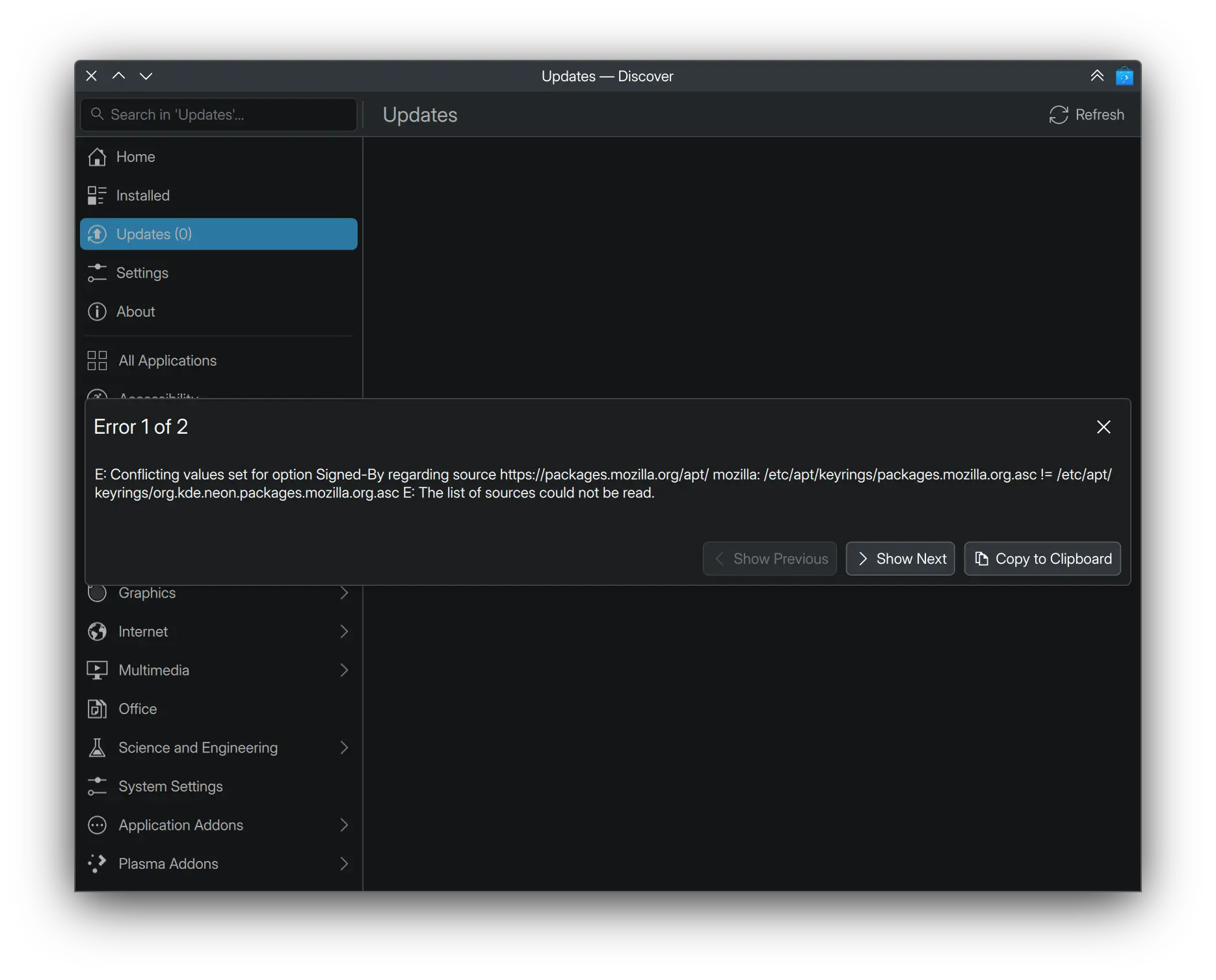
I suddently encountered this error on Discover while having done nothing for it to happen :
E: Conflicting values set for option Signed-By regarding source https://packages.mozilla.org/apt/ mozilla: /etc/apt/keyrings/packages.mozilla.org.asc != /etc/apt/keyrings/org.kde.neon.packages.mozilla.org.asc E: The list of sources could not be read.
What to do ?
PS : error 2 of 2 is identical to error 1 of 2.
Thanks
23
Because I customized KDE to show close/(un)maximize/minimize on the left and most importantly always on top on the right, except GNOME apps show only close and only on the right and the rest require a right-click, this is so annoying.
Basically, I want this :

To become this :

Thanks
7
φ Phi - The ultimate vertical experience mod for Vivaldi, made with attention to details.
(git.kaki87.net)
Linux, Mac, Windows, left & right sidebar, left & right panels, workspaces, pinned tabs, stacked tabs, tiled tabs, compact mode, themes... all supported.
More screenshots & installation instructions at https://git.kaki87.net/KaKi87/phi-for-vivaldi
Are you using Phi ? Please don't hesitate to share a screenshot and star the GitHub repo !

Hi,
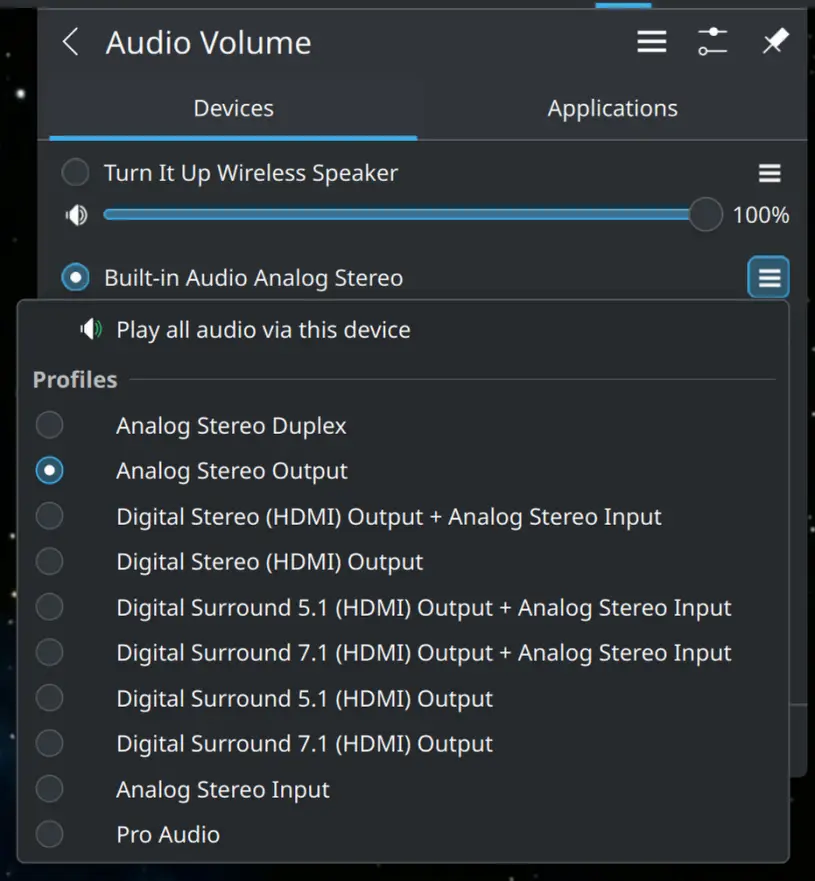
I was used to switching between laptop speakers and Bluetooth speaker on the normal audio menu.
But one day, I needed to use a TV's speakers through HDMI, and couldn't find it, so I initially thought it was a driver issue, but never found a fix, so I had to use a friend's Windows laptop at the last minute because people were waiting to watch something.
Today, months later, I have the same issue, but on a different laptop with more recent hardware, so I was hoping to have better luck, and I didn't... Until I accidentaly notice that the HDMI device is available under a submenu of the laptop's speakers, WTF ?
Attached to this post is a screenshot showing a Bluetooth speaker, the laptop's speakers and HDMI speakers. Why isn't the latter available at the same location as the former two ?
The submenu could be kept for selecting between 2.0/5.1/7.1, just like for Bluetooth devices it's used to select between aptX/LDAC/SBC, but I don't understand what's a whole different device doing in that submenu of the laptop's speakers.
Thanks
Ça reste moins pire que les autres et ça reste la seule alternative avec une batterie amovible.