this post was submitted on 21 Apr 2026
68 points (98.6% liked)

Framework

432 readers
1 users here now

An unofficial community of enthusiasts and fans of the Framework hardware company, known for its modular laptops and other products.

founded 2 years ago
MODERATORS
 

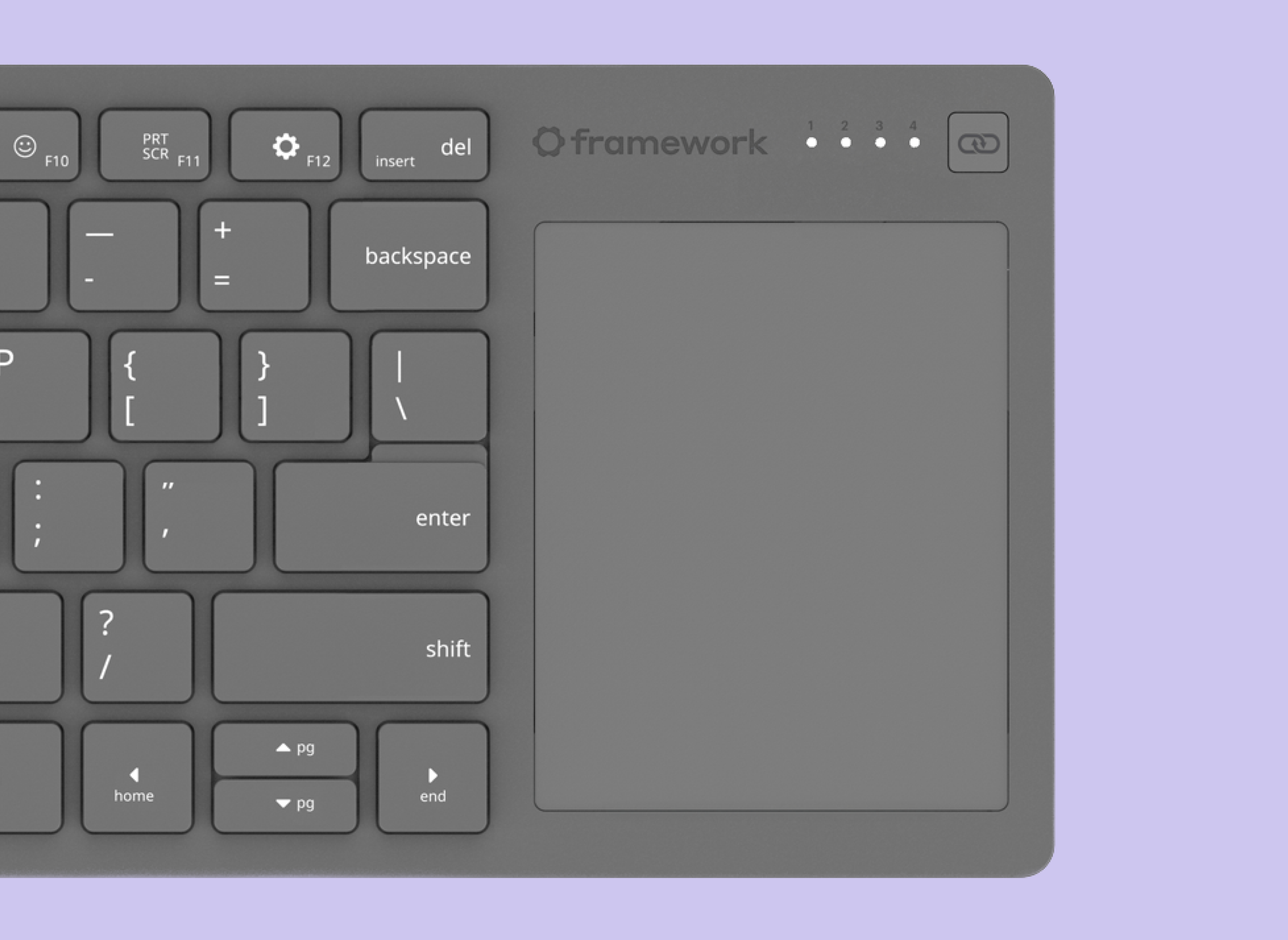
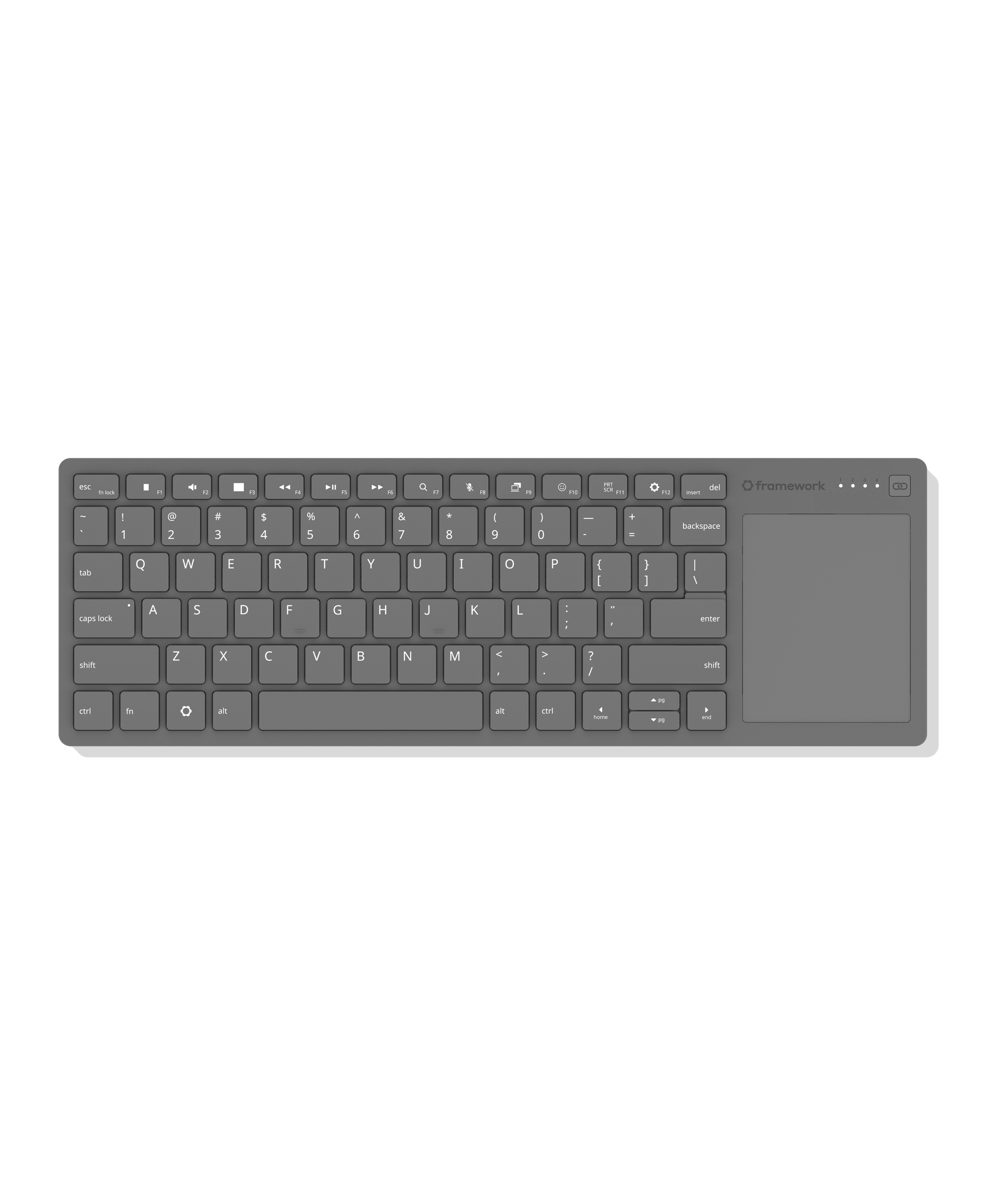
Finally, a wireless keyboard with an integrated touchpad that you don’t hate.

Super slim and durable, it's ideal for HTPCs, sim rigs, and single-board computer setups, using the same keyboard and touchpad design as Framework Laptops.

Features a 68.8 × 85.6mm precision touchpad with multi-touch gesture support and 1.5mm key travel for a responsive typing experience. Connect via wired, Bluetooth, or USB-A dongle, and switch between up to four wireless devices. Compatible with the USB-A Adapter Expansion Card for added flexibility.

Powered by Nordic’s ultra-low-power nRF54L20 wireless SoC. Open-source CAD design and firmware based on ZMK Firmware allow for endless mod potential. The control board is available for purchase separately with breakout pinouts designed for DIY keyboard builds and custom projects.

Available later in the year
top 13 comments
sorted by: hot top controversial new old

I'm left handed so I run these upside down like Jimi Hendrix.

[–] SatyrSack@quokk.au 8 points 1 month ago (2 children)

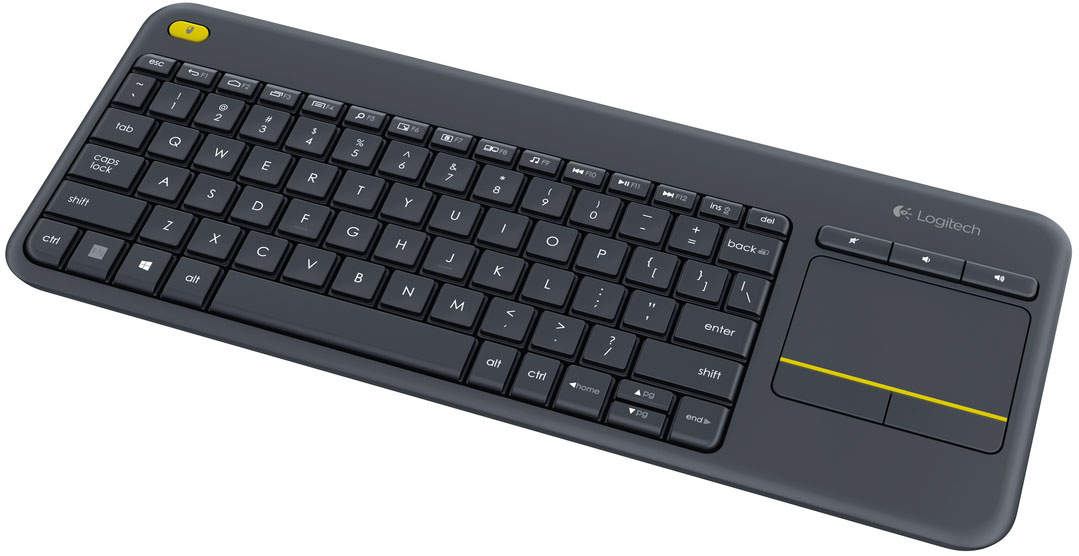
Are they expecting users to have to remap the ESCAPE key as a mouse button or something? A big appeal of the Logitech keyboard that they compared this to is the dedicated mouse button in the corner on the left side.

[–] sbeak@sopuli.xyz 1 points 1 month ago* (last edited 1 month ago)

I'm assuming you can click on the touchpad? Like a laptop one. ~~They say it's haptic too, which is interesting (I wonder if it's interchangeable with the non-haptic one?)~~

I was mistaken, it's the same trackpad as the Laptop 12.

[–] aGlassDarkly@piefed.zip 1 points 1 month ago (2 children)

I haven’t used the Logitech one…what does that button do?

Left mouse click. You end up holding the keyboard like a game controller, and left click, Escape, Back and Home are convenient to your left thumb and the trackpad, right click, volume and mute keys are convenient to the right thumb. The F keys default to their alternate functions, so if you want to hit Alt+F4 you have to pres Fn+Alt+F4.

[–] piccolo@sh.itjust.works 3 points 1 month ago

It is a left mouse button.

[–] 2inchesoffury@lemmy.blahaj.zone 4 points 1 month ago (1 children)

Interesting choice going with portrait oriented touchpad

[–] vikingtons@lemmy.world 0 points 1 month ago

I suppose I can see that being more conducive to vertical scrolling?

I use KDE connect on my phones a lot and prefer to keep them oriented in portrait for that reason

[–] SatyrSack@quokk.au 4 points 1 month ago (1 children)

Blog post: https://frame.work/blog/previewing-the-framework-wireless-touchpad-keyboard

We’re excited to preview the Framework Wireless Touchpad Keyboard, a compact keyboard with integrated touchpad that is excellent for living room use, setting up computers, and mounting into sim rigs. As we were developing Framework Desktop and using it in these scenarios, we found that there was just one popular keyboard in this segment, and it was one that neither we nor the broader community particularly liked. We knew we could do better, and so we did! Our keyboard uses the same great-feeling mechanical key structure and touchpad architecture that we put in Framework Laptop 12. A highly power-efficient Nordic nRF54 radio and open source ZMK Firmware enable pairing four BLE and USB-A Dongle hosts along with wired USB-C connectivity. In addition to the dongle, which is storable in the back of the keyboard, we’re developing a USB-A Adapter Expansion Card that allows it to sit flush in a Framework Laptop or Desktop.

We partnered with Lite-On for this keyboard, the same manufacturer we’ve worked with now on the keyboards and touchpads we’ve shipped in every version of Framework Laptop over the last 5 years. The overall design is slim while still being rigid, and the bottom cover is translucent black, giving you a view of the internal structure and electronics. The keyboard has 1.5mm key travel and full 19mm key spacing just like our laptops. The 68.8mm x 85.6mm touchpad is a clickable Windows Precision Touchpad, meaning it supports multi-finger gestures on both Windows and Linux.

On top of this being an easy to use, convenient keyboard, we brought the Framework product philosophy throughout. We’ve released open source surface CAD to enable development of 3D-printable mounts and accessories, which is ideal for the sim rig use case. As with all of our products, the rechargeable battery is easy to replace and will be available in the Marketplace. Finally, the Control Board that contains the core electronics is a module that we’re making available separately in the Framework Marketplace to enable makers to use it as a base for their own wireless keyboard designs. We exposed 28 I/O pins from the nRF54LM20A microcontroller to allow a wide range of key matrix options.

We’re sharing this preview of Framework Wireless Touchpad Keyboard to give developers an early start on building around it. To grow the ecosystem faster, we’re also kicking off an initiative to provide Control Boards free to developers. You can apply to join through this form. The Framework Wireless Touchpad Keyboard will be available later this year, and we’ll keep you up to date as we complete development and manufacturing of it.

[–] prole@lemmy.blahaj.zone 3 points 1 month ago

Any info anywhere about a price?

[–] los0220@lemmy.world 3 points 1 month ago

Wow, i was literally waiting for this. There are no quality htpc keyboards in the market rn.

I was even considering buying the keyboard and touchpad parts from framework and hacking something together myself

[–] HubertManne@piefed.social 3 points 1 month ago

any word on price? the link says out of stock with no price.

[–] Baaron87@lemmy.world 1 points 1 month ago

I’m sure someone will make some kind of mod that will allow for the main board from any of the laptops and the new wireless keyboard to be a single unit. I can definitely say I would do that with my older 13 board if the option is there.