Hi! I have a very simple web-app for displaying the weather. It's built with just HTML, CSS and JavaScript, getting the data from the OpenWeatherMap API. I made this for my own personal use only.
It looks great in Firefox on my Linux desktop, and in the DuckDuckGo browser on my android 16 phone. In the Firefox browser on my phone, it looks great in a Private browsing tab. But there's an issue in a regular (non-private) FF browser tab.
In that one context, I have a display:flex row, with one column for the forecasted temperature for each of the next 24 hours and in a FF Android non-private browser tab only, the section is not displayed at all.
This is what it looks like in the DDG browser (correct):
https://files.catbox.moe/1aa2br.png
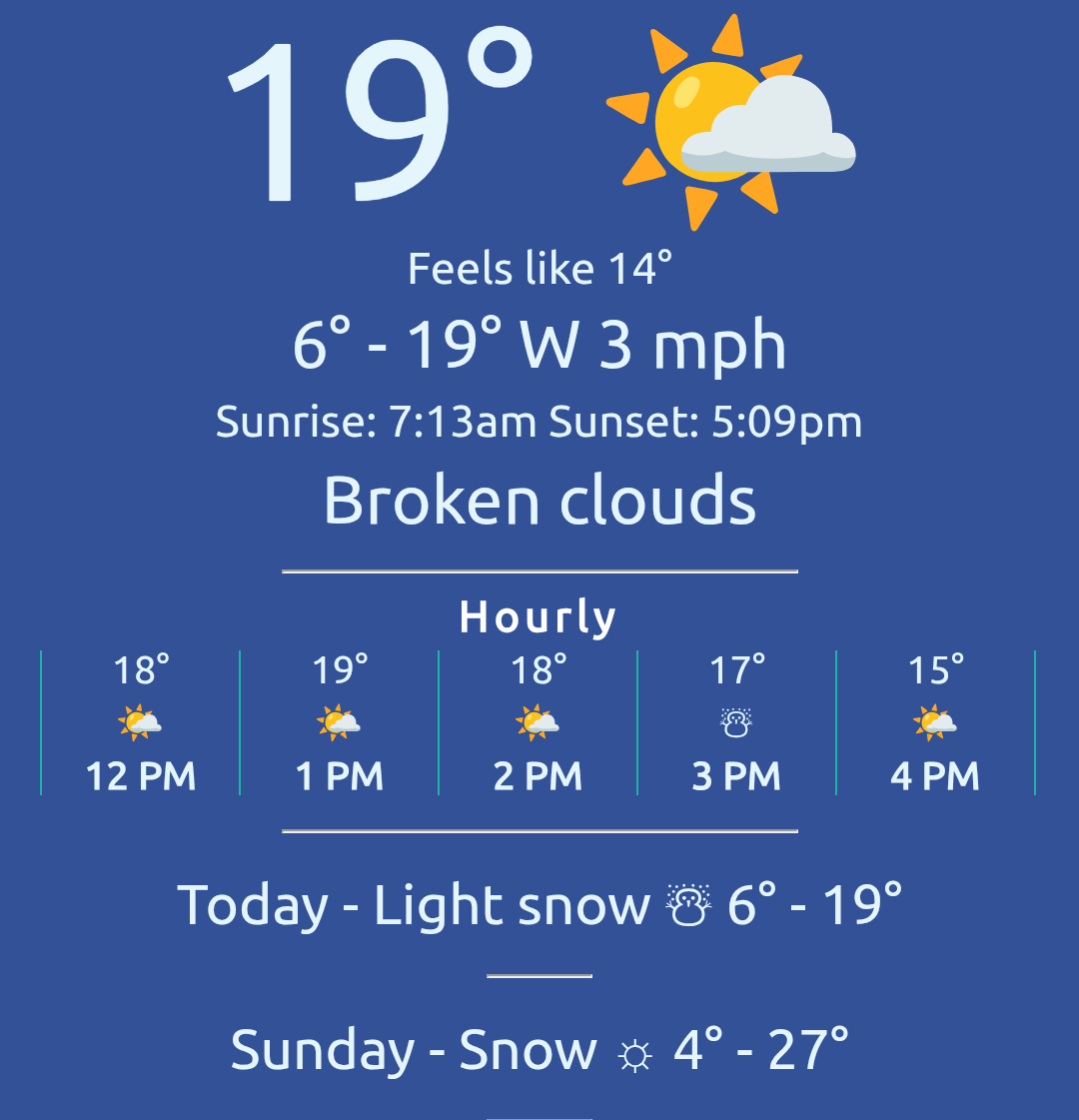
This is what it looks like in the FF non-private browser (the Hourly columns are not displayed):
https://files.catbox.moe/108iy6.png
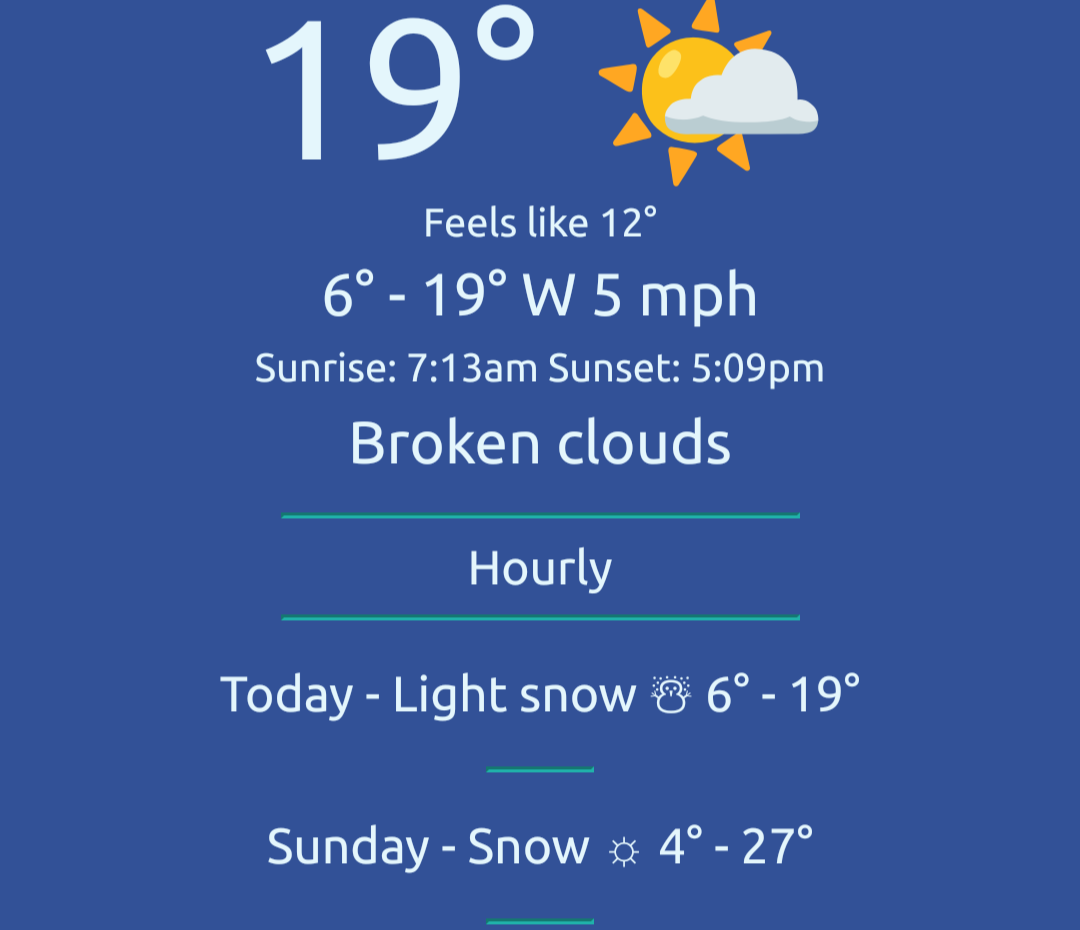
You can see the "hourly" heading for the section but none of the contents are displayed at all.
The HTML for the div looks like this:
<div class="hourly-forecast">
                <div class="hour-column">
                    <div class="hr-temperature"></div>
                    <div class="hr-sun"></div>
                    <div class="hr-time"></div>
                </div>
</div>
The CSS for the hourly-forecast and hour-column classes looks like this:
hourly-forecast {
    display: -webkit-flexbox;
    display: -ms-flexbox;
    display: -webkit-flex;
    display: flex;
    justify-content: space-between;
    padding: 5px;
    white-space: nowrap;
    overflow-x: auto; /* Allows horizontal scrolling */
}

.hour-column {
    display: -webkit-flexbox;
    display: -ms-flexbox;
    display: -webkit-flex;
    display: flex;
    flex-direction: column;
    align-items: center;
    min-width: 75px;
    text-align: center;
    border-left: 1px solid lightseagreen;
}
I just added those -webkit lines but that didn't help any.
The JS just gets the data and puts it in the correct spots in the HTML. The page is not really interactive otherwise, FYI.
I searched around for this but couldn't find anyone else who had issues that only show up in FF Android.
Thanks for any ideas you might have!