Last week I tried to watch the "Shut the Fuck Up PSA" from the National Lawyers Guild, and it was age blocked. I did try to log in, but now you have to VERIFY your age too (obviously I clicked off that shit).
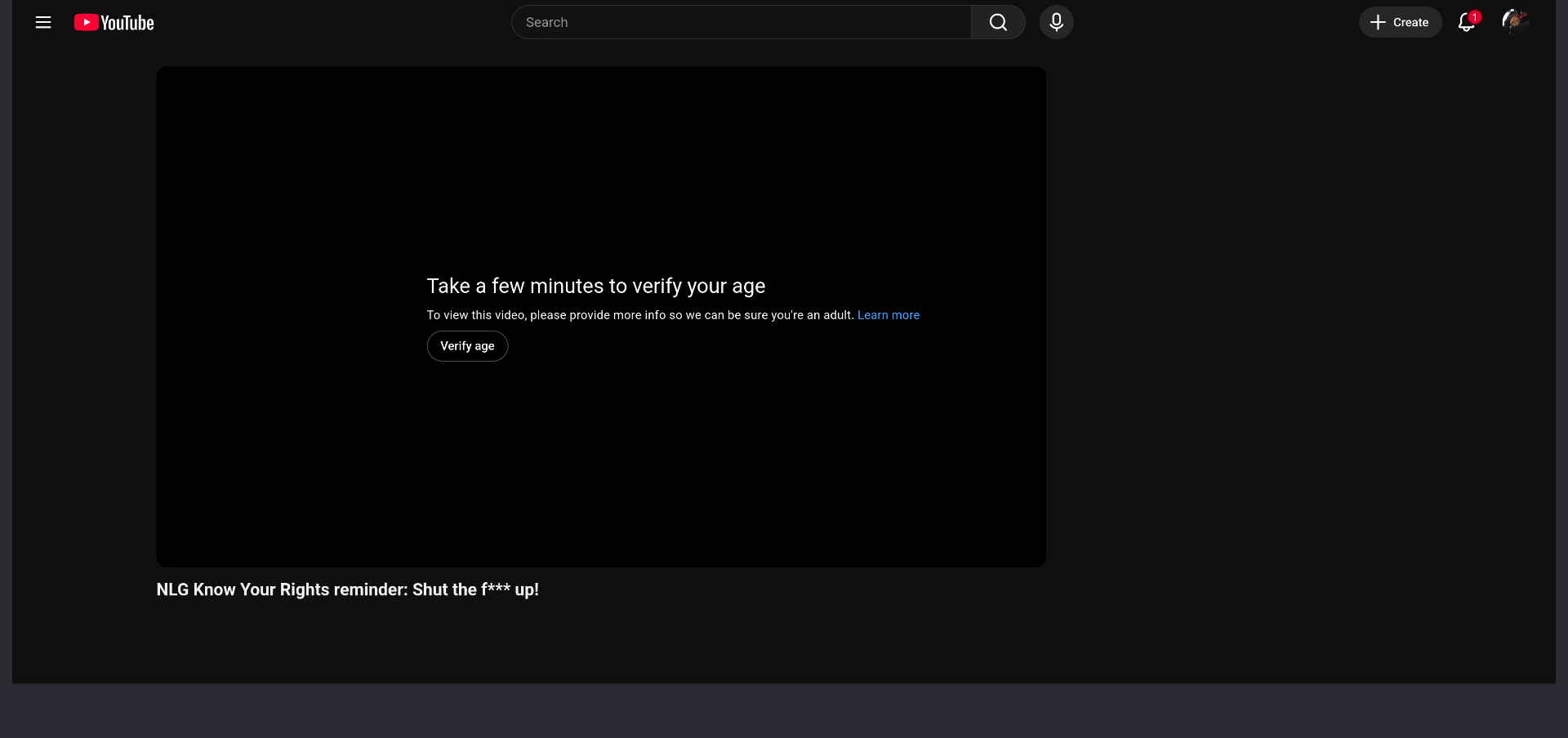
But honestly, alternative frontends like Freetube and yt-dlp might not make the cut anymore:
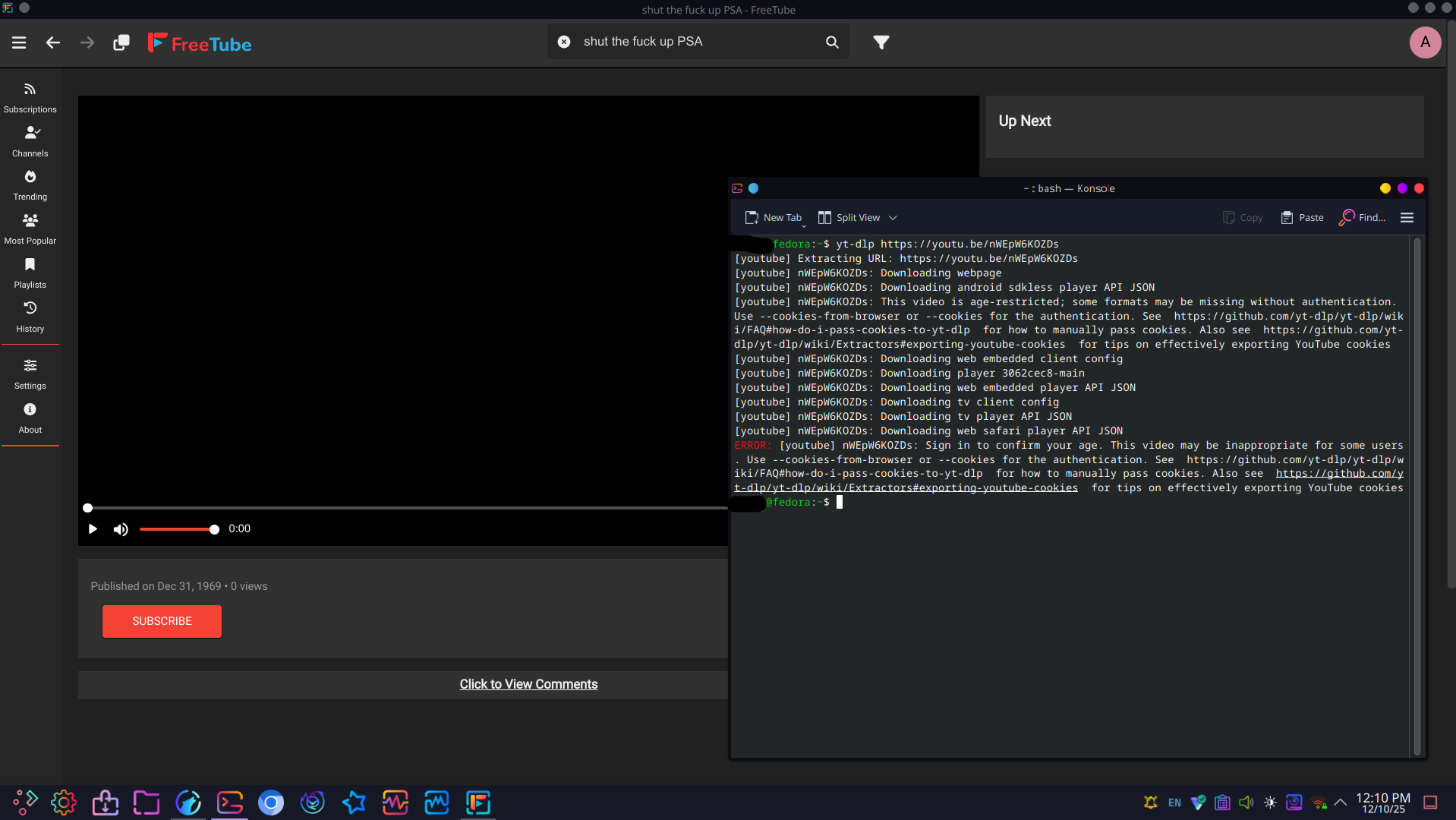
Mpv crashed, and Invidious instances keep saying "video may not be age appropriate"
Edit: My state is soon to perform age verification on social media sites, so this is probably the cause. I'll just have to VPN to other states or countries until VPNs fail/are blocked.

I do use Proton often, and it seems it was set to New Jersey this time. I live in the US, and afaik, my state doesn't have mandatory age checks for all websites.
Edit: NVM, my state has signed and will soon enforce a social media age check. Guess I'll VPN to other states and countries 💀
Even when I disable ProtonVPN, the same things happen. Freetube and Invidious say may be inappropriate, mpv crashes (non age restricted videos play fine), and even YT ReVanced throws a fit on both my accounts. On browser, both Librewolf and Ungoogled Chromium get hit with the same "verify age" button. On Fedora Linux.
The other important question is ... what OS are you using? ... Windows is notorious for leaking location and bypassing VPNs (especially IP, DNS and location) ... don't know much about MAC but I also wouldn't trust them ... Linux is more secure depending on which distro you use and how you use it
Been using Fedora for a year or so now. I've done tests with ipleak and such to verify my VPN isn't leaking, and have torrented on it (with it attached to my client and tested that the client stops when the VPN is disconnected).
The other thing that's been creeping into everyone's system is ... browser fingerprinting
This means that if you accessed something somewhere sometime and you got flagged or located, your browser stores key identifying data, history, cookies, etc to basically fingerprint your browser to any and all systems out there in the future. If your browser goes somewhere again, it won't matter if you have a VPN, the online systems remember your browser and will identify you, your location and your history because they've already logged all that data.
If you keep using that same browser with the same profile over and over again, and with all your other accounts, history and user info, it's like driving in the same car day in / day out. Eventually everyone remembers you because you keep driving the same car. It won't matter what kind of VPN, cloaking or obfuscation you use ... all everyone will do is look for the same car you drove last time.
Try setting up a new profile on Firefox/LibreWolf or other browser on a clean unused profile and try again to see what happens.
Yep, fingerprinting is a bitch. I've tried settings on Librewolf and IronFox to reduce it, but obviously it's impossible to fool the creators of internet stalking.
Anyway, tried with a brand spanking new profile on Librewolf, no VPN on, and tried to watch. Wouldn't work without logging in, and after that it still asked to verify my age.
Tried in Ungoogled Chromium with VPN set to Canada on guest profile (I've never used guest), and same thing. Tried with Japan VPN on a fake profile named "Jimmy", same thing. Tried my other Google account on another new fake chromium profile and Argentina VPN, but no dice. At this rate Google probs thinks I'm hacked lol.
If you want to keep narrowing it down. You should go to the next step .... a brand new clean OS on a dedicated laptop. Install a new Linux OS, new browser, new profile, do absolutely nothing with any of it, set up a VPN, try the site again.
If that fails, then chances are the ID is being done some other way ... do you have control of your router? Are you accessing the internet through someone's connection? maybe your ISP and your general area, regardless of who is using VPN.
The other possibility is ... Are you tethering on a phone? I notice that phone devices seem to play loose with VPN and due to geolocation built into the device tagged to wifi locating services, phones leak location all the time.