source: @n7gifmdn@lemmy.ca
1. Be civil
No trolling, bigotry or other insulting / annoying behaviour
2. No politics
This is non-politics community. For political memes please go to !politicalmemes@lemmy.world
3. No recent reposts
Check for reposts when posting a meme, you can only repost after 1 month
4. No bots
No bots without the express approval of the mods or the admins
5. No Spam/Ads/AI Slop
No advertisements or spam. This is an instance rule and the only way to live. We also consider AI slop to be spam in this community and is subject to removal.
A collection of some classic Lemmy memes for your enjoyment
source: @n7gifmdn@lemmy.ca
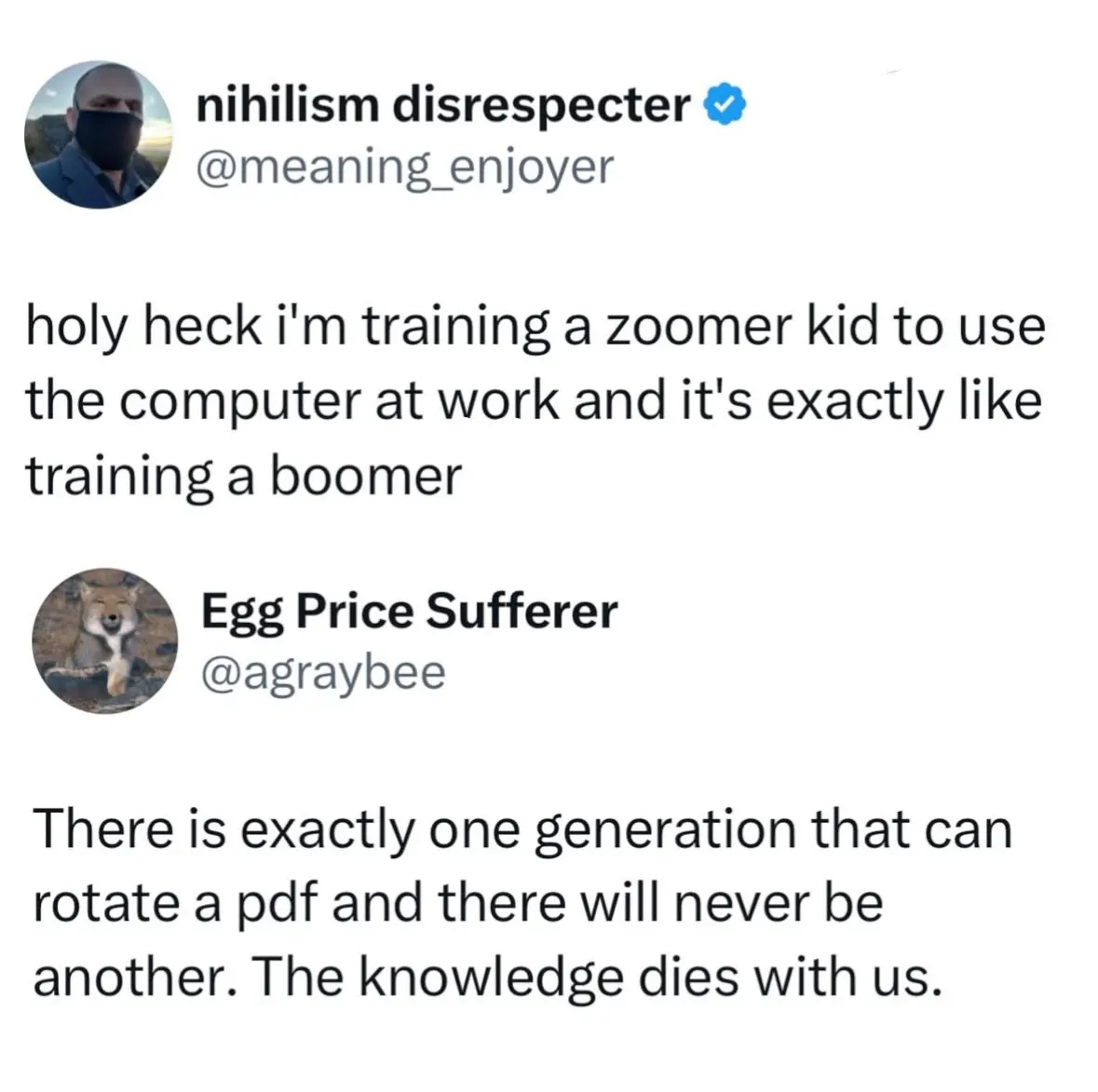
The number of people in this thread stumped by the “rotate a PDF” comment, even what it means at all, while a smartphone has been 95-100% of their “computer” usage in their lives.
I was born in the 80's, I did IT bachelor's and then print design studies which used all of the Adobe suite and I genuinely don't understand what rotating a pdf means.
My first OS was DOS.
Edit my point is I'm sure I know how to, I just don't know what it means
PDF is in landscape orientation, you need it portrait (say someone scanned the documents in sideways, it happens annoyingly often), or some similar situation
Pro Tip: Press Shift - Ctrl - numpad 0 to rotate it in Acrobat
Well it would entirely depend on the document how well it rotates.
Rotating isn't the issue, really, just how well it rotates.
Prints designed for portrait or landscape can be hard if not impossible to rotate properly.
Pure text documents, no problem. edit well the usual fuckery, can be shit. but like some are just impossible to properly rotate if the graphics are designed for portrait or landscape or etc
What do you mean "how well it rotates" ? If, e.g. an A4 portrait document is scanned in landscape it can be rotated back to portrait with no issues, no ifs or whats about it. It's a simple file orientation change
If you have specific graphics on the page which are designed to fit a portrait or a a landscape, they may not transfer well.
Just remember the outrage people have over people not filming thing in landscape, because then one ends up watching a fullscreen video on pc that's 80% black screen and only a sliver of actual footage on the screen, but we're used to it.
The page layout is incredibly precise work for most things related to print, however if you're just using PDF to relay text, it doesn't really matter at all. But PDF is something you can have as print quality, so you work on a project, you make a PDF, then you take that PDF to the print and they print it in whatever size or colour, but the layout will be the same.
You are overthinking this. It has nothing to do with whether something is designed or not for landscape or portrait. It is whether the file itself has dimensions of 4000x2000 and you want to rotate it 90 degs so that it is 2000x4000. Same content but everything rotated so that it opens oriented the way it was intended.
I mean from my point of view you're underthinking it.
The design of page layouts for print media is incredibly precise, but that's not even the issue.
Just like think of any generic magazine. Most of the text is placed in paragraphs around illustrations and quotes and sidebars and whatnot.
Just rotating it will fuck all that up, much like when you move an image in word. (lol)
But yeah that's "overthinking" it in the sense that while that was important to an entire industry, it was basically just one industry, and everyone used/uses pdf for generic documents without a designed specific layout, and those do rotate, no problem.
Edit no wait you were 100% right I was way overthinking it. You're just basically saying you're not rotating the content on the page, but whether it's on its side on the reader or not, lol. Yeah my bad way overthought it you were absolutely right
Hehe yep!
Could be completely misreading this here, but I'm assuming they're talking about when you get some rando pdf and the pages are laid out in portrait but rotated at 90 degrees such that they're in a portrait orientation, so all the writing is going up the page etc.
Yea if its just text its very understandable.
Wait until they are asked to split and merge PDFs.