qBit does delete the file from my physical drive (direct attached storage, raid5). But won't update the free space in the WebUI. The discrepency is over 1TB, so I'd like to address this if someone can help me.
Some info:
- qBit v.5.0.1, docker, from linuxserver.io
- Ubuntu 24.04
- Automatic Management Mode is checked
- Torrent content removing mode: Delete files permanently
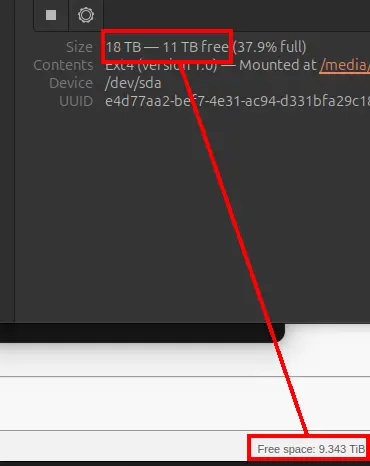
I have this issue too, and I figured out a workaround. Deleting the files manually via rm frees up space. Deleting files via qBittorrent via UI or automatically does not.
Turns out the files were just being moved to a ".Trash-UID" (where UID is the UID of the container) folder in the /downloads directory (or wherever that folder is mapped to on your host). Clearing that out freed up the space.
I suspect this is a bug where the "Delete files permanently" setting is not being respected. You might want to set up a cron job to delete that folder periodically in the meantime.