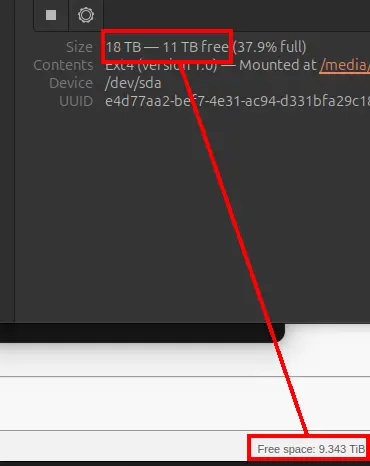
qBit does delete the file from my physical drive (direct attached storage, raid5). But won't update the free space in the WebUI. The discrepency is over 1TB, so I'd like to address this if someone can help me.
Some info:
- qBit v.5.0.1, docker, from linuxserver.io
- Ubuntu 24.04
- Automatic Management Mode is checked
- Torrent content removing mode: Delete files permanently
Has it been happening since qBittorrent 5.x ? Only reason I ask is that 5.0 did introduce a new feature per https://www.qbittorrent.org/news
Maybe double-check the qBittorrent settings and verify that isn't somehow enabled? I'm not on on that version yet so can't be sure how that new feature works or is configured.
If it's not that then I suspect the other comments are right e.g. a hardlinked file elsewhere would defintiely mean you need to delete all the hardlinks to actually free up space.
Yeah, I thought about that too. It's why I noted in the post that my files are set to delete and not be moved to the trash first. Those settings are in options/advanced.
You should REALLY update...
https://sharpsec.run/rce-vulnerability-in-qbittorrent/
Yup going to do that soon :)
Still on 4.x, bummer as I normally wait a while before doing major version software updates but it is what it is.
So, I migrated to 5.x and I don't know if it was just me, or a change in the WebUI or something, but Sonarr stopped wanting to pull files in. I've been holding out on the Sonarr upgrade because last I looked at it, it wouldn't auto-migrate you over, etc.
But when I went to upgrade it - it said that now auto-migrates, and it does. However, the old migrated rules looked kinda dirty, so I was panicking a little. The imported/converted stuff all worked, mind you, I just didn't like how they looked. In the end, I ended up really really liking the new Sonarr system, though I did have to ask an LLM how to format some new regex.