Linux Hardware

1410 readers
1 users here now

If you still want to participate in LinuxHardware, please join us at our new home at:

!linuxhardware@programming.dev

Thank you!

founded 4 years ago
MODERATORS
1


Hello everyone. I've been looking for a new laptop recently, and I was wondering what your thoughts were. This is what I want in a new lapop:

  • Decently powerful processor for virtualization, compilation, and BitTorrent
  • Easily replaceable/upgradable battery
  • Upgradable RAM
  • Upgradable storage (preferably 1 TiB+ NVMe SSD)
  • Webcam
  • Microphone
  • Hassle-free Wi-fi (I'm tired of fighting with proprietary blobs that need manual installation and want something plug-and-play)
  • Hassle-free Bluetooth
  • Ethernet port
  • USB ports
  • Hardy frame (nice but not required)

Important note: Ideally the laptop will be compatible with Linux Libre, as I want to run Guix System on it. But I'm not opposed to using the normal Linux kernel if necessary (and probably will anyways due to security protections like Spectre).

I've been eyeing the ThinkPad T480 (specs link) for some time. What do you think? It seems to tick all the boxes:

  • Powerful processor: i7-8650U (a 2018 model I think)
  • Upgradable battery: 24 Wh internal + 72 Wh discrete battery
  • Upgradable RAM (up to 32 GB)
  • Upgradable storage
  • A webcam
  • A microphone
  • Wi-fi
  • Bluetooth
  • Lots of ports (3 USB Type-C, 1 HDMI, 1 Ethernet, 1 headphone)

I do have some concern about the additional storage though. A Reddit user said this:

Just note that the T480 has only 2 usable PCIe lanes, so it's half the rated max speeds (ie, for most of the premium performance pcie3x4 drives, it's about 3500/3000MBps reads/writes respectively), so half that because it's only 2 lanes.

Found this out the hard way, ended up selling the T480 and going for a T14 AMD instead, because for that particular use case I had, high speed reads/writes were important. Was wondering why my 970 Evo Plus was so slow, and thought I had a faulty drive for a moment.

Lenovo acknowledges this limitation at the PSREF: "Installed M.2 SSD is PCIe 3.0 x 4 but run at PCIe 3.0 x 2 due to M.2 SSD adapter limitation"

https://psref.lenovo.com/syspool/Sys/PDF/ThinkPad/ThinkPad_T480/ThinkPad_T480_Spec.PDF

Link to post

I'm not sure what to think about that. I don't like the idea of getting half capacity, but 1.5 GBps doesn't seem so bad, even if it could theoretically be higher.

Has anyone here used this laptop? Am I understanding the specs correctly?

This isn't specific to this laptop, but how do you determine which NVMe to get? I see lots of numbers and am not certain how to interpret them.

If you think another laptop would meet the above qualifications, feel free to point it out. But my budget is rather tight (250 USD max for the computer, preferably under ~200 USD if possible), so I probably don't have a lot of options with regards to newer computers, which is why I was considering this slightly dated model.

Bonus: I found this article while browsing. Looks like the Wi-fi and Bluetooth don't work…

2


Hi everyone! While lemmy.ml has served as a reliable home for our community, we thought it would be worthwhile to help distribute the load across the lemmyverse more evenly, and decided to move to a smaller themed instance that happens to fit our community perfectly, the excellent Programming.dev!

If you'd like to continue to participate and get updates in the Linux Hardware community, head on over to !linuxhardware@programming.dev and click the subscribe button.

Hope to see you there! 🙂

3


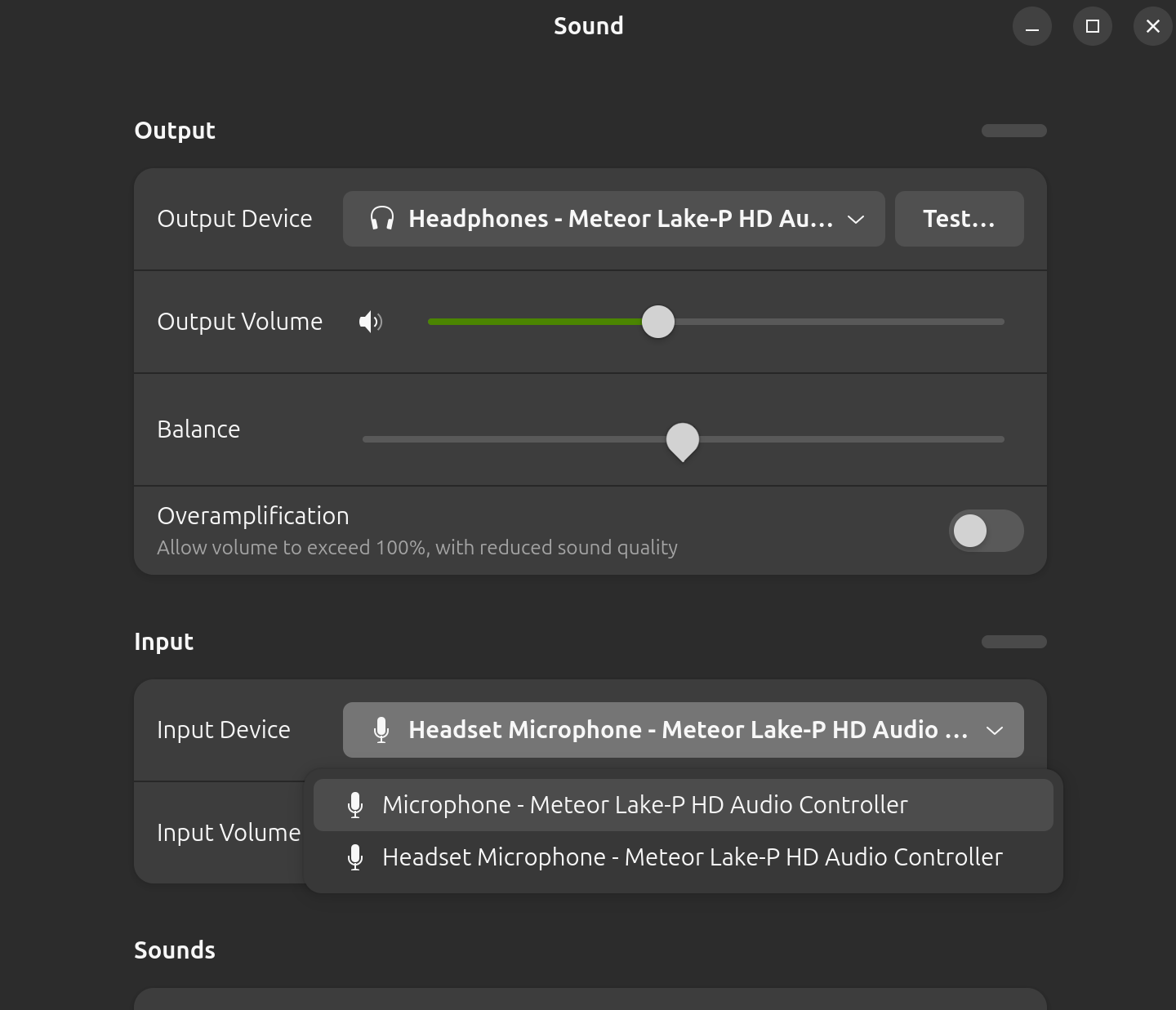
The internal microphone doesn't work on my Dell Inspiron 14 7440 running ubuntu, though it is recognized on windows and I remember it working before I reinstalled the ubuntu system. When I open sound settings, the app doesn't recognize the internal microphone:

I ran alsamixer (newest version) in the terminal and didn't see the internal microphone, this is what it looked like (this screenshot shows all devices listed in alsamixer):

I also looked at pavucontrol and the app shows the internal microphone as "unplugged":

How can I get the microphone working?

Update: I tried plugging in a headset and plugging it out. When I plugged it in 2 microphones showed up, one called "headset microphone" and the other just called "microphone", screenshot:

But when I unplugged the headset both microphones are gone, does it mean that my laptop recognizes its internal microphone when a headset is plugged in? Also when I switch to the one just called "microphone", speaking to the headset microphone doesn't make the bar move as much as patting the laptop, so the "microphone" should be the internal microphone.

4


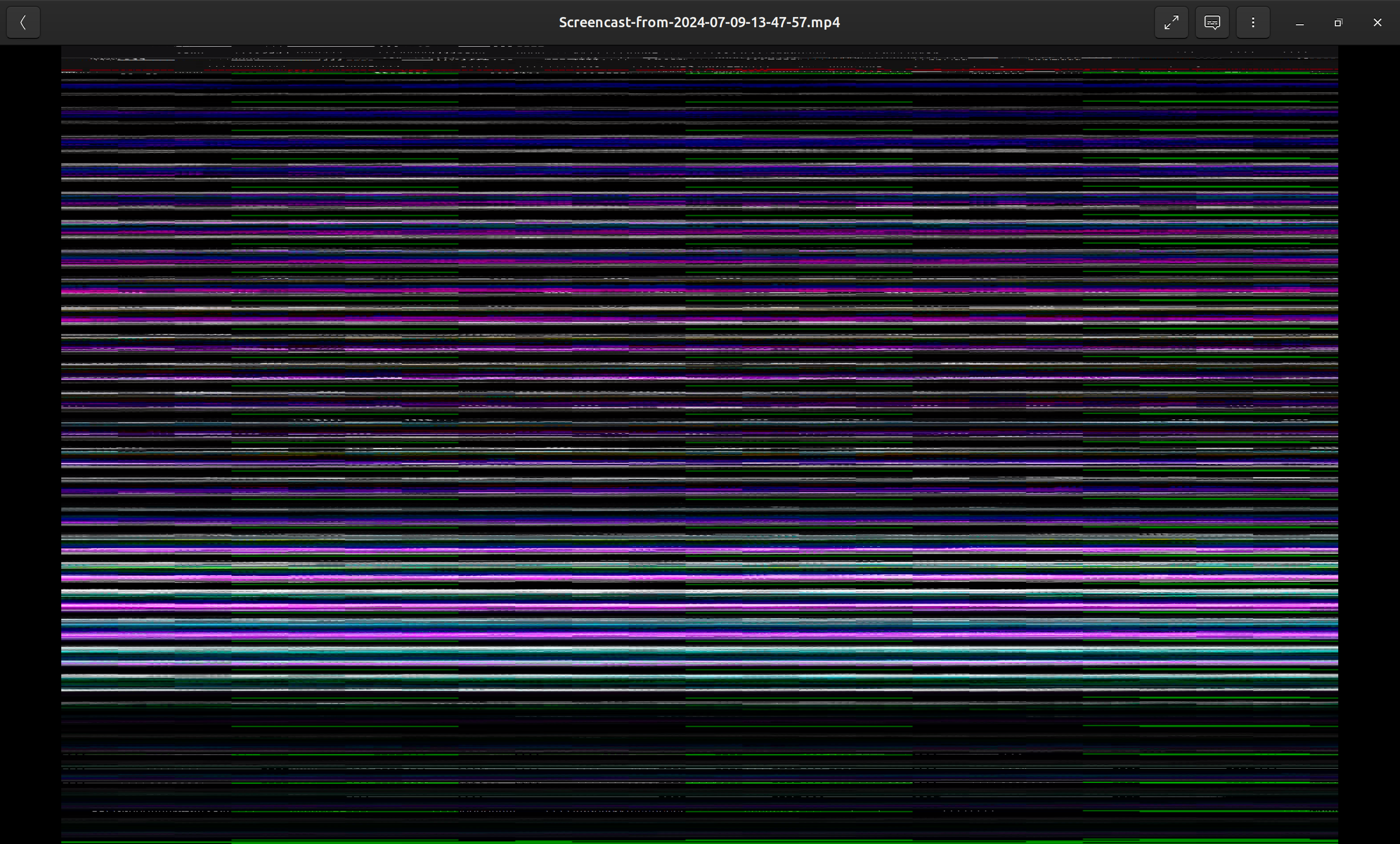
I installed the newest ubuntu desktop on dell Inspiron 14 7440, and when I open a video (either mp4 or webm) with GNOME videos it looks like this in the image, showing horizontal bars.

Is this a graphics driver problem? I haven't installed any kind of driver after the ubuntu installation, and if it is a driver problem from where should I install the driver?

5


cross-posted from: https://sh.itjust.works/post/20257982 (got no answers there sooo... someone here has something to say? Sorry if it's out of place...)

which one wold pair up better, less bottleneck and all that, a bottleneck calculator said the 560 works better, can i trust it? Is there any other gpus i should consider? (Small budget, Brazil is complicated)

(I use linux, if that changes something)

6


https://pcpartpicker.com/user/Out_Of_Ideas/saved/6yzGjX

I configured a pretty sick PC build on PCPP that is supposedly Coreboot capable. I am wondering if it can be improved and if it is actually Coreboot capable.

CPU: Intel Core i9-14900KS 3.2 GHz 24-Core Processor

CPU Cooler: Noctua NH-U14S 82.52 CFM CPU Cooler

Motherboard: MSI PRO Z690-A WIFI ATX LGA1700 Motherboard

Memory: G.Skill Trident Z5 RGB 48 GB (2 x 24 GB) DDR5-8400 CL40 Memory

Storage: Crucial T705 2 TB M.2-2280 PCIe 5.0 X4 NVME Solid State Drive

Video Card: ASRock Taichi OC Radeon RX 7900 XTX 24 GB Video Card

Case: NZXT H7 Flow ATX Mid Tower Case

Power Supply: MSI MEG Ai1000P PCIE5 1000 W 80+ Platinum Certified Fully Modular ATX Power Supply

Case Fans: Noctua A15 PWM 140 mm Fan; Noctua A14 PWM 82.5 CFM 140 mm Fan

7


The Sirius 16 is decidedly aimed at Linux gaming or workstation use cases. Its 16.1 inches with a 2K resolution of 2560x1440, so it's 16:9, better for gaming IMO than 16:10, but less good for other tasks.

It has a full aluminum chassis, an 80Wh battery, it can accommodate up to 96 gigs of RAM, 8 terabytes of PCIe 4 SSD, and it comes with USB 4, the latest HDMI 2.1 and Wifi 6E. But what matters is what's inside, and that's a Ryzen 7 7840HS, and a Radeon 7600M XT, with 8 gigs of DDR6 VRAM. The aluminum chassis really feels solid, and the whole laptop is pretty hefty, at 2.2 kilos, or 4.8 pounds.

The CPU is a Ryzen 7 7840HS, it's 8 cores, 16 threads, running at a top speed of 5.1Ghz. In geekbench 6, it got 2640 in single core, and 12635 in multi core, so it's more powerful than the i7 13700H I use daily on my own laptop.

8


Welcome Lemmings and Reddit refugees! I'm /u/Rathernott on reddit, one of the moderators of r/LinuxHardware and now armed with a swanky new username that doesn't suck.

@sirsquid@lemmy.ml Has graciously allowed this instance to become the official lemmy for r/LinuxHardware, and I hope to see some of you cross the border into Lemmyland! ^^

Each one of you who joins is helping to build a decentralized and open-source community that doesn't use your data, doesn't use algorithms to incite anger, fear, or divide us, and will hopefully be as resilient as email is today!