Nix / NixOS

2558 readers
1 users here now

Main links

Videos

founded 2 years ago
MODERATORS
101


I’ve recently discovered nixos containers and was wondering if there where any pros/cons of running them vs. Docker containers. Like if one needs to run a containerised service, would it be better to run it as a nixos container or a docker container in terms of resource consumption? And are there any limitations of each approach?

102
103


Really cool Nix idea which could improve incremental builds and replaces IFD (import from derivation) in some instances.

The article poses it as an alt to the lang2nix pattern, but some of functions look rather challenging to understand? Do you think this might allow nixpkgs upstream to support more languages / build systems performantly out of the box, abstracting away the complexity from Nix users?

104


I'm on unstable and updated my flake.lock and 2 of my Steam games stopped working: Tiny Tina's Wonderlands and Elden Ring. Rolled back to my previous generation and they work again.

Is there a way to roll through nixpkgs commits to find the breaking commit? How do I gather the logs they will need and where should I report it to?

105


Hello, everyone! I'm a long time Linux user who has warily stared at NixOS from the safe distance one might give to wild animals on a safari for quite some time now... And I finally decided, "fuck it, I'm gonna poke it with a stick."

I absolutely adore this system, even as strange a paradigm as it is coming from a decade of "traditional" management systems. I haven't been this excited about a Linux distro since... Well, ever really. Maybe OpenSUSE Tumbleweed? I can't recall.

Anyway, I wanted to introduce myself and preach to the choir for a second, so to speak. As someone totally new to this paradigm of system management, what are your #1 must read/watch resources you would recommend? I've perused through the NixOS Learn website over the last couple of days, and I'm itching for more. I can't wait to see what all this system is capable of!

106


Hi all! I'm new to NixOS and so far I'm loving it! I'm in the middle of the process of "nixifying" all my stuff, and I've found a problem that I've not been able to solve yet: When using LibreWolf on my Mac OS laptop, I can easily add exceptions to store cookies from the padlock icon in the search bar, as you can see in the screenshot, so I don't have to re-login to some sites every time I open my browser. The problem is that on my NixOS laptop there is not such an option. I have compared settings in both setups, and they both look the same. I even tried explicitly setting pref.privacy.disable_button.cookie_exceptions to false, but no luck. The option is still not showing in the padlock menu. Here's my LibrefWolf config, in case you are curious.

I know I can manually add exceptions in the settings page, but doing it directly from the search bar is way more convenient.

I searched all around the interwebs before writing this post, but I found nothing. Does anyone know how can I enable this option? Thanks a lot!

107


I'm rebuilding my home server in nixos.

Rather that configuring the various services natively in nixos, I decided to run containers via virtualisation.oci-containers whenever possible, mostly to be able to independently update the system and the various services.

Everything is going smoothly, but whenever I (for whatever reason) do nixos-rebuild boot and reboot after adding a container instead of nixos-rebuild switch, I run into this issue where podman isn't able to resolve the host (below you see the docker hub host, but it also happened with ghcr.io):

podman-apprise-start[1352]: Trying to pull docker.io/caronc/apprise:1.1.8...
podman-apprise-start[1352]: Pulling image //caronc/apprise:1.1.8 inside systemd: setting pull timeout to 5m0s
podman-apprise-start[1352]: Error: initializing source docker://caronc/apprise:1.1.8: pinging container registry registry-1.docker.io: Get "https://registry-1.docker.io/v2/": dial tcp: lookup registry-1.docker.io: no such host

I thought that my podman-* services were missing a dependency on network-online and that they were started before the network was available, but it is't the case:

# systemctl list-dependencies podman-apprise.service 
podman-apprise.service
● ├─system.slice
● ├─network-online.target
● │ └─systemd-networkd-wait-online.service
● └─sysinit.target
●   ├─dev-hugepages.mount
[...snip...]

Do you happen to know what the issue is?

PS: Manually running systemctl start podman-whatever once fixes the issue, of course, but I wonder if there's a more robust solution?


update:

After investigating based on balsoft input below, the issue seems to be that systemd-networkd-wait-online doesn't behave as expected (by me).

Basically, systemd-networkd-wait-online waits for network interfaces to have a carrier (working ethernet cable) and an IP address. This is what in systemd-networkd docs is called the "degraded" state (no, it doesn't mean that something got worse than before... don't think too much of what "degraded" implies in English).

In my case, I have an interface that is setup via DHCP and that also has static IPs assigned:

$ cat /etc/systemd/network/00-lan1.network 
[Match]
Name=lan1

[Network]
DHCP=ipv4
IPv6AcceptRA=no
LinkLocalAddressing=no

[Address]
Address=192.168.10.10/24

[Address]
Address=192.168.10.99/24

If you are wondering, the reason I do this is that I want static IPs for my dns server and reverse proxy, but I also want my home server to use DHCP to fetch some network-wide configuration which, critically, includes the default route.

Back to the issue: IIUC, since the interface has a non-link-local address (which systemd-networkd confusingly calls a "routable" address), it is immediately considered "routable" (a state that is moar better than "degraded") and so not only it's basically ignored by the default systemd-networkd-wait-online configuration, but even adding

[Link]
RequiredForOnline=routable

to /etc/systemd/network/00-lan1.network doesn't make a difference whatsoever.

For now, my stopgap solution is to explicitly set the default route for the "lan1" network:

[Network]
Gateway=192.168.10.1

this seems to solve the issue with podman and, while the system still thinks to be "online" before being fully configured, it will suffice until I find a more elegant/robust way (ping me in a while if you are interested).

refs:
systemd-networkd-wait-online man page
systemd-networkd docs on "RequiredForOnline"
networkctl man page

108


Does anyone know of any blogs that center around, or frequently discuss nix? My only subscription in freshRSS is NixOS weekly...and thats long since been abondoned.

It'd be really nice if there was some kind of news or ecosystem summary, so I could know about the newest nix projects as well as official sources.

109


After about a month of using Nixos, I realized my apps don't use my discrete gpu. I have an intel cpu with integrated graphics and a discrete amd gpu. On windows I had set all apps to use discrete gpu when the laptop was on power. Before I say more, some info for my system:

Fastfetch outputOS: NixOS 25.05 (Warbler) x86_64

Host: Inspiron 5567

Kernel: Linux 6.12.12

DE: KDE Plasma

WM: KWin (Wayland)

WM Theme: Breeze

Theme: Breeze (Dark) [Qt]

Icons: breeze-dark [Qt], breeze-dark [GTK2/3/4]

Font: Noto Sans (10pt) [Qt], Noto Sans (10pt) [GTK2/3/4]

Cursor: breeze (24px)

Terminal: konsole 24.12.1

CPU: Intel(R) Core(TM) i5-7200U (4) @ 3.10 GHz

GPU 1: AMD Radeon R5 M445 Series [Discrete]

GPU 2: Intel HD Graphics 620 @ 1.00 GHz [Integrated]

Memory: 3.23 GiB / 23.37 GiB (14%)

Swap: Disabled

Disk (/): 88.15 GiB / 195.85 GiB (45%) - ext4

Disk (/home): 514.67 GiB / 716.87 GiB (72%) - ext4

Locale: en_US.UTF-8

My main issue is that my bottles apps (bottles is a wine prefix manager) can't run its wine prefixes with a discrete gpu. I have the nixpkgs version of bottles (not the flatpak one which the developer suggests using). Things I've tried:

  • Enabling/Disabling the "use discrete graphics" option inside the bottle (only the integrated gpu is being used)
  • Launching bottles from command line with DRI_PRIME=1 and bottles opened for a little and then closed, by reporting this:
    terminal output
(process:4413): Gtk-WARNING **: 10:35:38.358: Unknown key gtk-modules in /home/bs/.config/gtk-4.0/settings.ini

(process:4413): Adwaita-WARNING **: 10:35:38.384: Using GtkSettings:gtk-application-prefer-dark-theme with libadwaita is unsupported. Please use AdwStyleManager:color-scheme instead.

(bottles:4413): Gtk-WARNING **: 10:35:39.395: Theme parser warning: style.css:184:3-185:1: Expected ';' at end of block

(bottles:4413): Gtk-WARNING **: 10:35:39.395: Theme parser warning: style-dark.css:23:3-24:1: Expected ';' at end of block
10:35:39 (INFO) Launching with URI: None 
10:35:39 (INFO) [Activate] request received. 
10:35:39 (WARNING) Bottles is only supported within a sandboxed format. Official sources of Bottles are available at: 
10:35:39 (WARNING) https://usebottles.com/download/ 
10:35:39 (WARNING) Please report any issues at: https://github.com/NixOS/nixpkgs/issues 
10:35:39 (INFO) Bottles Started! 

  • Launching the game from command line with DRI_PRIME=1 bottles-cli run -p OuterWilds -b Outer_Wilds after having enabled/disabled the "use discrete graphics" option inside the bottle (kept using the integrated graphics instead)
  • Launching the game from bottles gui, after using the enviroment variable DRI_PRIME=1 and enabling/disabling the "use discrete gpu" option (kept using the integrated graphics instead)
  • Adding the following code to my configuration.nix:
    hardware.graphics = {
    enable = true;
    enable32Bit = true;
    };
    
  • Launching the game from bottles gui, after using the enviroment variable DRI_PRIME=1 DXVK_FILTER_DEVICE_NAME="AMD Radeon R5 M445 Series (RADV ICELAND)" and enabling/disabling the "use discrete gpu" option (it told me that I don't have directX11 installed, but the game should run without it according to steamdb)
  • Setting KDE power profile from "Balanced" to "Performance"

Note that I can launch native apps with discrete gpu by typing in the terminal DRI_PRIME=1 $program_name, where $program_name is the name of the program I want to launch (like SuperTuxKart).

Is there a way to launch bottle apps with my discrete gpu or at least run all of my apps with my discrete gpu? Some extra related links I found, but didn't solve my issue:

links

Cross-posted it at the discourse forum

110
28
submitted 11 months ago* (last edited 11 months ago) by hallettj@leminal.space to c/nix@programming.dev


I'm a fan of gaming - my main game is Overwatch. Until this week I've been using xwayland or gamescope to run Wine games which comes with downsides. Xwayland's window management can be buggy - in Gnome I can end up unable to switch back to a game window. Gamescope has some latency and visual artifact issues in my preferred window manager.

But now with the Wine 10 release candidates you can run Wine in native Wayland mode without any special registry settings or anything. And it works very well as far as I can tell! I went through the trouble of figuring out how to get Wine 10 set up on NixOS so I thought I would share.

Wine 10 is currently available in nixos-unstable. The simplest way I've found to get it working for games is to use Lutris, and to install both Lutris and Wine from unstable. To get a complete Wine setup for Lutris use wineWowPackages - for example wineWowPackages.stagingFull. The Full variant includes wine-mono which you'll probably want, and the staging package is the one that worked for me.

I have an overlay that lets me reference unstable packages via pkgs.unstable.${package-name}. With that in place I have this in my NixOS settings:

environment.systemPackages = [
  (pkgs.unstable.lutris.override {
    extraPkgs = pkgs: [
#               ----
#      ↓ same var ↑ 
#     ---- 
      pkgs.wineWowPackages.stagingFull
      pkgs.winetricks
    ];
  })
];

Note that you'll want to use the shadowed pkgs variable introduced in the function given to extraPkgs to reference the wine packages. I think that package set has some extra FHS stuff done to it or something.

If you don't have it already the shortcut for enabling necessary system settings for running games with Vulkan is to enable steam:

programs.steam.enable = true;

You can presumably put the Lutris configuration in Home Manager instead of NixOS by setting home.packages instead of environment.systemPackages. The steam setting needs to be set in NixOS.

When you run Lutris change the Wine runner settings to use the "system default" Wine version, and check the "use system winetricks" toggle.

To make sure that Wine uses Wayland you can unset the DISPLAY environment variable, or set it to an empty string. To do that in Lutris go into the game configuration settings. Under the "System options" tab add an environment variable named DISPLAY, and leave its value empty.

And that's it!

The one issue I've run into is that the Battle.net launcher is a blank black rectangle. The workaround is to run the launcher in gamescope or xwayland, install the game you want, and then re-launch without gamescope in native Wayland. You can start the game you want using the menu from Battle.net's system tray icon so that you don't need to use the launcher UI.

Edit: Thanks @vividspecter@lemm.ee for the point about unsetting DISPLAY!

Edit: @BlastboomStrice@mander.xyz pointed out that all of the Wine packages on unstable are updated to v10 so I changed the instructions to use stableFull instead of stagingFull.

Edit: stableFull wasn't actually working for me so I switched the instructions back to stagingFull

111


I've been working on my configuration for a while now using flakes. I can already understand the appeal of flake-parts, and my configuration has always been spread out across multiple files according to specific features. ATM I don't really have any good modules to share, but what's your opinion?

112


I'm working on small nix flake to standardize the developer environments at my job.

What I'm still missing, however, is a way to clean up after leaving the shell. Some hook to call a shell script, when the shell is closed.

Is there something like this? I thought about wrapping the actual nix develop call inside a bash script and waiting for nix to terminate, but that seems rather hacky.

113
27
Notes on Nix (newsletter.goodtechthings.com)
submitted 11 months ago by rglullis@communick.news to c/nix@programming.dev
114


Auto-updates are enabled on my system, but they're so very unpredictable. Just now had one running, I was thinking "why is my PC lagging" until you hear a symphony of USB connect/disconnect sounds and you realise, "ohh, it was auto-update".

So the question is, is there some kind of way to receive a notification when auto-update is running? Preferably with progressbar. Or maybe a way to get notifications when there are updates available? Thanks!

115


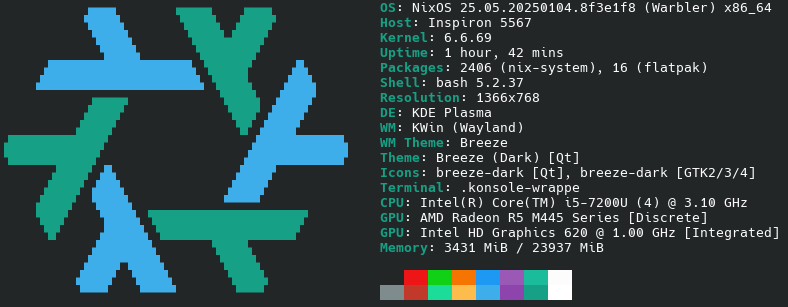
After around 4 months of reading manuals, forums, watching tutorials and asking online, I've eventually managed to have an almost properly working NixOS installation on my pc and wiped the Win10 partition (I have win10 in a VM as a fallback mechanism)!

I started this journey initially wanting to switch to linux and I started my tests with Debian Stable. But the repo was really old (as expected), so I tried the Testing variant. But this repo had missing packages. I tried Unstable for a few moments too, but I crashed and didn't want to bother. I figured that I could make a script to (declaratively?) fetch and auto update packages from github, bypassing Debian Testing.

Then it was when I looked at NixOS and found out that the whole system kinda does what my script would do, but much much much better. Almost ever since then I tried to learn almost everything I needed and a few extra stuff to get it working. This is the configuration I've come up with so far (it's probably considered simple).

I also made a guide to keep track of what I was doing and what I would have to do once I took the decision to transition to Linux/NixOS, hopefully it might help others too:

https://codeberg.org/BlastboomStrice/LinuxPlan/src/branch/main/LinuxPlan.md

Finally I can be called a Linux user :)
116


Hello everyone, I'm very close to finishing my configuration files for NixOS. I have those working on my nixos installation on my external drive, but before I officially move to nixos I'd like to make sure that I'm not doing something wrong.

Could someone please check my config files? (I only use flakes.nix, configuration.nix, home.nix and hardware.nix and I'd say they aren't much complicated.)

My main concearn is that I probably use the import and modules functions wrong (yet somehow they work?). I've read and watched numerous guides for the last 3 months, but I think I still mess this up😅. I think following a bunch of different guides and videos added to the confusion a bit. (A recent guide I read made me have doubts about my set up.)

This is the link to my nixos configs:

https://codeberg.org/BlastboomStrice/dotfiles/src/branch/main/.config/nixos-conf

Hopefully by the end of the next week I'll be posting here about having transitioned to linux/nixos:)

Sample of probably wrong usage of modules in flakes.nix

    outputs = {self, nixpkgs, ... }@inputs: {
      nixosConfigurations = {
      nixos = nixpkgs.lib.nixosSystem {
        system = "x86_64-linux";
        specialArgs = { inherit inputs; };
        modules = [
          ./hosts/default/configuration.nix

          inputs.home-manager.nixosModules.home-manager
          {
            home-manager.useGlobalPkgs = true;
            home-manager.useUserPackages = true;

            home-manager.users.bs = import ./hosts/default/home.nix;

            home-manager.extraSpecialArgs = { inherit inputs; };
          }

#           inputs.spicetify-nix.nixosModules.default

Sample of probably wrong usage of imports in configuration.nix

imports =
    [ # Include the results of the hardware scan.
      ./hardware-configuration.nix
      #inputs.home-manager.nixosModules.default
    ];

(I think I'm not using home manager in configuration.nix, that's why I've commented it out, and I'm importing it directly in flakes.nix.)

117


Howdy y'all non-developer trying to understand nix flakes.

118


Let's make managing infrastructure on your own machine less cumbersome. Simplify it with NixOS and containers.

119


In the process of updating one of my home manager configurations to 24.11, I got an error about a package being marked as broken. It was something like python3.12-libarcus. Let me tell you, that isn't listed in my configuration, and the stack trace didn't help me...so what do you do?

I discovered a tool called nix-tree: https://github.com/utdemir/nix-tree

It will scan a nix store and allow you to interactively look at all packages and their dependency tree. I decided to look at my current profile with nix-tree ~/.nix-profile/ and look around. (note, I think there's a better way to look at a configuration itself, not just a previous build.) The tool lets me search for dependencies, so I searched for python3.12-libarcus and it brought me to where it is in the tree...

I found the broken package! It was ultimaker cura, slicing software for 3d printers, which it turns out is very outdated in nixpkgs. There's discussions on the github about just wrapping the appimage instead of building from source. In the meantime, I removed pkgs.cura from my dependencies and my build was successful!

What other methods or tricks do you have to navigating build errors, or understand the nix store or your configuration better?

120


Recently got started with Nix and Home-Manager. I thought Advent Of Code would be a good way to get more comfortable with the Nix language.

I don't think I ever made it beyond Day 6 though, even in my most comfortable language (Python) so no idea where this will strand.

I am learning a lot about Nix though!

Have you used the Nix language outside of configuration? Let's share and discuss!

121
52
submitted 1 year ago* (last edited 1 year ago) by Laser@feddit.org to c/nix@programming.dev


I just upgraded my NixOS machine after switching to nixos-unstable-small because I think unstable will take some time to update as getting 24.11 out has the highest priority.

Anyhow, two of my packages stopped me from applying a new configuration, as some packages have been changed when reorganizing into pkgs/by-name. I fixed it and wanted to share as this will hit others running unstable with these packages as soon as hydra catches up.

nerdfonts (now nerd-fonts)

Package was renamed, which it will state on evaluation; individual fonts are now part of the nerd-fonts attribute. I had Source Code Pro in there, there was some kind of mapping, which looked kind of like in https://wiki.nixos.org/wiki/Fonts#Installing_specific_fonts_from_nerdfonts – the new way is now to just use nerd-fonts.sauce-code-pro directly, you can probably do something like ++ with nerd-fonts; [ sauce-code-pro other-fonts ] to add multiple nerd-fonts to your fonts list, but I haven't tested this.

RetroArch

Until now, cores were specified as in https://wiki.nixos.org/wiki/RetroArch, however override doesn't seem to work anymore. There's now the withCores attribute / function that expects a function that returns a list. The easiest way I found to just specify a fixed list of cores was (retroarch.withCores (_: with libretro; [ snes9x mupen64plus fbneo flycast ])). Maybe other options are easier / cleaner.

Word of warning on compiling nixos-unstable-small

There are currently a lot of packages to be built if you change into that channel (I'm using flakes, but you get my point). Due to the default value of auto for nix.settings.max-jobs, this meant nix tried to build 24 derivations at the same time. This is fine if these are just downloaded from hydra, but if you try to build 24 big derivations at the same time, each trying to use 24 threads because nix.settings.cores is also 0 by default, which means all threads, build processes quickly ate all of my 32GB of RAM so that the OOM killer had to intervene, however often too late with my system dying. I recommend to set nix.settings.max-jobs to something more reasonable before attempting this (I used 1).

122


I experimented with several ways to run my services:

  1. "regular" systemd services (services.glance = { ... };)
  2. nix containers (containers.glance = { ... };)
  3. podman containers (virtualisation.oci-containers.containers.glance = { ... })

and I must say I'm starting to appreciate the last option (the least nixos-y) more and more.

Specifically, I appreciate that:

  • I just have to learn the app/container configuration, instead of also backwards-translating from their config into the various nixos options (of course the .yaml or whatever configuration files are still generated from my nixos config, I just do that in a derivation instead on relying on a module doing it for me)
  • Services are sometimes outdated in nixpks (even in unstable - and juggling packages between stable and unstable is yet another complication)
  • I feel like it's more secure (very arguable and also of very little consequence since everything is on my homelab... it's mainly for the warm fuzzies)

Do you guys use one of the options above? Something different?

123


This is a group chat to discuss anything nix-related

124


I've been trying nixos recently and after watching a bunch of tutorials from various people, I have managed to enable home-manager and flakes.

My question is: where should I write the packages I want to install? In home.nix? In flakes.nix? In configuration.nix (probably not)? I'm probably only gonna have a single user on this machine.

So far, I think the only difference between writing the packages in home.nix compared to flakes.nix is that in the 1st senario, the apps will only be available for the user, while in the 2nd, it will be available for the whole system. Also, I could use the home.nix for non-nixos systems too. Other than that, I can probably write them the same way either on home.nix or flakes.nix and have the same result on my machine.

PS. On search.nixos.org there is an option to search for flakes. What is this? I am planing to get my packages from the packages tab, but I'm wondering that maybe I should search in the flakes tab instead (though it doesn't seem to have many packages).

PPS. Those are some resources I've found (I've mainly watched the videos and have started reading some of the guides):

125


I try to add an application that was installed with homebrew (managed by nix darwin) to the "Open at Login" settings under "General -> Login Items & Extensions".

I tried to add a launchd.user.agents entry, but that didn't work. The app is only adeded to the "Allow in the Background" settings and does not start on login.

  launchd.user.agents = {
    sanesidebuttons = {
      serviceConfig = {
        Label = "com.thealpa.sanesidebuttons";
        RunAtLoad = true;
        Program = "/Applications/SaneSideButtons.app";
      };
    };
  };

Any ideas how to add an entry to the "Open at Login" settings with nix darwin? launchd.agents and launchd.daemons seems to be the wrong place as well.

view more: ‹ prev next ›