MoogMuskie

joined 2 years ago
[–] MoogMuskie@lemmy.zip 1 points 2 weeks ago* (last edited 2 weeks ago)

does the issue happen in handheld mode?

I haven't tested that. After spending 2 hours today thoroughly re-testing in docked by playing through the whole Great Sky Island up until reaching Lookout Landing, I would have to do all of that again plus more in order to definitively prove whether or not it happens in handheld mode too, unfortunately.

does the issue happen in other games?

No. I've never experienced this in other games before.

you could try deleting and reinstalling just the update data.

Thanks. After reading your comment I gave it a try. I think the reason I didn't test deleting it back when I first had the issue in January was that I didn't have Nintendo Switch Online at the time, and my save data was not backed up to the cloud. So even though I know the save data is not supposed to be wiped if you delete the game data, I was scared by the small chance I might accidentally delete my 72-hour save.

I have Switch Online now and have the save data on the cloud, so I just gave your suggestion a try.

After deleting the data and re-updating the game, I started my original save file again. The cutscenes were playing fine... but that doesn't necessarily mean it's fixed... because as I mentioned, once the game has loaded that cutscene once, It's fixed for all future playback.

So to double-check, I decided to do a very long test. I started the game on a completely fresh profile, and let each cutscene play out without skipping them. I needed to get far enough into the game to find a scene that the game hasn't yet loaded since updating. In this case, that was the scene where you first meet Ruaru outside of the Temple of Time. Everything seemed fine, and there were no glitches in that scene. However, I wasn't satisfied yet to know it's definitely fixed, because it was not a pre-rendered cutscene like the ones I've had the most issues with. So I spent 2 hours trying to rush through all the shrines on the Great Sky Island so that I could play the next 2 cutscenes with Zelda. Specifically the one where you see Zelda inside the Temple of Time, and the one where she receives Link's broken Master Sword right before you skydive to the mainland of Hyrule below. Over those 2 hours, I didn't experience a single audio glitch in gameplay. By the time I'd watched the second Zelda scene, I was 99.9% sure the audio was finally fixed. All I needed to do now was quickly rush to Lookout Landing to meet Purah, where I would play the last cutscene before turning off the game.

I reached Purah, and the in-engine cutscene that played was perfectly fine. Unfortunately though, once the pre-rendered cutscene; the one where Purah recaps everything that happened to Link up until that moment in time played, the cutscene immediately began having audio issues!

They were only minor, but as I mentioned earlier, sometimes they are minor, and sometimes they are extreme. Back in January there were not only audio-delays, but also rough audio-popping.

I recorded all the footage again. I took the part of the video where the glitched cutscene happens, and made the word "GLITCH" pop onto the screen every time an audio glitch occurs, just to make it a bit easier for you to tell when it happens. Here it is: https://ody.sh/CzUj40fCnv

I don't believe the problem is with my HDMI port. This is a new monitor I only purchased 1 and a half years ago in early 2025. The HDMI port issue I mentioned in my main post only applies to my old monitor which I was playing on in 2023.

I also don't believe the issue is with my capture card. If the audio delay was caused by my capture card, it wouldn't only be the sound effects that glitch in the cutscenes. Notice how in the first video I sent you, it is only the sound effects of Zelda jumping backwards, away from Ruaru and Sonia, that are out of sync. The actual voice lines are still perfectly in-sync with their mouths. If this was an issue with my capture card, ALL audio would be out of sync including voice lines. But they are not. I would also be experiencing the de-synced audio everywhere in gameplay, in all my games and on all my consoles. But it's only Tears of the Kingdom on the Switch 1 that has the issue.


TLDR: The cutscenes have audio glitches and some in-game sound effects glitch out the first time playing them. The save file was started the day the game came out, on 1.0. The glitched audio on the same save file occurs on the latest version 1.4.3. I made a video showing the glitch and am really hoping someone can help me fix the game. The glitches happen system wide, so not even deleting the save data from my System Settings will fix the game. I can't "Redownload" either, as I'm playing physically and did not purchase from the eShop. I've compiled a video demonstrating the glitch with both the in-game SFX and the in-cutscene audio, here: https://ody.sh/X8sxXDh787


Can anyone please help me out, and does anyone know if there is a fix for this glitch? I'm playing on the original Nintendo Switch, not a Switch 2.

I started a save file in 2023 on the games version 1.0, the day Tears of the Kingdom released. I played 72 hours worth of the game over the next 2 and a half months, and recorded all the footage for my playthrough channel.

Unfortunately I had to put the game on hold for an unforeseen amount of time, after the HDMI port on my monitor randomly decided to die. So I was no longer able to play the game until I got a replacement monitor.

The problem was: I didn't have money. And I didn't finally get a new replacement monitor until 2025, and I haven't been able to get back to my playthrough until finally now, in 2026, over 3 years after starting.

Early this year, after updating the game to version 1.4.2, I played a bit of TOTK on an entirely separate Switch profile (which of course is a different save file entirely). I was only casually playing a bit of the Sky Island in the beginning though.

The problem was, I was experiencing strange audio glitches and audio-delays that ONLY happened during important pre-rendered cutscenes.

I didn't know why this glitch was occurring, and an internet search did not provide answers. I ended up deleting the save data from that Switch profile entirely from the console from the System Settings. Unfortunately, not even this solved it. It would consistently have bad audio in the cutscenes.

Skip ahead nearly 9 months, to late September 2026 (today). Today I meant to finally come back to my original save file and continue it at long last.

There was an update available, so I updated from 1.4.2 to 1.4.3. After updating, I first launched the game on my second profile to see if there were still audio glitches. Unforunately... there were 🫤. But this time it was not only in the cutscenes (which is a dealbreaker on it's own), but I'm now also experiencing audio glitches upon the first time the game plays some sound effects. The first of note is the sound effect that plays when you pick up an item for the first time. Fortunately these audio glitches only occur the first time the game tries to play the sound effect. But it's still annoying, and isn't good for my future playthrough viewers. I still held onto the hope that this might not occur on my original Switch profile, but I couldn't know until I tried.

So after this, I began my gameplay recording (which I'm still doing for my channel), and loaded my previous save data, which was last saved July 27, 2023.

Everything loaded fine. But as soon as I opened the Purah Pad's map, the opening sound effect got cut-off mid-playing. That's annoying. The very next thing I did was open the memories tab and started rewatching the beginning cutscene with the mummified Ganondorf in the cave beneath Hyrule Castle. The audio played fine in this cutscene, which was promising.

But then I tested the one Zelda memory that I've unlocked, specifically the one titled "Where Am I?". Annoyingly, I had the same glitched/out-of-sync audio in that cutscene as I had with the Ganondorf cutscene at the beginning of this year.

So that means that even on my original save file, which I NEVER had any issues with in 2023 on the games version 1.0: the audio is STILL GLITCHED in both cutscenes and upon the first time the game loads some gameplay sound effects.

To demonstrate the issues, I've compiled a video so you can see just two examples of the glitched audio. The first part of the video shows the sound effect glitch I had opening the Purah pad, the second part of the video shows the "Where am I?" Zelda memory playing with correct audio, and the third part of the video shows the same part of the cutscene playing with the glitched audio.

After watching any cutscene once, the audio glitches are automatically cleared up. The example I've given is a less severe example compared to the issues I had earlier this year, but I still don't want it ruining my first experience with the rest of the cutscenes I've never seen yet in the game.

The video: https://ody.sh/X8sxXDh787

[–] MoogMuskie@lemmy.zip 3 points 2 months ago (3 children)

But that's kind of my point. If Nintendo was trying to break apart Sony's 'no one buys physical anymore' narrative, then why would they be skewing the statistics of their sales so much by not only including purchases of digital-only games, but also throwing in all sales of DLC, Switch 2 Edition upgrade packs AND Nintendo Switch Online payments? If they didn't skew the statistics so much, the number of physical game sales would probably be over 50%. They could have destroyed Sony's narrative so much more if they calculated everything properly.

[–] MoogMuskie@lemmy.zip 7 points 2 months ago (8 children)

But that raises the question. Why is Nintendo adding so much digital-only purchases to the statistics? The current narrative is that Nintendo wants physical media to stay, so why would they be skewing the statistics so much just like Sony has been doing if they were so pro-physical?

[–] MoogMuskie@lemmy.zip 47 points 2 months ago (13 children)

So even when including all digital-only games and DLC, it's still at 38.5% who are buying physical. That's monumentally high on it's own and more then enough reason to keep physical games going for a fair while longer.

[–] MoogMuskie@lemmy.zip 1 points 2 months ago

I've never seen or heard of EB Games testing games before. They might do it with pre-owned games, but I'm not sure. I'm glad you got that refunded, I would have been pretty pissed and demanded they refund the game. Or... at least try to lol, I'm a pretty calm person even when I'm annoyed but there's still no way I would accept being given the wrong game.

[–] MoogMuskie@lemmy.zip 2 points 2 months ago (1 children)

I find that pretty annoying. I think it's totally fine if they game was already pre-owned when it arrived at the school, but selling used games as brand-new is just wrong no matter how good a condition they kept it in.

What country was that in? Was that Australia too, or somewhere else?

[–] MoogMuskie@lemmy.zip 1 points 2 months ago

This is an interesting looking game and concept.

[–] MoogMuskie@lemmy.zip 2 points 2 months ago* (last edited 2 months ago)

No, I actually just enjoy looking closely at my new cartridges when I buy new games. And this is my first Switch 2 game, so I was extra-analysing it out of curiosity of what's changed from the Switch 1 carts. I just then happened to notice these scratches as a result. I know most people wouldn't care to look this closely at their carts, but I wasn't actually looking at the pins to check if they were scratched, I just happened to notice while looking at the pins that they were.

[–] MoogMuskie@lemmy.zip 0 points 2 months ago (1 children)

I'm pretty sure there's more used games out on the shelves then there are new ones, and it's like that in every EB Games I've been to in Australia. Maybe people just sell their games here more. As a matter of fact, one of the guys working there today told me that someone just traded in 30 games, and they get quite a few trade-ins on most days.

I'm not sure if you're understanding my "theory" correctly. I never said they could be making and selling fake cases, I said they could easily put a used cartridge in the case of a brand new copy. The case already has it's plastic wrap taken off after all, it's only a matter of... popping in there. And I'm not actually saying they're doing this, the problem is the fact that they shouldn't be unwrapping the plastic, because it allows this sort of thing to happen. I acknowledged that this not likely to happen though. I said that what's more likely to happen is they simply get the cartridges mixed up by mistake because they store them all in the same drawer as each other. Even with good organisation, mistakes can and will inevitably happen eventually.

[–] MoogMuskie@lemmy.zip 0 points 2 months ago

This is also the same drawer that they store all the discs for PlayStation & Xbox, too. I'm not personally concerned about the cartridge getting physically scuffed up in the drawer, because I can see that they store them in these little sleeves that keep them protected.

Unfortunately though, as I'm in a pretty rural area, this is the only game store within a few hour radius, and I prefer supporting actual cash-payments at in-person stores as much as possible. There's a few other stores just nearby to that EB Games that sell games: JB Hi-Fi, Target, OfficeWorks... but they all do the exact same thing with storing the games in a drawer. I think it's just standard practice in Australia, or at least Victoria which is the state I live in.

[–] MoogMuskie@lemmy.zip 0 points 2 months ago

Oh wow, I forgot about GAME. I remember a GAME store in Australia near where I used to live prior to where I am now. I was about 5 then, lol. That was 2007. It shut down a very long time ago. I have no memory of how the games were displayed. I didn't really think about games back then outside of the few games that were on the N64 at my Dad's house.

But yeah, the only shop in current-day I can recall (of what I've bought from) that only does dummy-cases is Target... or it might be Big W, it's one of the two.

Fairly sure we had a policy that once the plastic wrap had been removed it was only returnable as a pre-owned trade-in

That makes sense to me, but yeah, I can see how it would be annoying if someone were simply to just buy the game, quickly give it a try-out, then return it, get their money back, and then you can only resell it for used price.

FWIW I imagine genuinely pre-owned stock would get a label on it to not mix it up with new stock

At EB, the actual game cases that are on the shelf do have differing stickers depending on whether they're pre-owned or new. Maybe they do stickers for the games they store in the drawer, too. I know that from what I could see of the drawer while the employee has the drawer open, they at the very least have them organised by platform and game name.

[–] MoogMuskie@lemmy.zip 0 points 2 months ago

Game testing isn’t the same thing as cartridge testing.

Appreciate the YouTube link. And I understood that thanks. I knew they wouldn't be literally booting up the game and playing it. It's just a matter of whether the correct data is on the cart and can be read correctly.


TLDR: A Switch 2 game sold as brand new to me has scratches on it's pins, indicating use (seen in photo). Can anyone here confirm if brand new games are supposed to come like this? Or, if you have any unwrapped brand new games that have never been inserted in a console, could you please check for me if the pins have any scratches on them?


I'm pretty annoyed because I just bought a "Brand New" copy of Metroid Prime 4: Beyond - Nintendo Switch 2 Edition from EB Games in Australia, and it appears to have been used. It has scratches on the gold pins. You can see them in the photo, but it's very hard to tell from the picture, you have to zoom in and look really closely for a faint line going down every pin. I've not inserted it in my Switch at all yet. Now, I personally know that these scratches are completely normal for Switch 1 & 2 games (even DS & 3DS). They are not generally a reason for concern. Every single Switch game you own should have these scratches if you've ever used them - they're normal. But this is supposed to be brand new. This to me indicates EB Games sold me a used copy. Also, as usual in Australia, like seemingly every store here, they annoyingly don't sell ANY brand new games with the original plastic wrap on them, meaning issues like this can in theory easily occur.

Other then it not having plastic on it, the game case itself is perfect looking condition on the outside - it appears to be brand new. The only thing off about the case was that when I got home and opened it, it had a very tiny white hair sitting inside it that looks like it came from a short-haired dog. It also had just a few very tiny flake-like white specks the size of dust inside it too.

Really, everything seems to point to that they sold me a used game as a brand-new one. But I'm not 100% sure yet. The only reason I'm slightly skeptical is because I'm wondering if the games possibly come with those scratches when it comes from the factory or if they're tested before arriving in stores (I doubt it, but it's just a thought). Does anyone here have any unwrapped brand new Switch games, or, ideally, Switch 2 games that you've never played that you can check for scratches for me? It has to be a cartridge that has NEVER been inserted into the console even once, otherwise it's almost certain it will have these scratches. If I can prove brand new games aren't supposed to have these scratches, I can know for certain that they sold a used game to me. I have a couple of wrapped Switch 1 games, but I was hoping to save them for when I do an unboxing video of them, which I was going to do when I get around to playing them.


Update: Okay, to save you some reading time, from what people are telling me in the replies below, this seems to be almost certainly a normal thing, even for brand new games. Apparently the games do get tested before being sent out, and the pins get scratched in the process. I'm not sure about the hair that was in it, though. I'd still appreciate if anyone check a copy of their own unused cartridges for these scratches. I'm a collector like many of you, so I get it if you don't want to open any games that are still wrapped until you want to play it; I'm the same. I was just wondering if anyone who has an already-unwrapped copy might be able to check.


Kojima said (via machine translation), “It has been announced that physical game software will no longer be produced starting in 2028. As someone who grew up with physical media, that makes me very sad. Because of that, I’m buying as many CDs, Blu-rays, and other physical media as I can while they’re still available.”

“The transition to digital will happen in stages. Right now, even if physical discs disappear, you’ll still be able to download game data onto your hard drive. At least in that case, the data is still on your own computer. But I think the next step will be a complete move to subscription services and streaming. At that point, I won’t actually own anything anymore.”


As you can see in the screenshot, all it says after pressing the post button is "Please wait. Processing...". It never ever proceeds past this point, no matter what web browser I use. I've tried all the browsers I use: LibreWolf, Mullvad, Floorp, Firefox and Brave. None of them let me post on the community forums. I tried this 2 or 3 days ago too; same problem. Has anyone else run into this issue?


What's the purpose of this community? It's called Odysee - Share Videos Freely.

Is it saying that the purpose of this Lemmy community is to share Odysee videos? Or is the community meant for general Odysee discussion, where "Share Videos Freely" is simply referring to the free speech that Odysee offers?

The creator of this community didn't make this entirely clear.


Check out my new playthrough for the new remaster for the classic 1997 game Croc: Legend of the Gobbos. Parts 2-5 will release tonight. The rest of the 15 part playthrough will be released over the next 2 days.

1
submitted 2 years ago* (last edited 2 years ago) by MoogMuskie@lemmy.zip to c/nintendo@lemmy.ml
 

Answered: It is the minus button


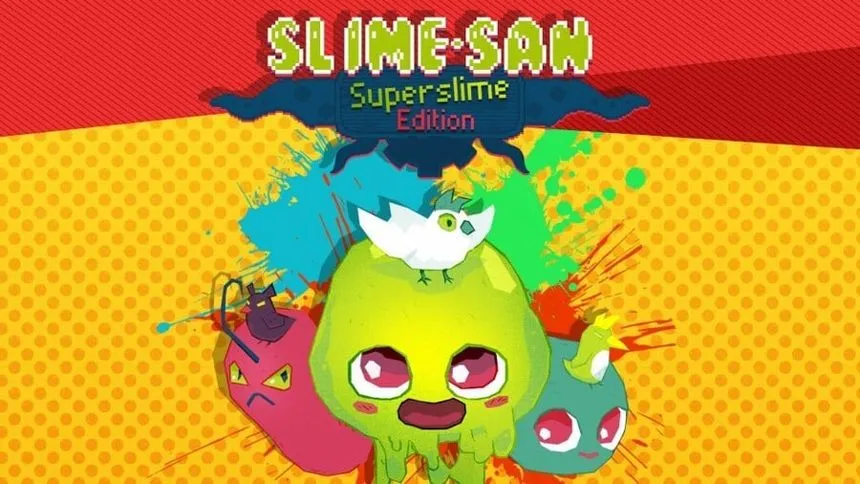
TLDR: What is the button mapping for resetting a level in Slime-San? (I have a valid reason for not being able to figure it out)


I know this might be an unlikely place to find an answer, but is there anyone here who owns the indie game Slime-San who can help me figure out a certain button binding? You see, I recently got the game on PC, and I'm playing with a controller. Annoyingly, the developers bound the retry/reset level button to Enter on the keyboard, even for controller players. I played the games demo back in 2017 on the Nintendo Switch and I'm almost certain I remember there being a controller binding for it. I just want to map the function on PC on my controller, to the same as it is on Switch.

But I can't figure out online what the button is supposed to be. In all the gameplay videos I see on YouTube, every player keeps skipping past the sign at the beginning of the game which let's you know what button to press, and there doesn't seem to be a wiki for the game that explains the controls either. Can anyone who owns the game themselves on Switch help me out please? Thanks.


It's just so out of context, like what is this trying to say about the game? 😆

1
Cat (odysee.com)
 

kitty


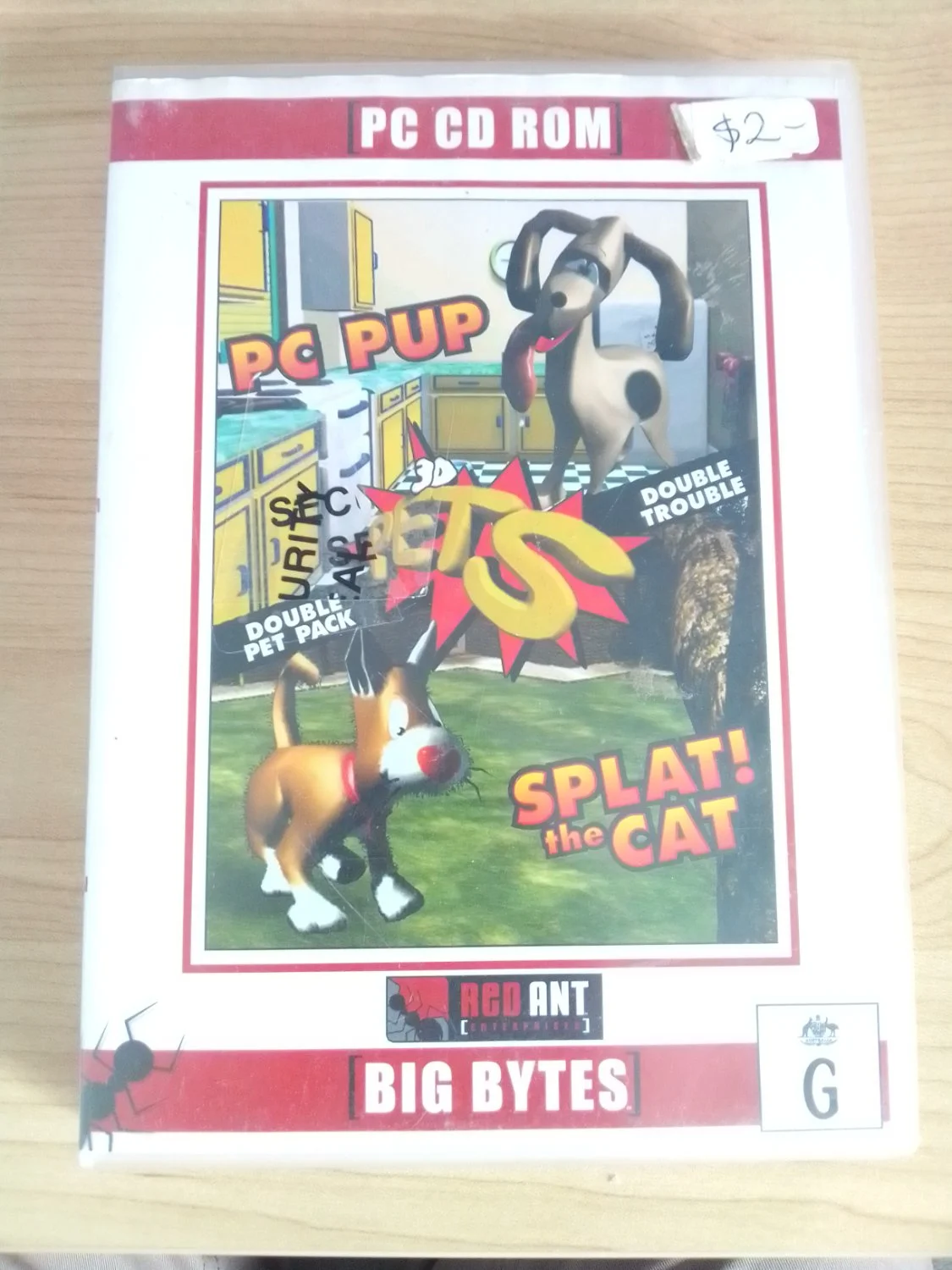
Picked up this funny goofy looking 1997 pet simulator. Has anyone here played it before?

Looks like the kind of obscure game you'd see people asking on r/tipofmyjoystick 😆


Pretty crazy this came out in 2003 and this secret was only just found now.

view more: next ›